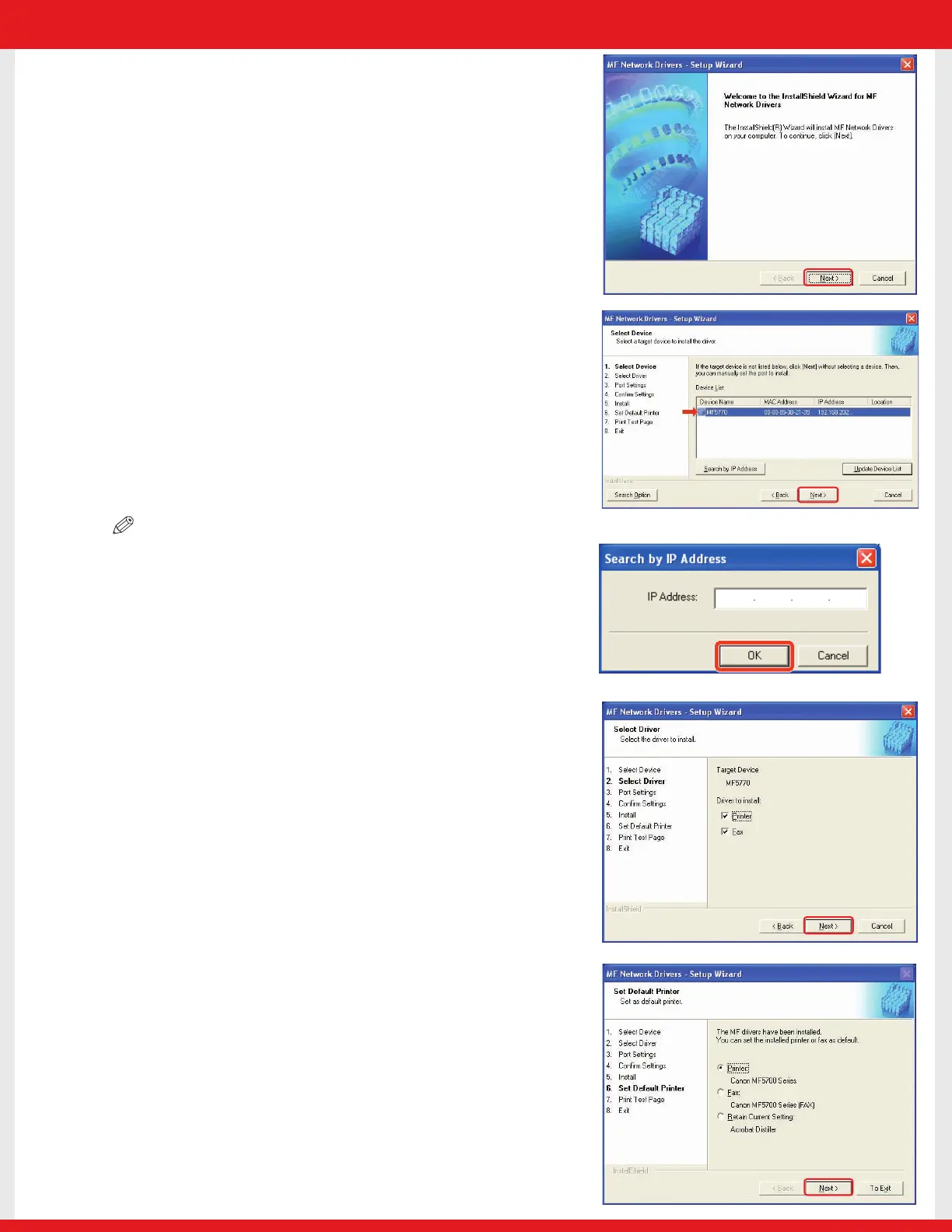
6 When the MF Network Drivers - Setup Wizard screen
appears, click [Next] and follow the instructions on the
screen.
7 Select the target machine in the Device List ➝ click [Next].
NOTE
• If the target machine is not listed in the Device List, click [Search by IP
Address] and enter the IP address ➝ click [OK]. If you do not know the
machine’s IP address, see “Checking Network Settings”on the previous
page.
8 Select the driver(s) to install ➝ click [Next]. Follow the
instructions on the screen to start installation.
9 After the drivers are installed, select the default printer ➝
click [Next].
E227ME (MF5770) US2 SI N&P.qxd 12/13/04 5:59 PM Page 7










 To Next Page