6
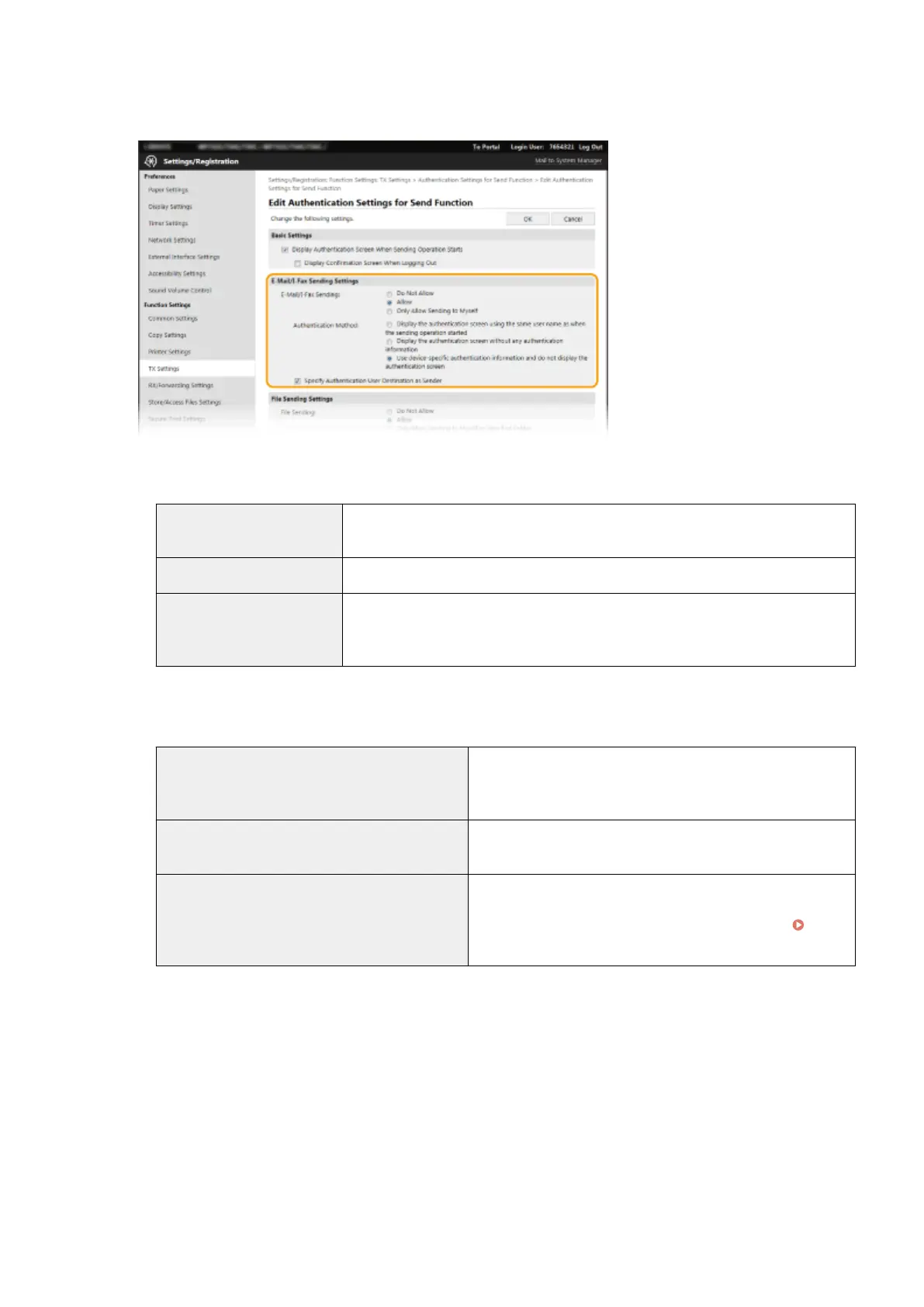
Congure the settings for sending e-mail/I-Faxes.
[E-Mail/I-Fax Sending]
Select whether to allow sending e-mail and I-Faxes.
[Do Not Allow]
Blocks sending e-mail and I-Faxes. <E-Mail> and <I-Fax> in the scan function can no
longer be used.
[Allow] Permits outgoing e-mail and I-Faxes.
[Only Allow Sending to Myself] Blocks all outgoing e-mail and I-Faxes other than those to users with authorized e-
mail addresses. The e-mail addresses of authorized users must be registered on the
LDAP server.
[Authentication Method]
When [Allow] or [Only Allow Sending to Myself] is selected in [E-Mail/I-Fax Sending], this allows you to specify
whether an authentication screen is shown on the SMTP server when e-mail is sent.
[Display the authentication screen using the same
user name as when the sending operation started]
Displays the authentication screen showing the same user
name and password entered in the Authorized Send login
screen.
[Display the authentication screen without any
authentication information]
Displays the authentication screen with the user name and
password elds blank.
[Use device-specic authentication information and
do not display the authentication screen]
No authentication screen is displayed when e-mail or I-Faxes are
sent. Authorization on the SMTP server is carried out using the
user name and password set in [E-Mail/I-Fax Settings]
Conguring E-Mail/I-Fax Communication Settings(P. 89) .
[Specify Authentication User Destination as Sender]
Select the check box when the e-mail address of an authorized user will be set as the sender. The e-mail
addresses of authorized users must be registered on the LDAP server. If you clear this check box, the e-mail
address set in the [E-Mail/I-Fax Settings] is set as the sender.
7
Congure the le transfer settings (for saving to shared folders and FTP servers).
Managing the Machine
365









 To Next Page