5
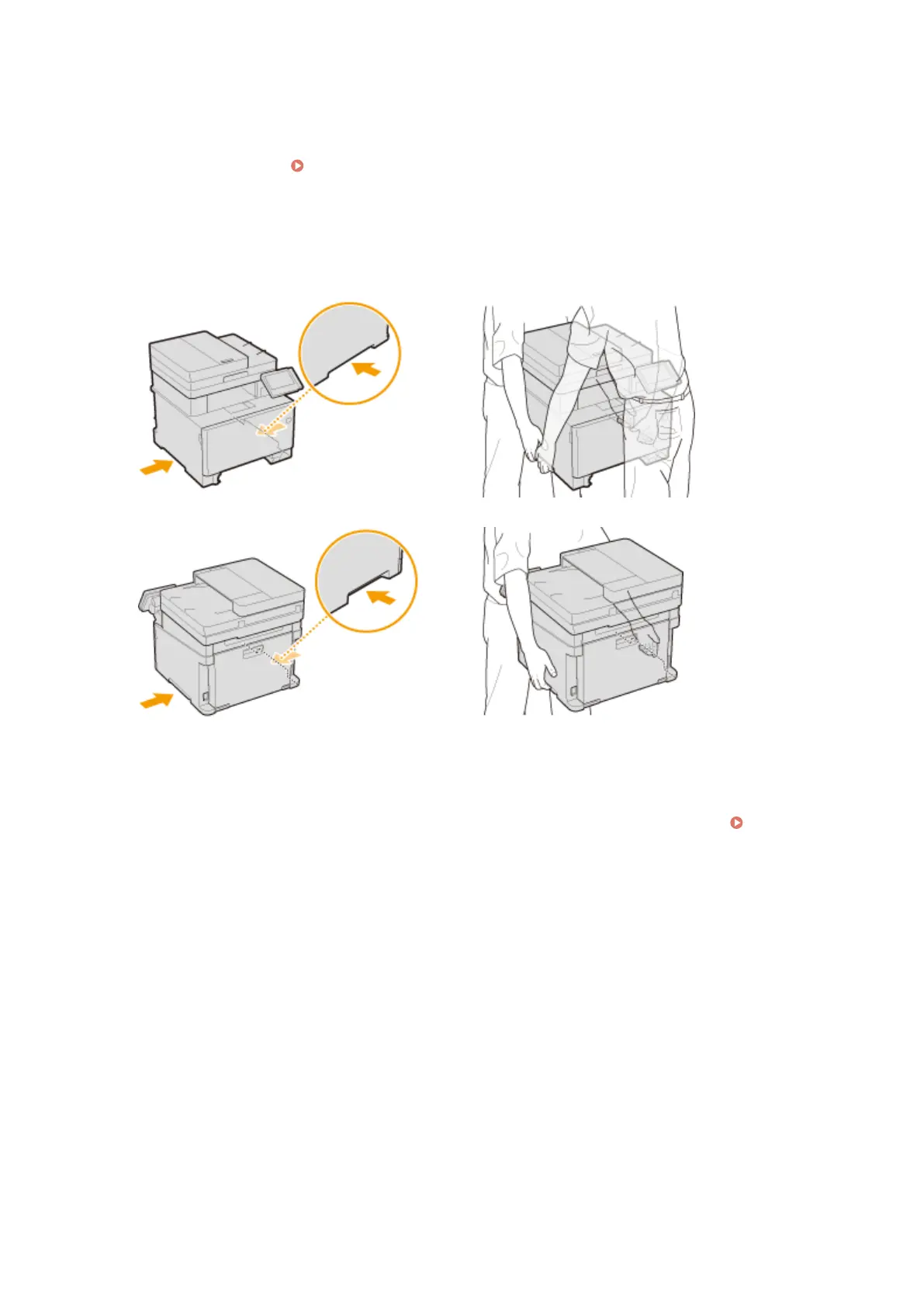
Close all the open covers and multi-purpose tray, and move the machine to a new
location.
● The machine is heavy ( Main Unit(P. 696) ). If you are using MF735Cdw / MF733Cdw / MF731Cdw, make
sure to move the machine with two or more people.
● Hold the lift handles, and lift up the machine. If you have attached the optional cassette feeding module,
leave the optional paper feeder on the oor and move it after moving the main unit of the machine.
MF735Cdw / MF733Cdw / MF731Cdw
MF634Cdw / MF632Cdw
6
Carefully place the machine at the new installation site.
● For information about how to install the machine after relocating it, see "Getting Started." Manuals and
Their Contents(P. 722)
Maintenance
592









 To Next Page