2
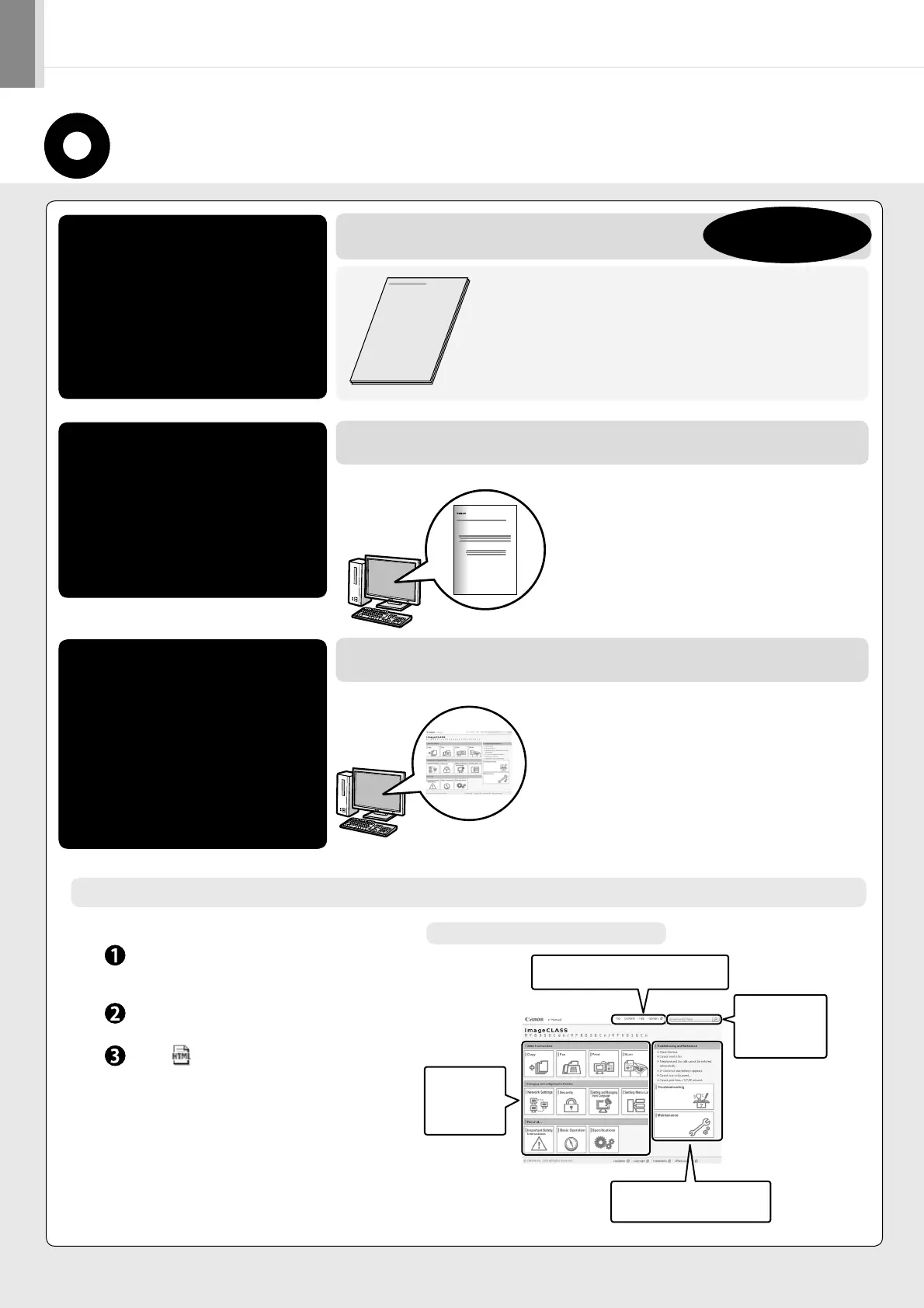
About the Supplied Manual
Read this manual first.
This manual describes the settings for
the machine, basic operation and easy
maintenance.
Be sure to read the manual before
using the machine.
Starter Guide
MF Driver Installation Guide
e-Manual
Read this manual when
installing the software.
Read the desired chapter
to suit your needs.
The e-Manual is categorized for each
subject to find desired information
easily.
This manual
Install Guide
English
Preface
Installing the Machine
Configuring and Connecting the Fax
Connecting to a Computer and Installing the Drivers
Appendix
•
•
•
•
•
User Software CD-ROM
Installing the MF Driver and MF Toolbox
How to Use the Online Help
Confirming IP Address Settings
Uninstalling the Software
•
•
•
•
•
Basic Operation
Copy
Fax
Print
Scan
Network Settings
Security
•
•
•
•
•
•
•
Setting and Managing from
Computer
Troubleshooting
Maintenance
Setting Menu List
Specifications
•
•
•
•
•
The e-Manual is included in the User Software CD-ROM. *
Displaying the e-Manual directly from the CD-ROM
Insert the User Software CD-ROM in your
computer.
Click [Display Manuals].
Click [ ].
Depending on the operating system you are using, a
security protection message is displayed.
Allow the contents to be displayed.
*
Page configuration of the e-Manual
The MF Driver Installation Guide is
included in the User Software CD-ROM.
*
Click a button for
the function
which you want
to use or desired
information.
Click when referring to the contents,
glossary, and how to use the e-Manual.
Enter a keyword
which you want to
search, and then
click the right
button.
Click when performing
troubleshooting or maintenance of
the machine.






 To Next Page