3
Preface
1
Installing the Machine
2
Configuring and Connecting the Fax
3
Connecting to a Computer and
Installing the Drivers
4
Appendix
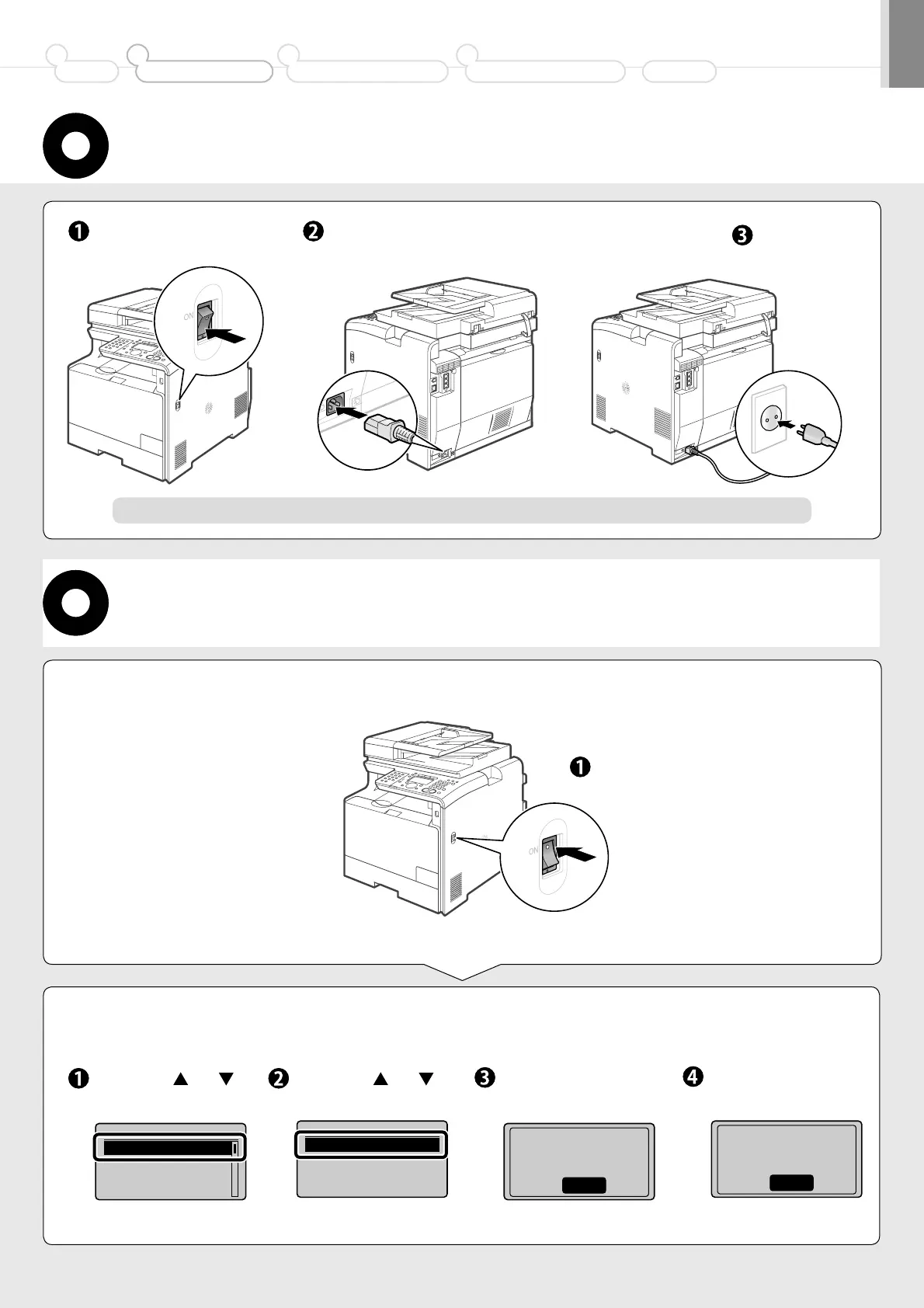
Connecting the Power Cord
2.
Specify the initial settings.
Select with [ ] or [ ],
and then press [OK].
Turning the Power ON and Specifying the
Initial Settings
Make sure that the
machine is off.
Plug the power plug into the
power socket.
Plug the power
plug into the AC
power outlet.
Press the power switch.
Language
English
French
Spanish
Portuguese
Do not connect the USB cable. Connect the USB cable when installing the software.
Select with [
] or [ ],
and then press [OK].
Check and press [OK].
1.
Turn ON the power of
the machine.
Select Country/Region
Australia (AU)
New Zealand (NZ)
Other
Check that tabs/tape
are removed from
toner cartridge.
Next
Check and press [OK].
Check that paper is
loaded in Drawer 1.
Next






 To Next Page