24
Appendix
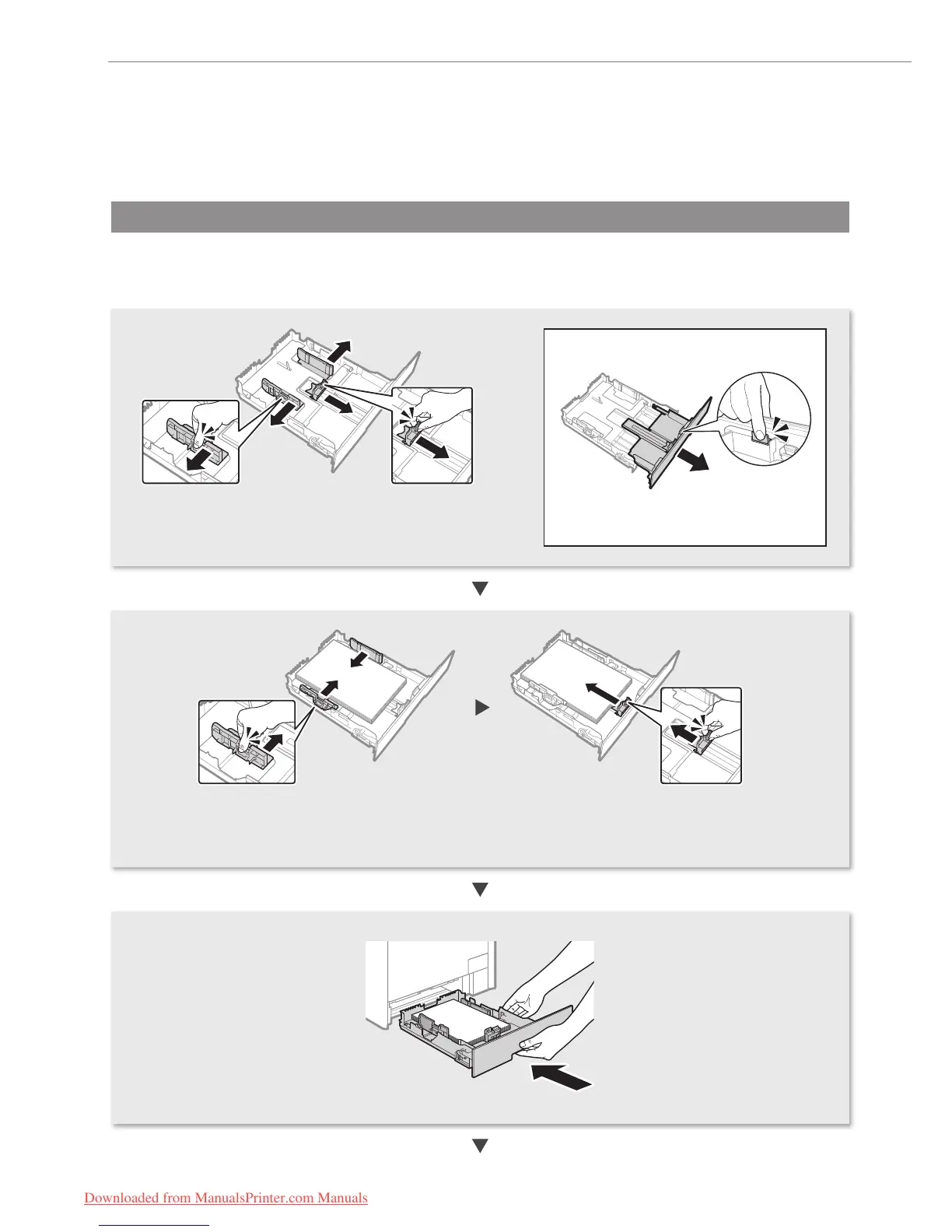
Loading Paper Other than A4 Size
To load paper other than A4 size, such as A5 or B5, see “Loading Paper” (P. 8) and the following procedure to load
paper and specify the paper size and type.
• After loading paper, slide the side paper guides and the front-center paper guide inward
until they are aligned securely against the edges of the paper.
• Make sure that the paper stack does not exceed the load limit mark.
• Pull out the paper drawer.
• Slide the paper guides, and spread them a little wider
than the actual paper width.
When loading Legal size paper
Press the lock release lever and adjust the
length of the paper drawer.
Downloaded from ManualsPrinter.com Manuals






 To Next Page