25
Appendix
4
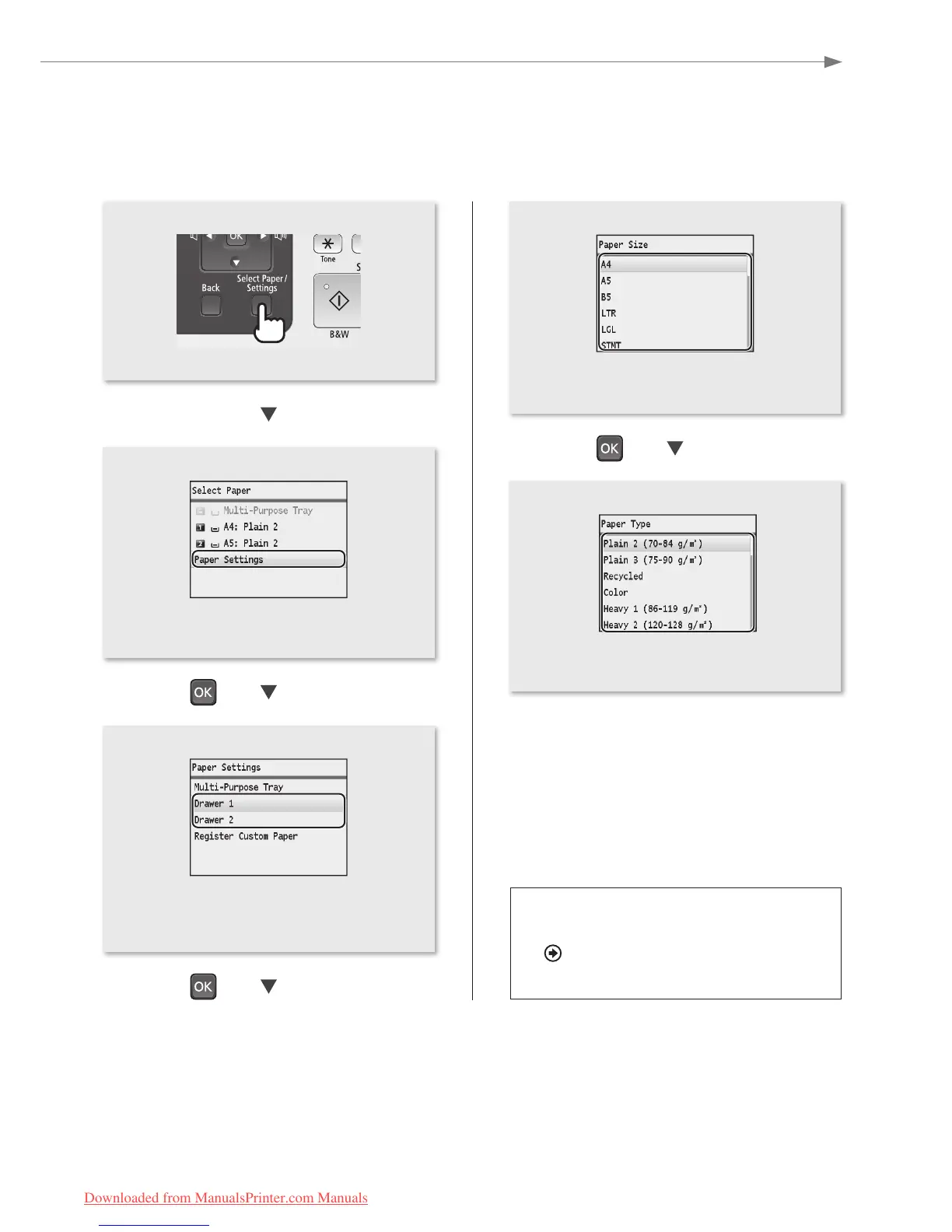
• Press [▲] or [▼] to highlight a paper size, and
then press [OK].
• Press [▲] or [▼] to highlight a paper type, and
then press [OK].
• Press [▲] or [▼] to highlight <Paper Settings>,
and then press [OK].
• Press [▲] or [▼] to highlight the paper drawer
for which you want to set the paper size and
type, and then press [OK].
Loading Preprinted Paper
“Loading Preprinted Paper” in the
e-Manual
Downloaded from ManualsPrinter.com Manuals






 To Next Page