9
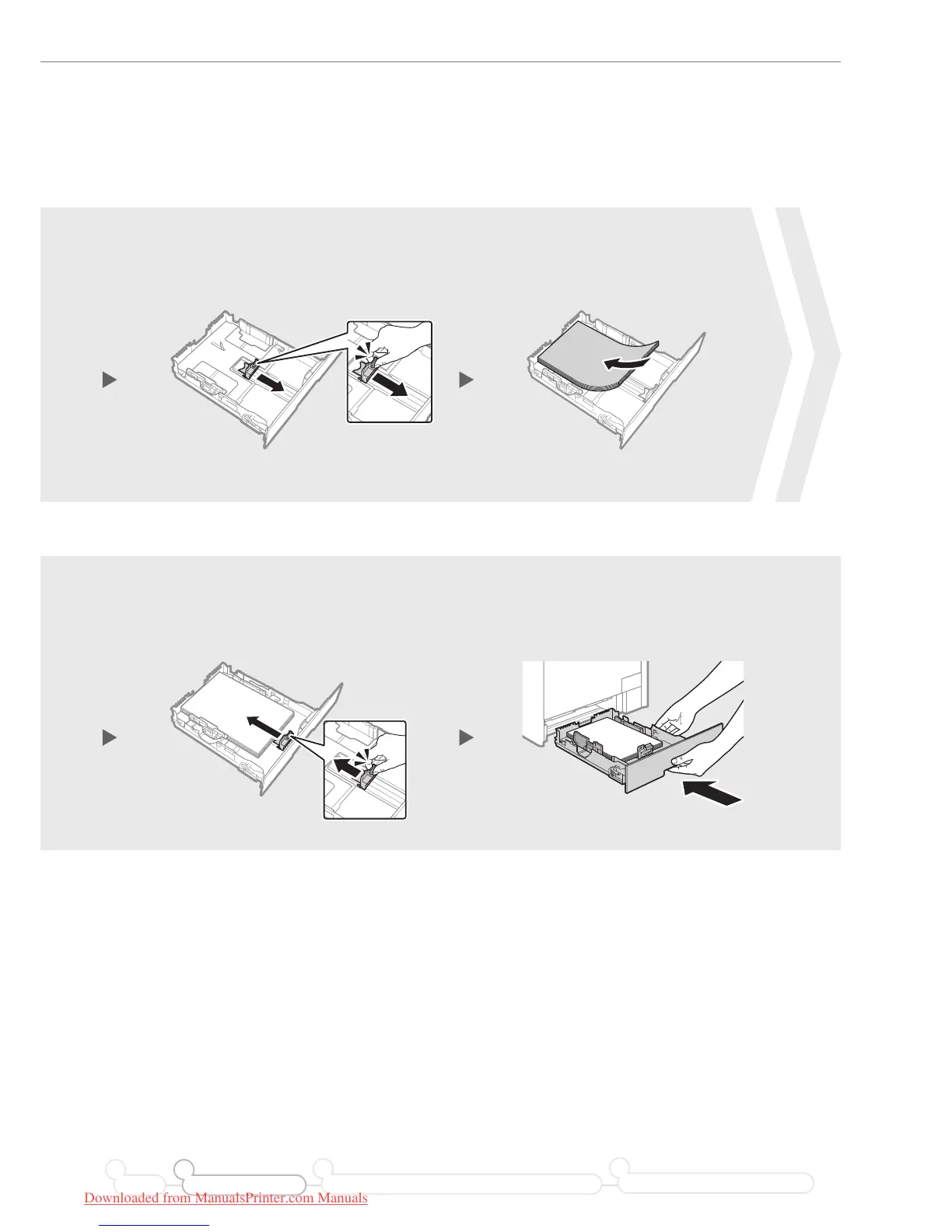
Loading Paper
Press the lock release lever, and slide
the front-center paper guide inward
until it is aligned securely against the
edges of the paper.
Load paper so that its edge is
aligned with the rear side of the
paper drawer.
Press the lock release lever and
spread the front-center paper guide a
little wider than the length of the paper.
43
7 8
Preface Installing the Machine
21
Connecting to a Computer and Installing the Drivers
3
Configuring and Connecting the Fax
4
Downloaded from ManualsPrinter.com Manuals






 To Next Page