18
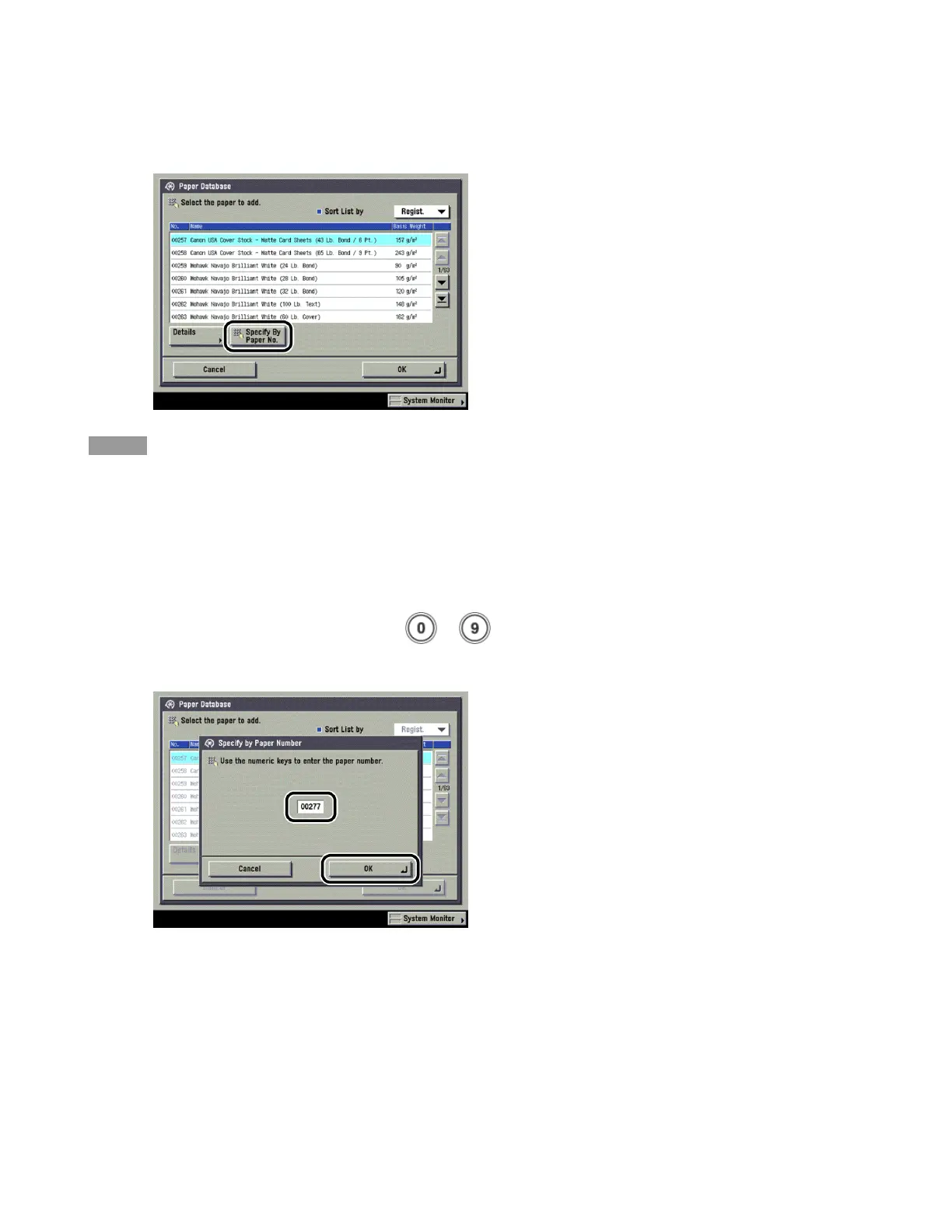
3 Press [Specify By Paper No.].
NOTE
· You can sort the list by registration date ([Regist.]), name ([Name]), or basis weight ([Weight]) from the Sort List
by drop-down list.
· Detailed information for the selected paper can be displayed by pressing [Details].
· You can change pages by pressing [▼]/[▲] for selecting and registering paper types displayed in other pages.
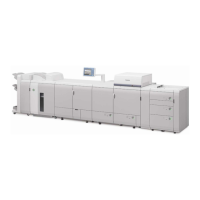
4
Enter the paper number using - (numeric keys) by referring to "Acceptable
Paper Type List," on this guide → press [OK].









 To Next Page