19
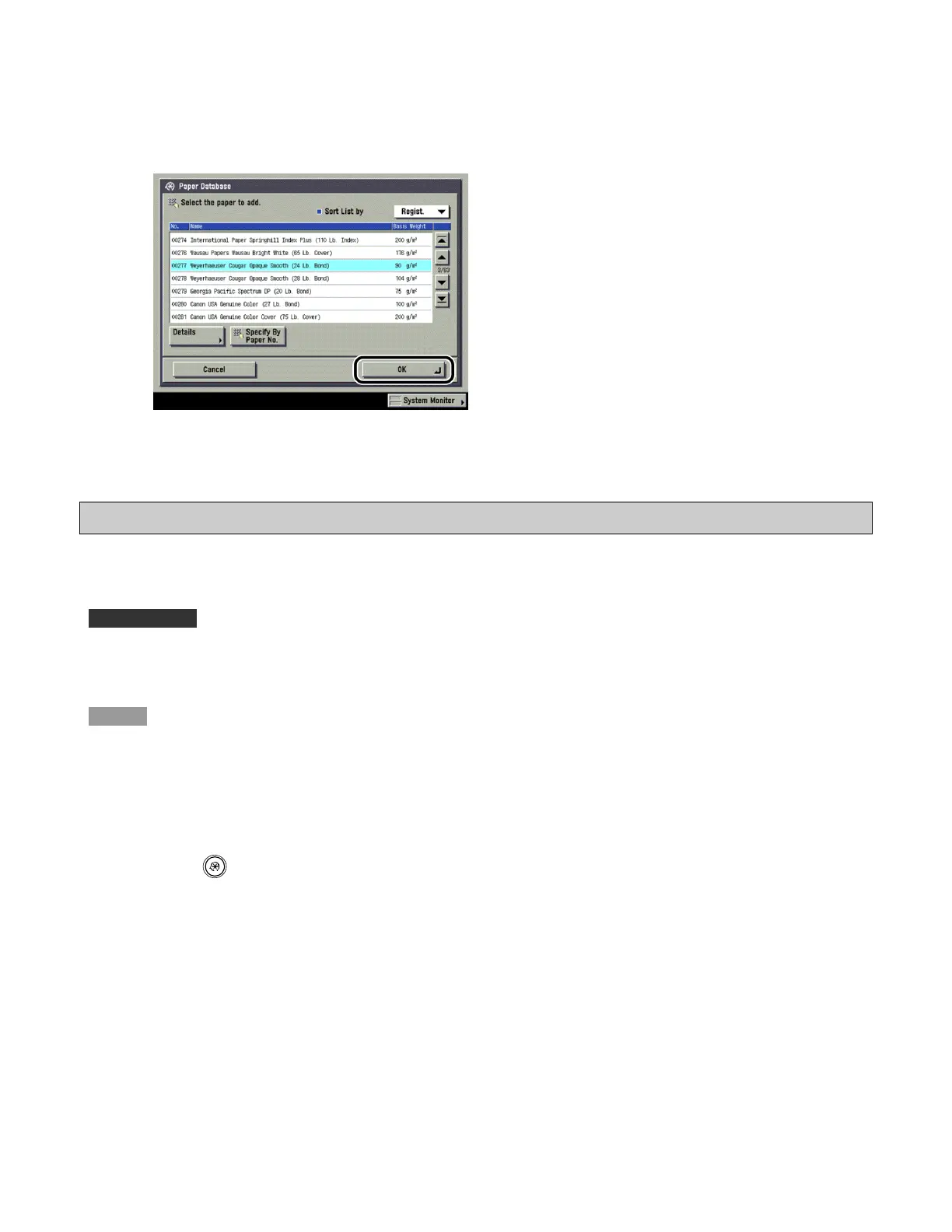
5 Press [OK].
The registered paper is displayed on the Paper Type Management Settings screen.
Changing the Custom Paper Type's Name
You can change the custom paper type's name.
IMPORTANT
Only user-registered paper types can be edited.
NOTE
· When you register the custom paper type's settings, make sure to change its name. You cannot change the
settings of default paper types registered in the machine.
· You cannot change the detailed information of paper being used for copying/printing jobs.
1 Press (Additional Functions) → [System Settings] → [Paper Type Management
Settings].









 To Next Page