30
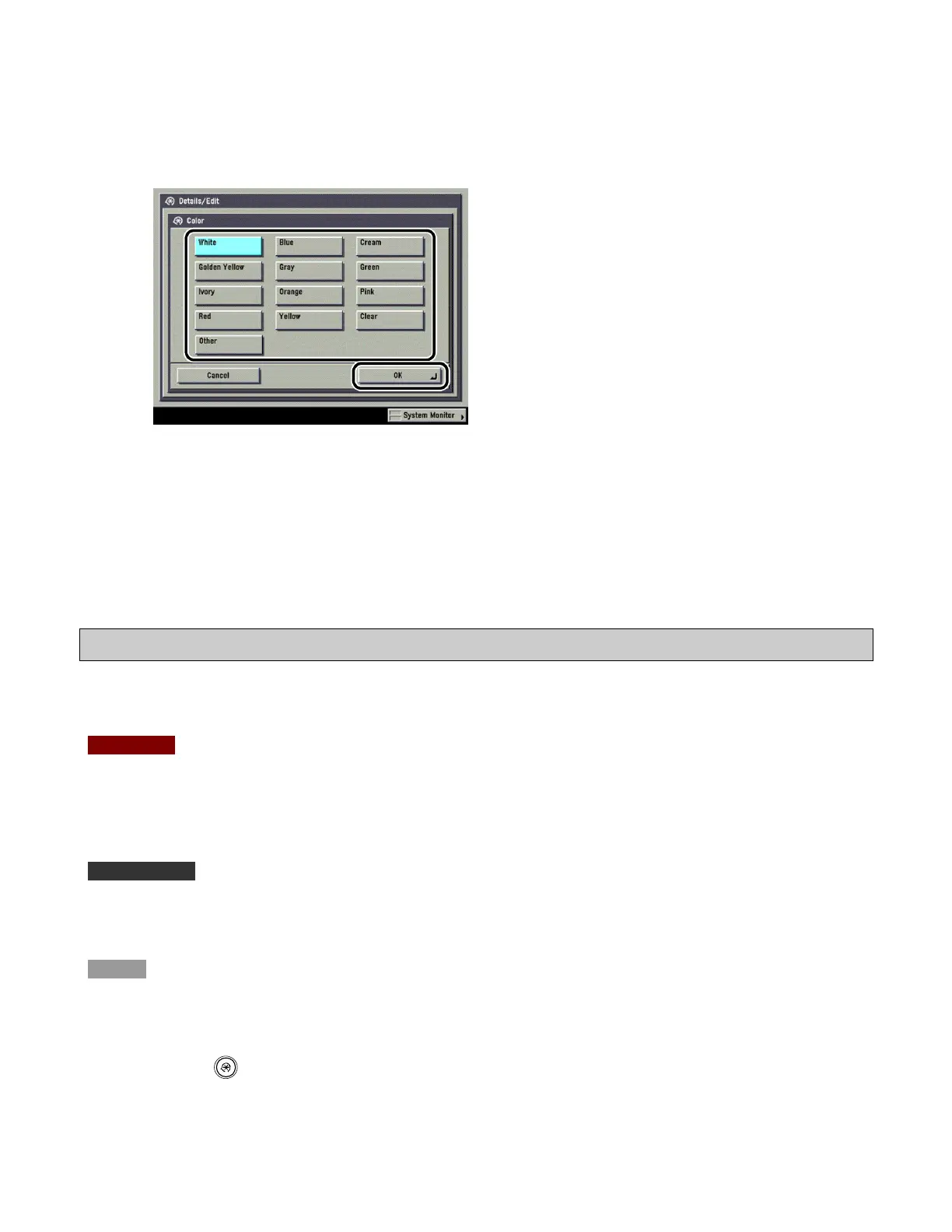
4 Select the paper color → press [OK].
You can select the paper color from [White], [Blue], [Cream], [Golden Yellow], [Gray], [Green], [Ivory],
[Orange], [Pink], [Red], [Yellow], [Clear], or [Other].
5 Press [Done].
Adjusting the Level of Curl Correction of a Custom Paper Type
You can adjust the curl correction level for custom paper types.
CAUTION
This mode may affect paper feeding. Since increasing the value to a great extent may cause paper jams,
adjusting the values in small increments is recommended.
IMPORTANT
Only user-registered paper types can be edited.
NOTE
You cannot change the detailed information of paper being used for copying/printing jobs.
1
Press (Additional Functions) → [System Settings] → [Paper Type Management
Settings].









 To Next Page