Convenient Printer Driver Features
If the page would exceed the roll paper width after rotation, you can use this function with Scale to fi t Roll Paper
Width to print rotated pages.
•
14
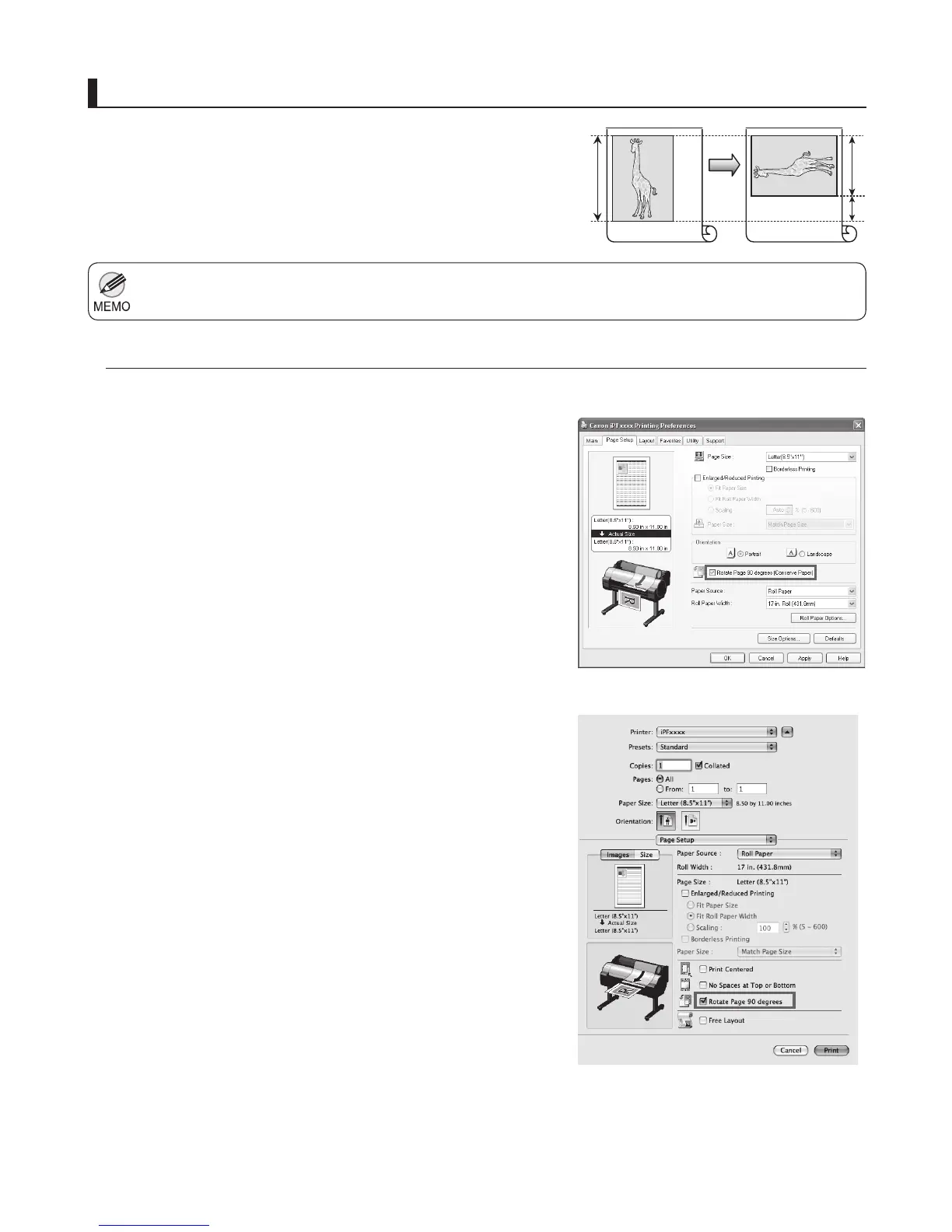
Rotate Page 90 degrees (Conserve Paper)
You can conserve roll paper by specifying particular settings as
suitable for your original.
When originals are printed in portrait orientation, the original is
rotated 90 degrees before printing if it fi ts within the roll width. This
enables you to conserve paper.
Access the Page Setup sheet.•
Instructions in Windows and Mac OS
Windows
Mac OS X
Select the Rotate Page 90 degrees (Conserve Paper)
check box.
•
Access the Page Setup pane.•
Select the Rotate Page 90 degrees check box.
•












 To Next Page