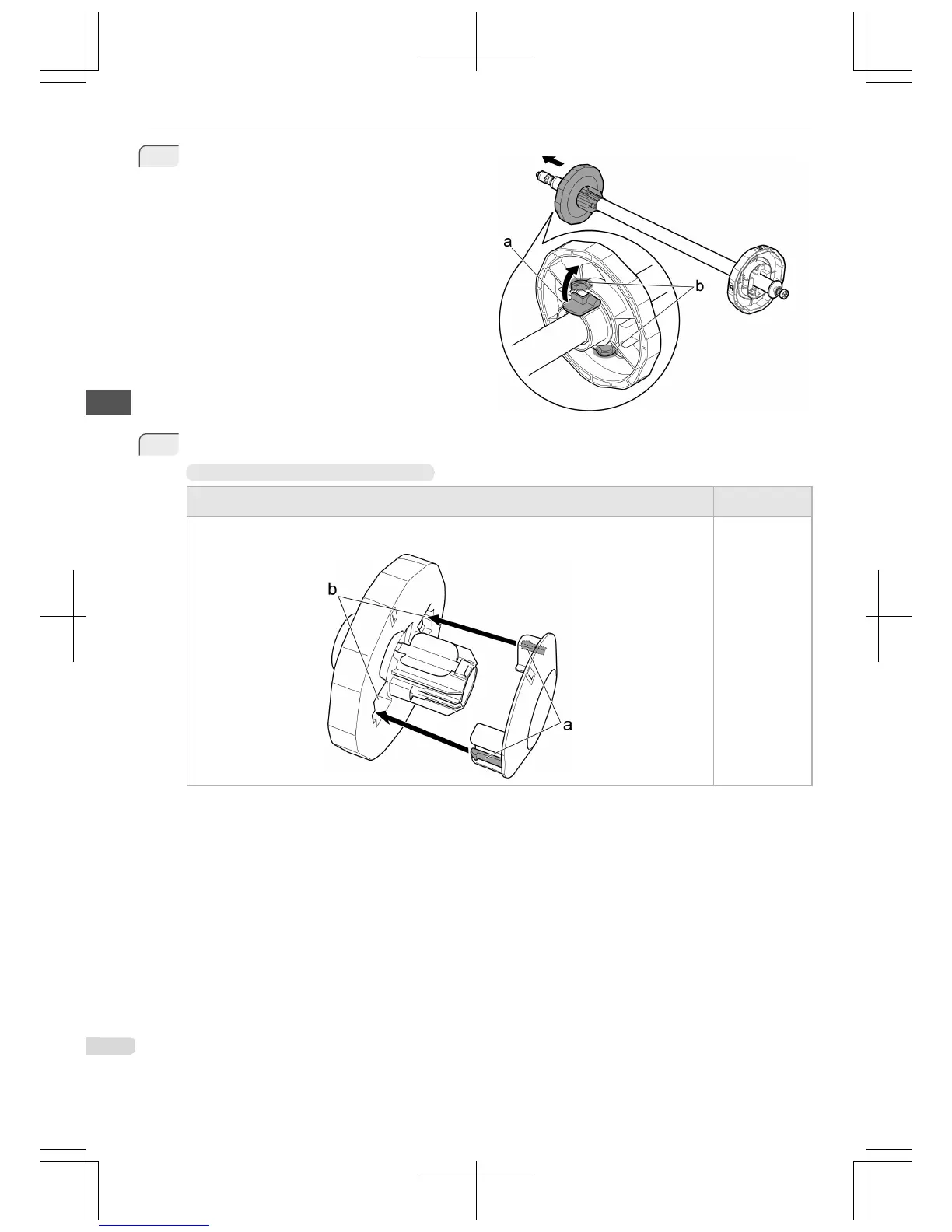
1
Lift the Holder Stopper lever (a) from the shaft side
to unlock it. Holding the Holder Stopper at the posi-
tion indicated (b), remove it from the Roll Holder.
2
Insert the respective attachments for the roll paper core on the Roll Holder and Holder Stopper.
•
Using rolls with a 2-inch paper core
Holder Stopper (Left Side)
Roll Holder (Right
Side)
Align the tips (a) of the 2-Inch Paper Core Attachment with the holes (b) of the Holder Stopper and insert it
firmly.
No attachment is
needed.
Attaching the Roll Holder to Rolls
iPF765
Basic Guide
Handling Paper Handling rolls
10


 To Next Page
 Loading...













