Specifying Common Settings
4-34
4
Customizing Settings
Function Keys That Reactivate the Machine
This mode enables you to set (COPY), (FAX), (MAIL BOX), and (SCAN)
as the keys to reactivate the machine from the sleep mode.
NOTE
The default setting is 'Off'.
1
Press (Additional Functions) ➞ [Common Settings].
If necessary, see the screen shot in step 1 of "Initial Function at Power ON," on p.
4-17.
2
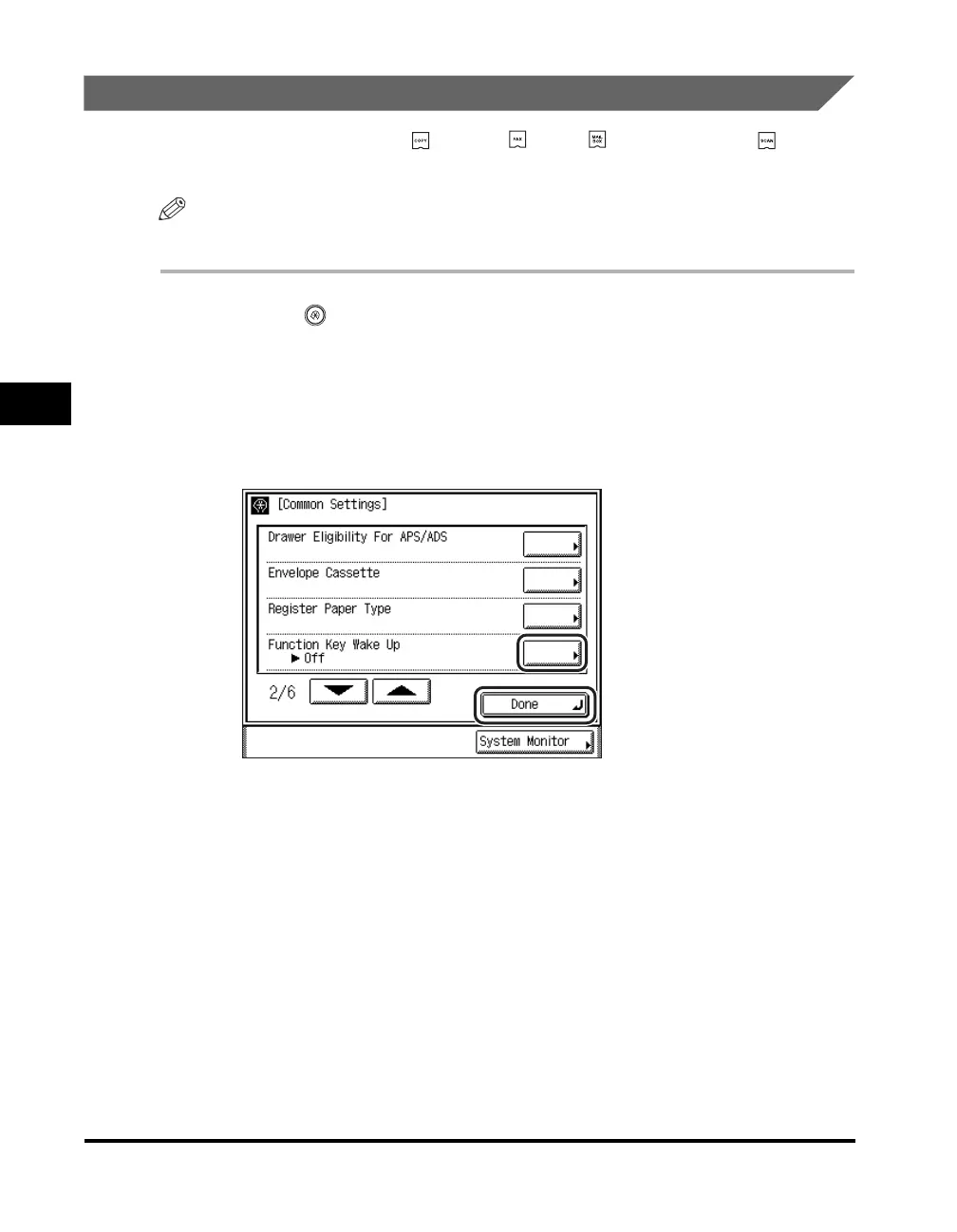
Press [▼] or [▲] until [Function Key Wake Up] appears ➞
press [Function Key Wake Up].






 To Next Page