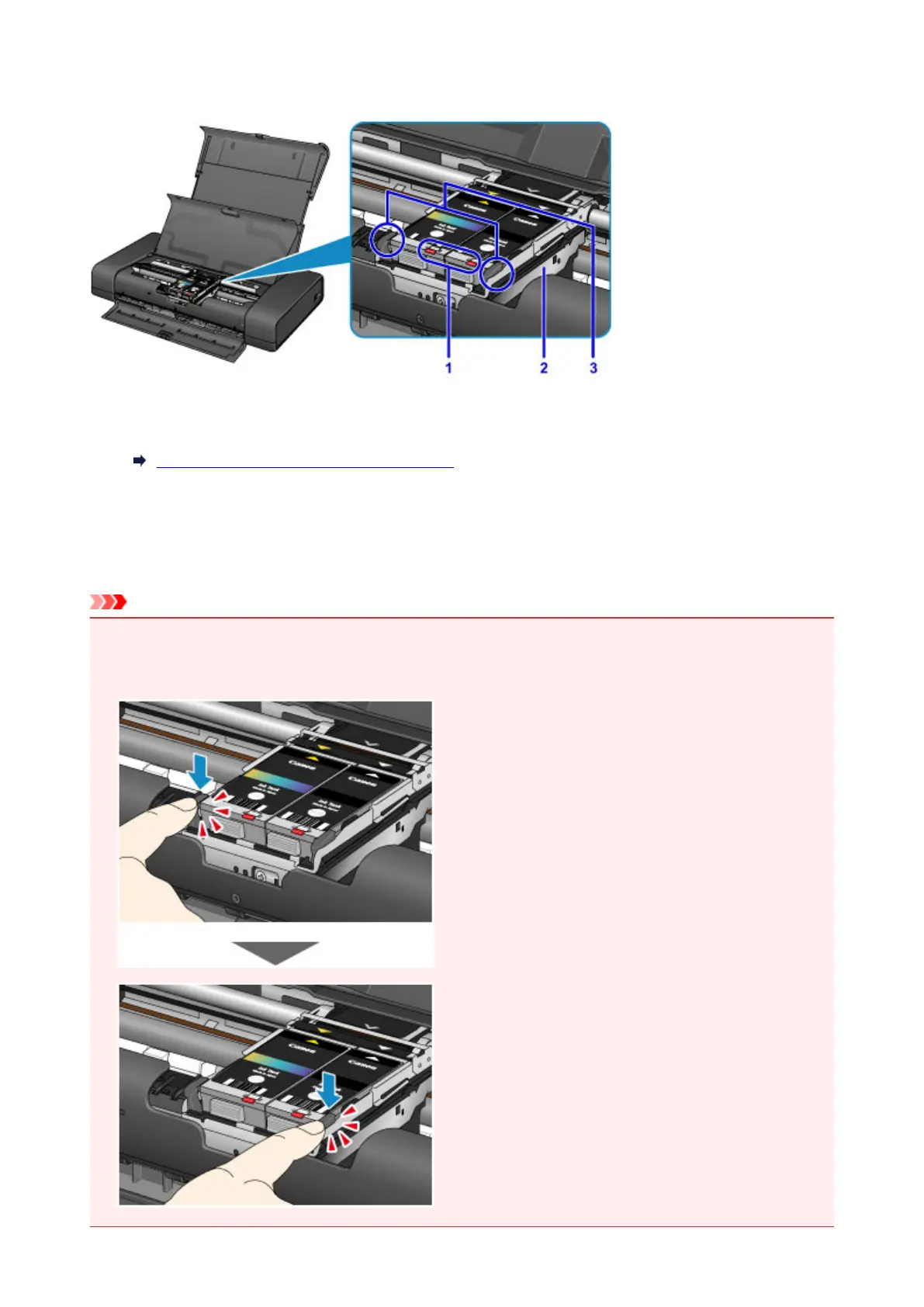
Inside View
(1) ink lamps
Lights or flashes to indicate the ink tank status.
Checking the Ink Status with the Ink Lamps
(2) print head holder
Install the print head here.
(3) print head lock lever
Locks the print head into place.
Important
• Do not pull up this lever after installing the print head.
• If you pull up the print head lock lever after installing the print head, push both tabs in left to right order
until each clicks into place.
98





 To Next Page