2
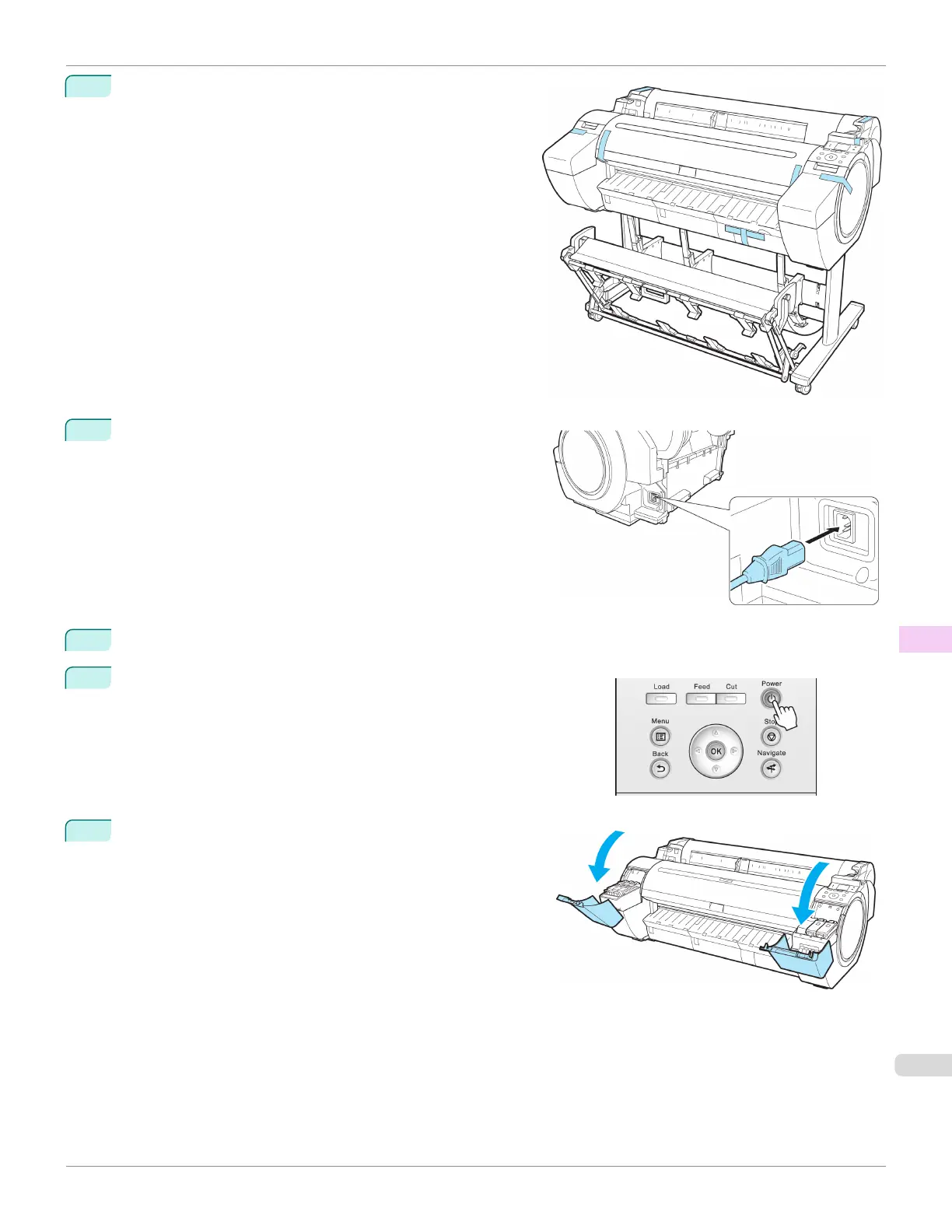
Remove tape and packaging material attached to the print-
er.
3
Connect the power cord to the Power Supply Connector on
the right side of the printer.
4
Plug the power cord into the outlet.
5
Press the power button to turn the printer on.
Instructions are displayed on the Display Screen.
6
Open the Ink Tank Cover and install the ink tanks.
iPF780
Reinstalling the Printer
User's Guide
Maintenance and Consumables Other Maintenance
571














 To Next Page