17
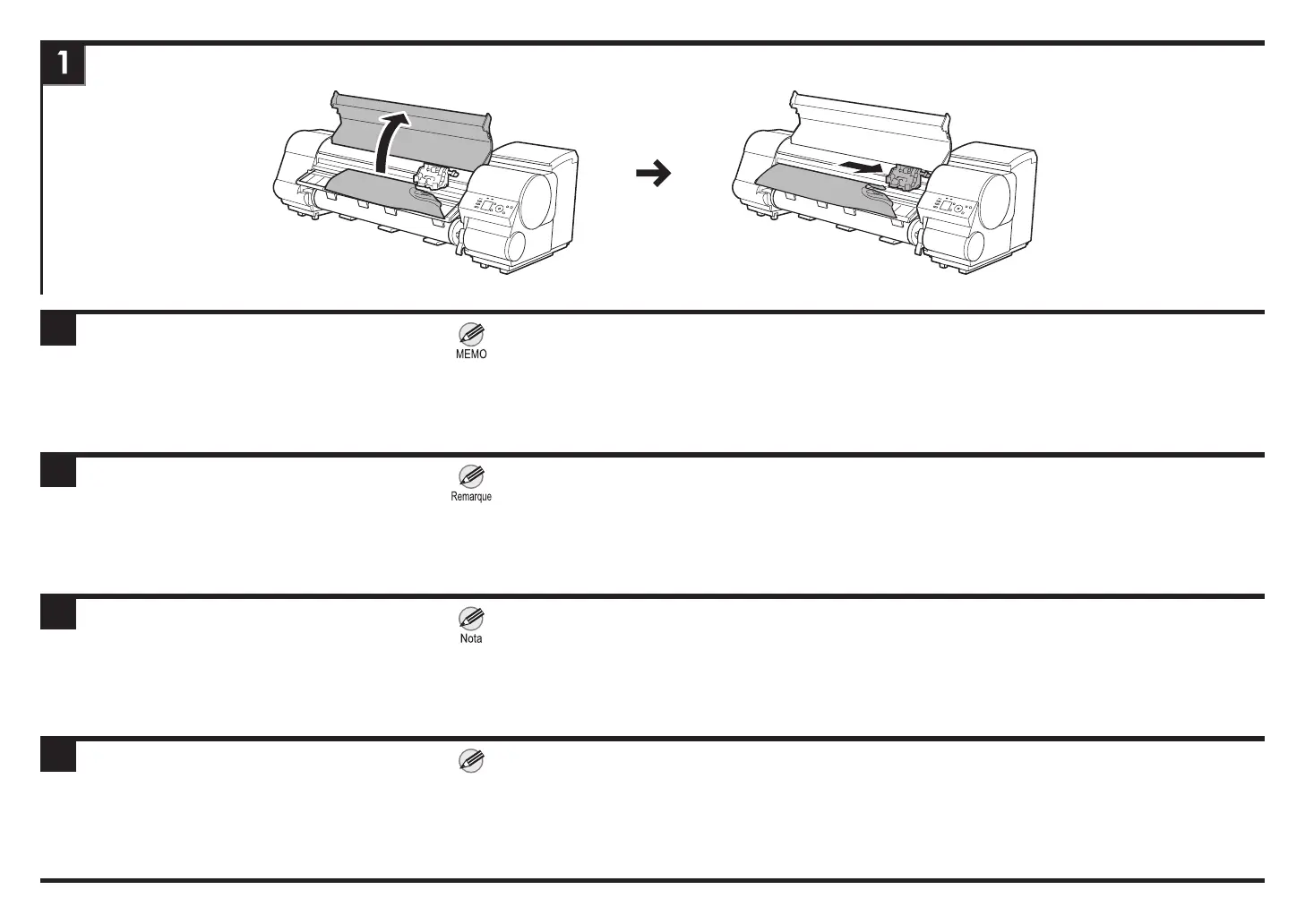
① Coupez l'alimentation et ouvrez le couvercle supérieur. ② Si le chariot est sorti, déplacez manuellement le chariot
hors du chemin, pour le séparer du papier.
① Apague la impresora y abra la cubierta superior. ② Si el carro está fuera, aparte el carro con la mano para
separarlo del papel.
① Desligue a energia e abra a tampa superior. ②
Se o carro estiver do lado de fora, mova o carro manualmente
para fora do caminho, longe do papel.
① Turn off the power and open the Top Cover. ② If the Carriage is out, manually move the Carriage out of the
way, away from the paper.
ENG
FRA
ESP
POR
• If you open the top cover but cannot nd the jammed
paper, see "Troubleshooting When Paper Jams are not
Found" in the User's Guide.
• Si vous ouvrez le couvercle supérieur mais que vous
ne pouvez pas trouver le bourrage de papier, reportez-
vous à "Dépannage lorsque des bourrages de papier
sont introuvables" dans le Guide de l'utilisateur.
• Si abre la cubierta superior pero no puede encontrar
el papel atascado, consulte "Resolución de problemas
cuando no se encuentran los atascos de papel" en la
Guía del usuario.
• Se você abrir a tampa superior, mas não puder encontrar
o papel atolado, consulte "Solução de problemas quando
há atolamento de papel" no Guia do usuário.
Nota














 To Next Page