20
5
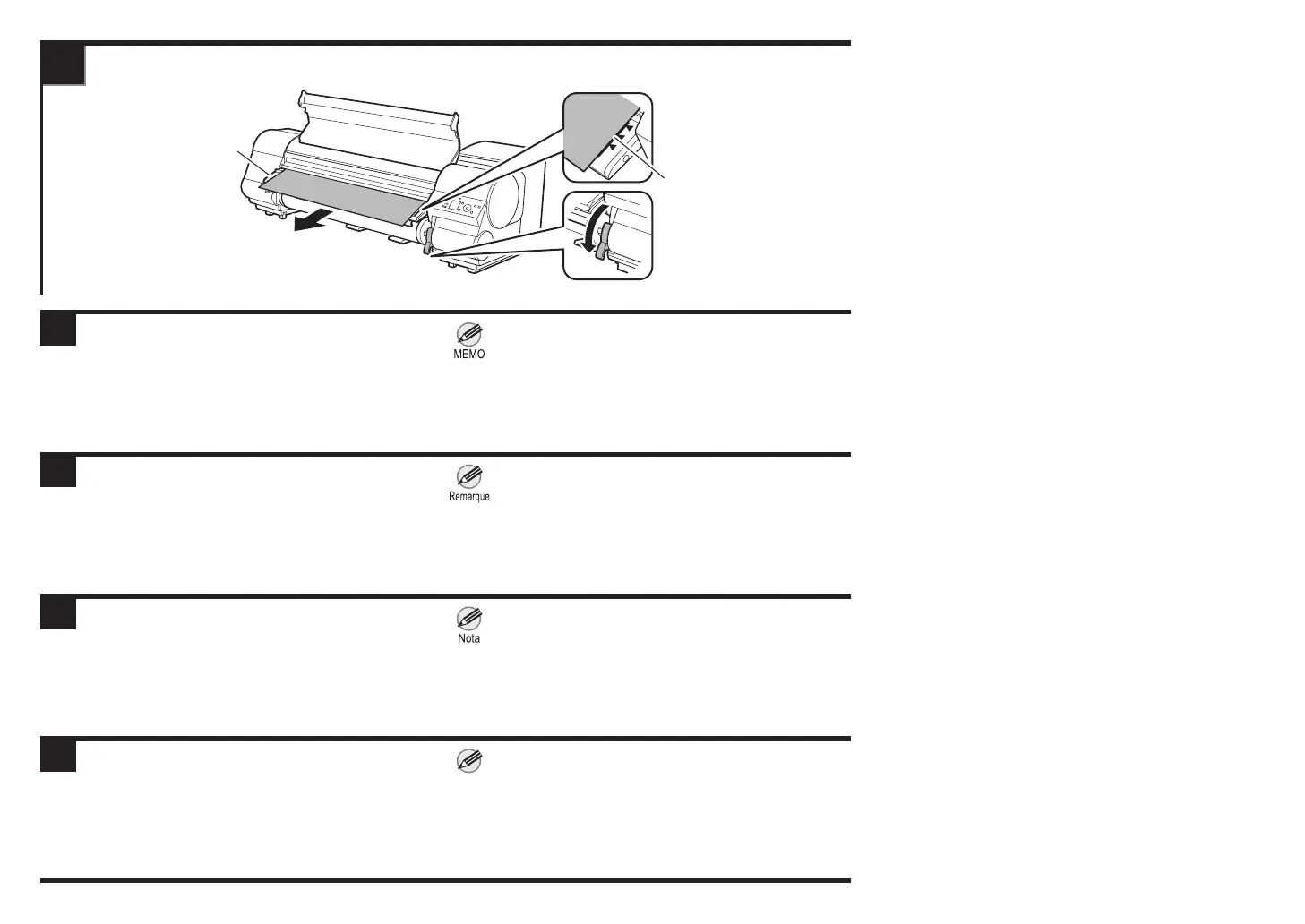
① (Uniquement pour le papier en rouleau)
Tirez le papier en rouleau hors de la position du
guide d'éjection (b) an que le bord droit du papier
en rouleau soit parallèle à la ligne (a).
②
Abaissez le levier de dégagement et fermez le couvercle
supérieur.
③ Mettez l'imprimante sous tension.
① (Solo para rollos de papel)
Tire del rollo de papel hacia la posición de la guía de
salida (b), de forma que el borde derecho del rollo
de papel quede paralelo con la línea (a).
②
Baje la palanca de liberación y cierre la cubierta superior.
③ Encienda la impresora.
① (Apenas para papel em rolo)
Puxe o papel em rolo para fora para a posição da
guia de ejeção (b) para que a borda direita do papel
em rolo que paralela à linha (a).
②
Abaixe a alavanca de liberação e feche a tampa superior.
③ Ligue a energia.
ENG
FRA
ESP
POR
① (Only for roll paper)
Pull the roll paper out to the position of the ejection
guide (b) so that the right edge of the roll paper is
parallel to the line (a).
② Lower the release lever and close the top cover.
③ Turn the power on.
• If you want to make the edge of the roll paper neater,
turn the power on and then press the Cut button, select
Yes, and cut the edge.
• Si vous souhaitez rendre plus net le bord du papier en
rouleau, mettez l'imprimante sous tension et appuyez
sur le bouton Cut (Couper), sélectionnez Oui, et
coupez le bord.
• Si quiere que el borde del rollo de papel quede más
limpio, encienda la impresora y pulse el botón Cut
(Cortar), seleccione Sí, y corte el borde.
• Se desejar deixar a borda do papel em rolo mais certa,
ligue a energia e pressione o botão Cut (Cortar),
selecione Sim e corte a borda.
Nota
a
b














 To Next Page