iPF8400S Basic Guide
8
Preface Manuals for this printer
3
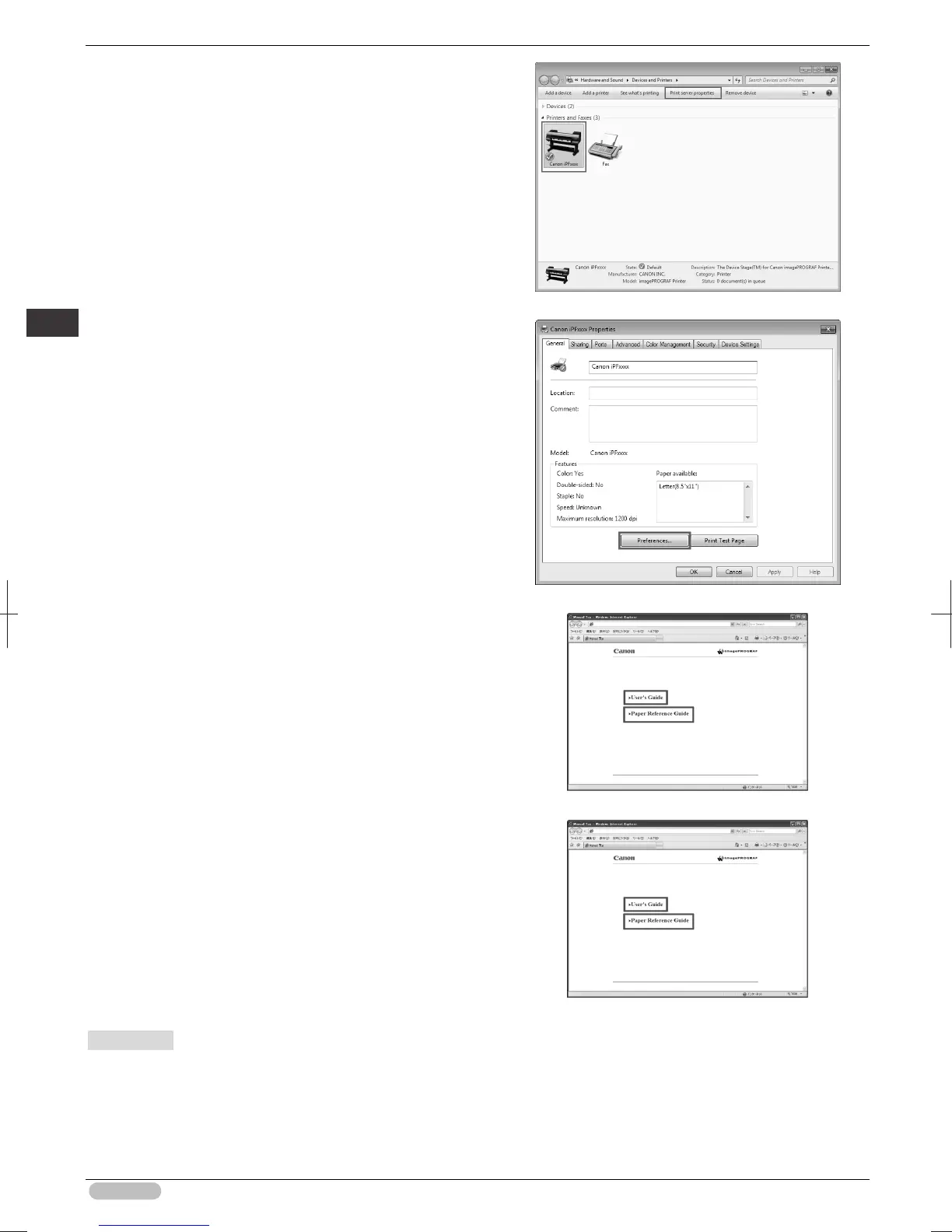
Right-click the printer, and then click
Properties
(or
Printer Properties
).
4
Click
Main
(or
Printing Preferences
) to display
the
Printing Preferences
dialog box with the
printer name added to the title.
5
Select the
Support
sheet and click the
User
Manual
button.
6
To display User's Guide, click
User's Guide
.
Alternately, to display Paper Reference Guide,
click
Paper Reference Guide
.
• Mac OS
The basic instructions for displaying the Electronic manuals from the imagePROGRAF Printmonitor
are as follows.
1
Install the software.
(See "Installing the Software (Mac OS).")
➔
P.88





 To Next Page