9
51 2 3
4
(A)
Windows
1
2
3
1
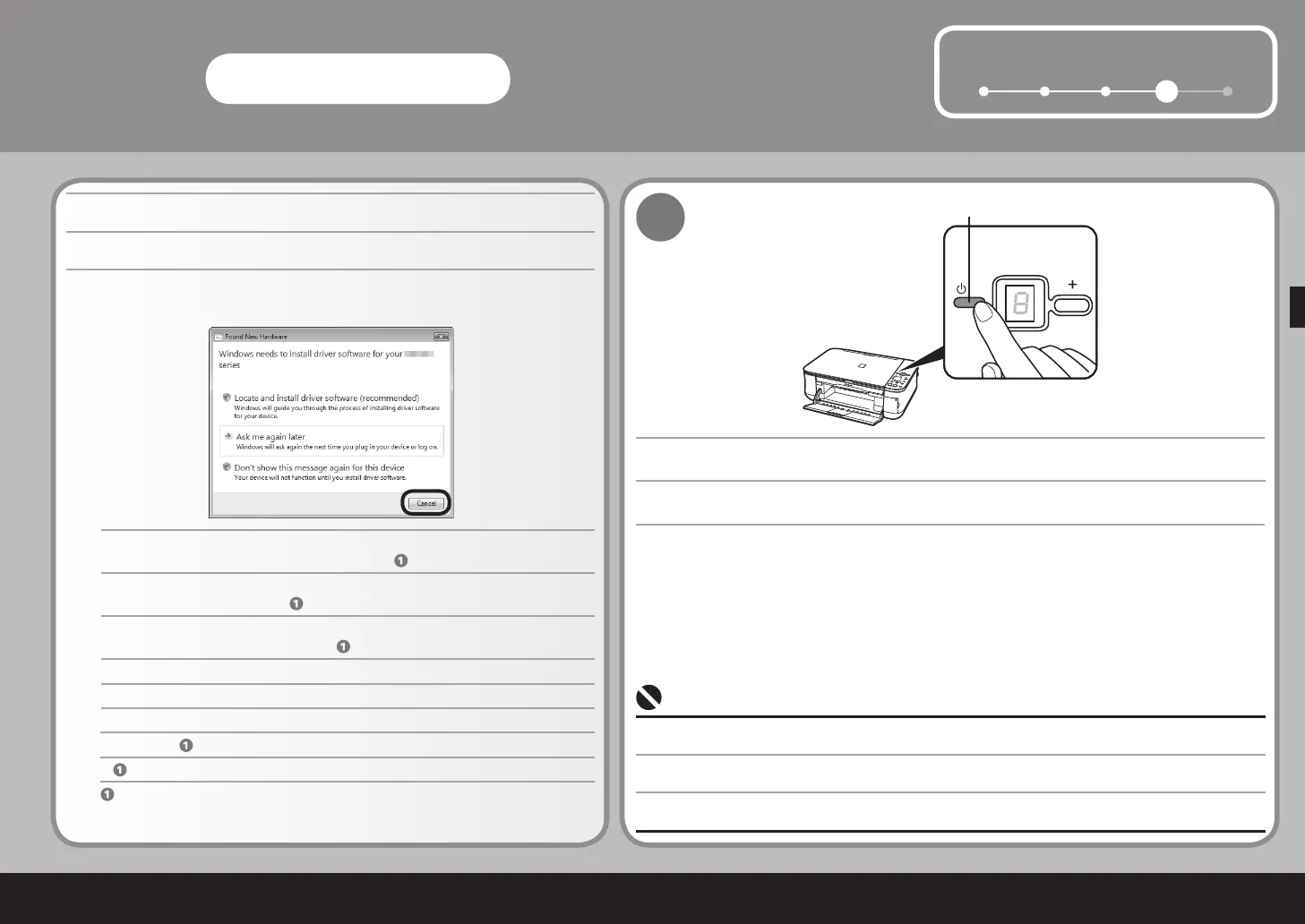
취소를 클릭하여 화면을 종료합니다.
새 하드웨어 발견 또는 새 하드웨어 발견 마법사 화면이 나타나는 경우:
부터 진행합니다.
전원 버튼(A)을 눌러 기기를 끕니다.
기기가 꺼질 때까지 약 25초 동안 작동 소음이 계속됩니다. 전원 램프가 깜박거림을 멈추었는지 확인합니다.•
컴퓨터에 연결된 USB 케이블을 제거하십시오.
화면이 닫힐 수도 있습니다. 이런 경우에는
부터 진행합니다.
按一下取消退出螢幕。
如果出現找到新硬體或尋找新增硬體精靈螢幕:
從
繼續。
按電源按鈕 (A) 以關閉本機。
在本機關閉之前操作噪音會持續大約 25 秒鐘。確保電源指示燈停止閃爍。
•
取下連接到電腦的 USB 電纜線。
螢幕可能關閉。在這種情況下,從
繼續。
If the Found New Hardware or Found New Hardware Wizard screen appears:
Click Cancel to quit the screen.
Proceed from
.
Remove the USB cable connected to your computer.
Press the ON button (A) to TURN OFF THE MACHINE.
Operating noise continues for about 25 seconds until the machine turns off. Make sure that the POWER lamp
stops ashing.
•
The screen may close. In this case, proceed from
.



 To Next Page