10
Windows Vista
Windows XP/2000
Windows Vista
Windows
3
2
4
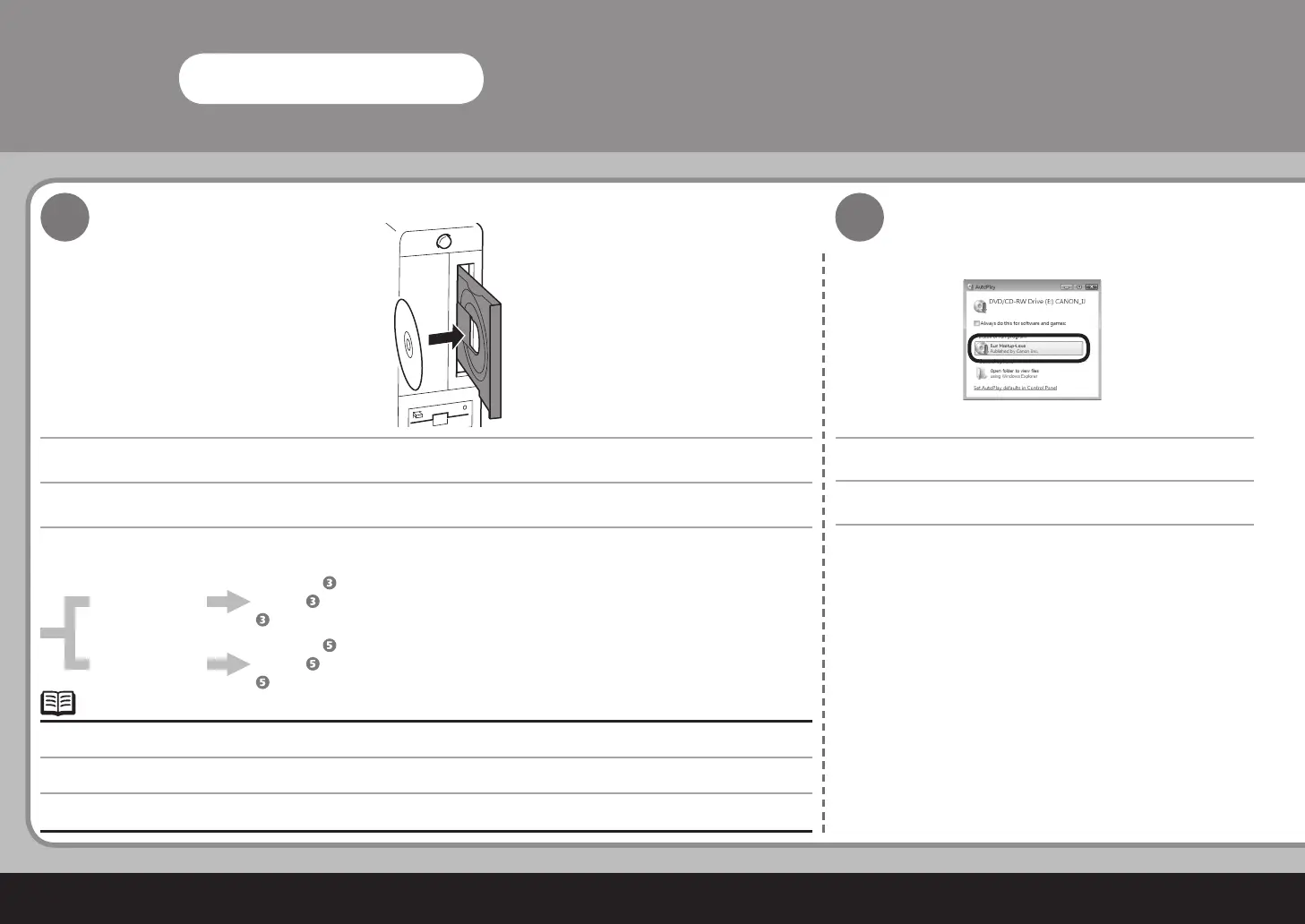
설치 프로그램이 자동으로 실행되어야 합니다.
컴퓨터를 켜고
Setup CD-ROM
을 CD-ROM 드라이버에 삽입합니다.
단계로 이동합니다.
단계로 이동합니다.
프로그램이 자동으로 시작하지 않으면 컴퓨터에서 CD-ROM 아이콘을 더블 클릭합니다. CD-ROM 내용물이 나타날 때까지 MSETUP4.
EXE를 더블 클릭합니다.
•
자동 실행 화면이 나타나고 Msetup4.exe 실행을 클릭합니다.
開啟電腦,然後將
安裝光碟
插入到光碟機。
轉到步驟 。
轉到步驟
。
如果程式未自動開始,按兩下電腦上的光碟圖示。出現光碟機內容時,按兩下 MSETUP4.EXE。
•
安裝程式會自動執行。
出現自動播放螢幕,按一下執行 Msetup4.exe。
Turn on the computer, then insert the Setup CD-ROM into the CD-ROM drive.
Go to Step .
Go to Step
.
If the program does not start automatically, double-click the CD-ROM icon on the computer. When the CD-ROM contents appear,
double-click MSETUP4.EXE.
•
The setup program should run automatically.
AutoPlay screen appears, click Run Msetup4.exe.



 To Next Page