11
51 2 3
4
Windows Vista
4
5
6
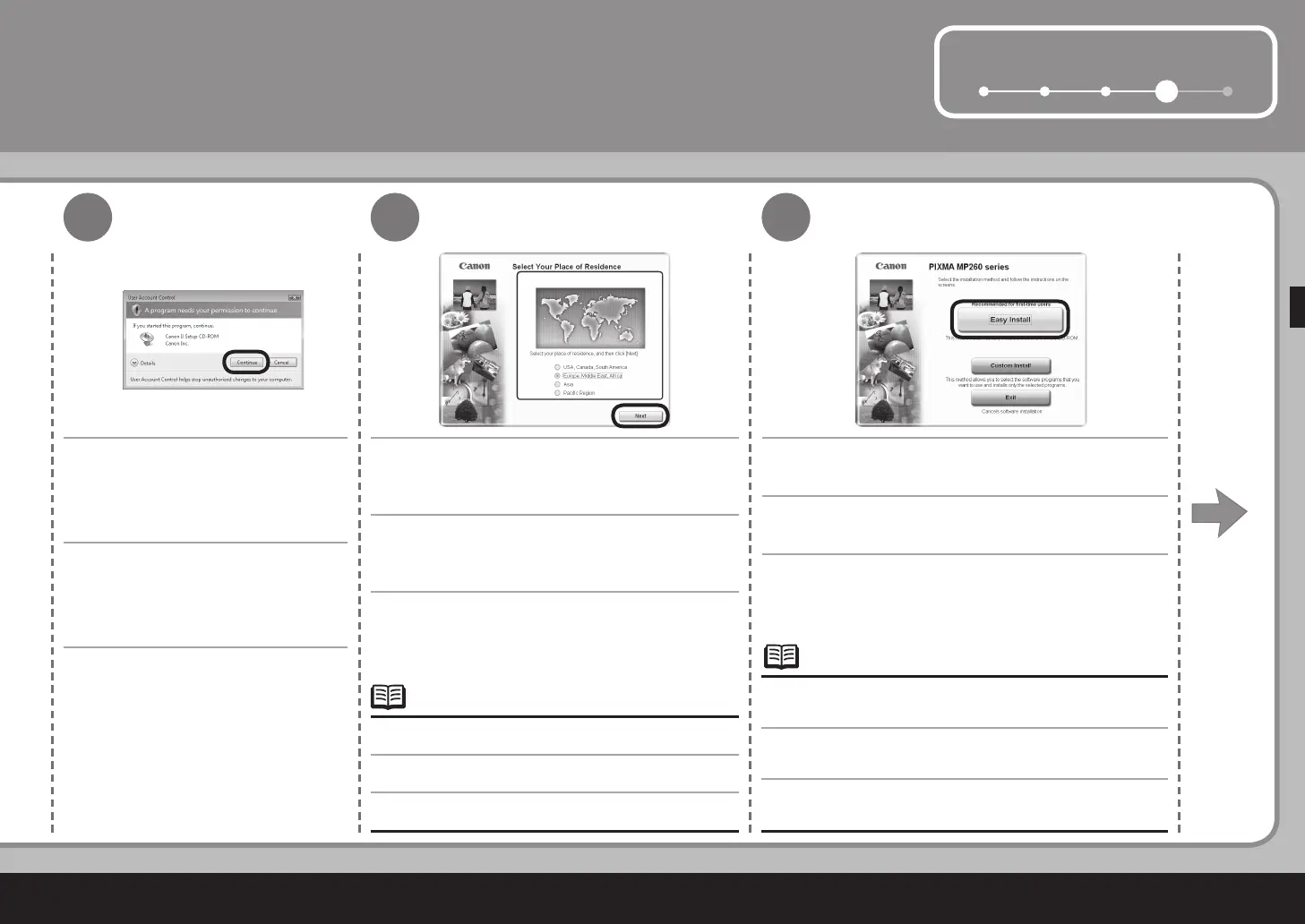
사용자 계정 컨트롤 화면이 나타나면 계속
을 클릭합니다.
후속 단계에서 같은 화면이 다시 나타나면 계속을
클릭합니다.
사용자의 거주지 선택 화면이 나타날 때 거주 지역을
선택한 후 다음을 클릭합니다.
설치할 특정 항목을 선택하려면 사용자 정의 설치를 클릭하고 화면의
지시에 따라 설치를 계속합니다.
•
쉬운 설치를 클릭합니다.
드라이버,어플리케이션 소프트웨어 및 전자 안내서는 자동으로 설치됩니
다.
언어 선택 화면이 나타나면 언어를 선택한 후 다음을 클릭합니
다.
•
出現使用者帳戶控制螢幕,按一下繼續。
如果在隨後的步驟中出現相同的螢幕,按一下繼續。
出現選擇居住地螢幕時,選擇居住地,然後按一下下一
步。
按一下簡易安裝。
將自動地安裝驅動程式、應用程式軟體和電子手冊。
如果要選擇某些項目安裝,按一下自訂安裝並根據螢幕說明繼續安裝。
•
如果出現選擇語言螢幕,選擇一種語言,然後按一下下一步。
•
User Account Control screen appears,
click Continue.
If the same screen reappears in subsequent
steps, click Continue.
When the Select Your Place of Residence screen
appears, select your place of residence, then click
Next.
Click Easy Install.
The drivers, application software, and on-screen manuals are
installed automatically.
If you want to select particular items to install, click Custom Install
and follow the on-screen instructions to proceed with the installation.
•
If the Select Language screen appears, select a language,
then click Next.
•



 To Next Page