12
Windows
7 8
4
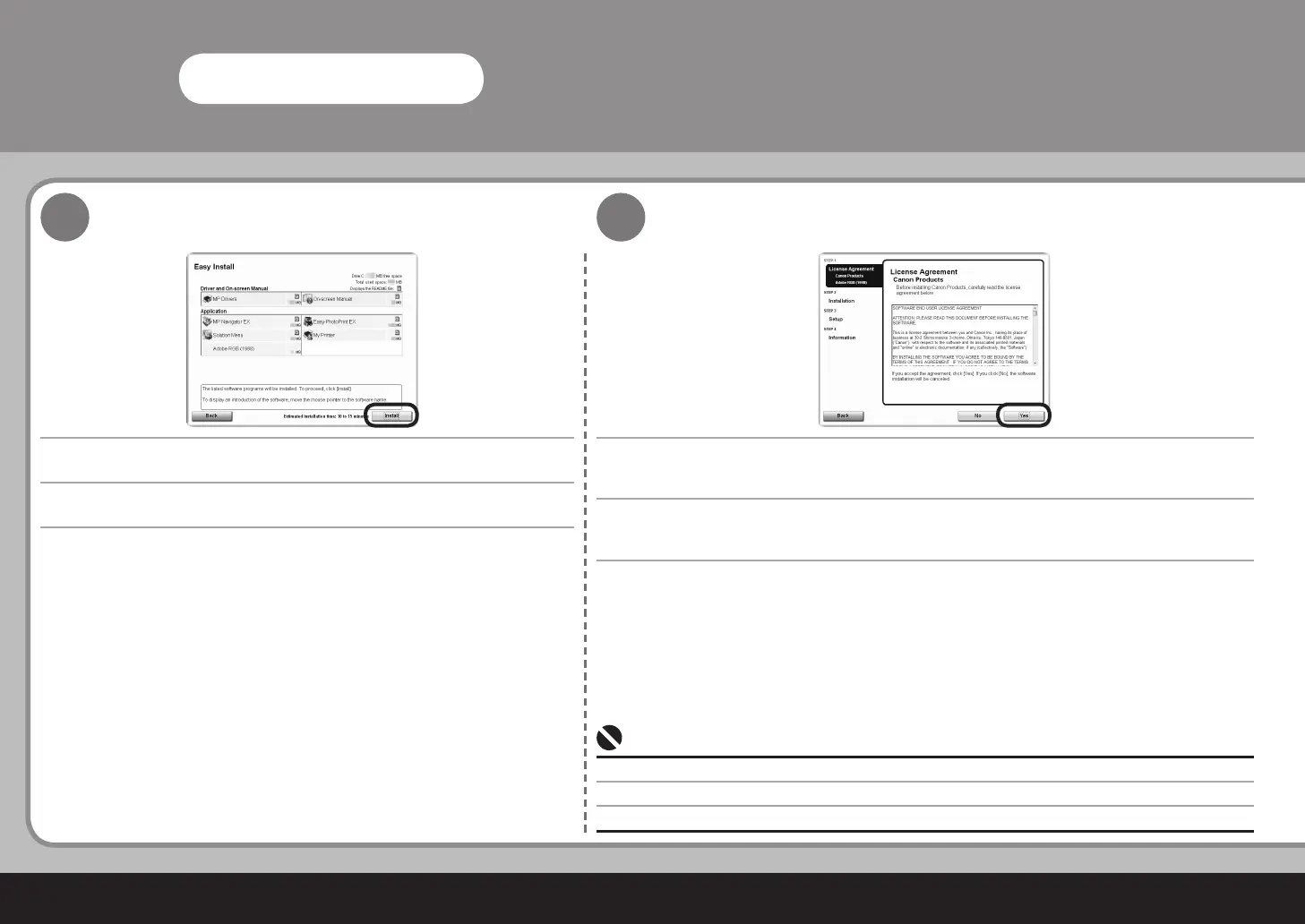
설치를 클릭합니다.
항목 위로 커서를 이동하여 설명을 표시합니다.
동의하면 사용계약서 화면에서 예를 클릭합니다.
설치가 시작됩니다.
화면의 지시에 따라 소프트웨어를 설치합니다.•
按一下安裝。
將指標移動到項目上以顯示說明。
如果同意,在許可協定螢幕上按一下是。
安裝開始。
按照螢幕的指示安裝軟體。
•
Click Install.
Move the cursor over items to display explanations.
If you can agree, click Yes on the License Agreement screen.
Installation starts.
Follow any on-screen instructions to install the software.•



 To Next Page