17
51 2 3
4
USB
Macintosh
1
3
2
USB 케이블의 한 쪽은 컴퓨터에 연결하고 다른 한 쪽은 기기
에 연결합니다.
기기가 켜져 있는지 확인합니다.
컴퓨터를 켜고
Setup CD-ROM
을 CD-ROM 드
라이버에 삽입합니다.
CD-ROM 폴더가 자동으로 열리지 않으면 바탕화면에서
CANON_IJ 아이콘을 더블 클릭합니다.
Setup 아이콘을 더블 클릭합니다.
USB 포트가 기기의 오른쪽에 위치하여 있습니다.•
將 USB 電纜線的一端連接到電腦並將另一端連接到本機。
確保本機已開啟。
開啟電腦,然後將
安裝光碟
插入到光碟機。
如果光碟資料夾未自動地開啟,按兩下桌面上的 CANON_IJ
圖示。
按兩下安裝 (Setup)圖示。
USB 連接埠位於本機右側。
•
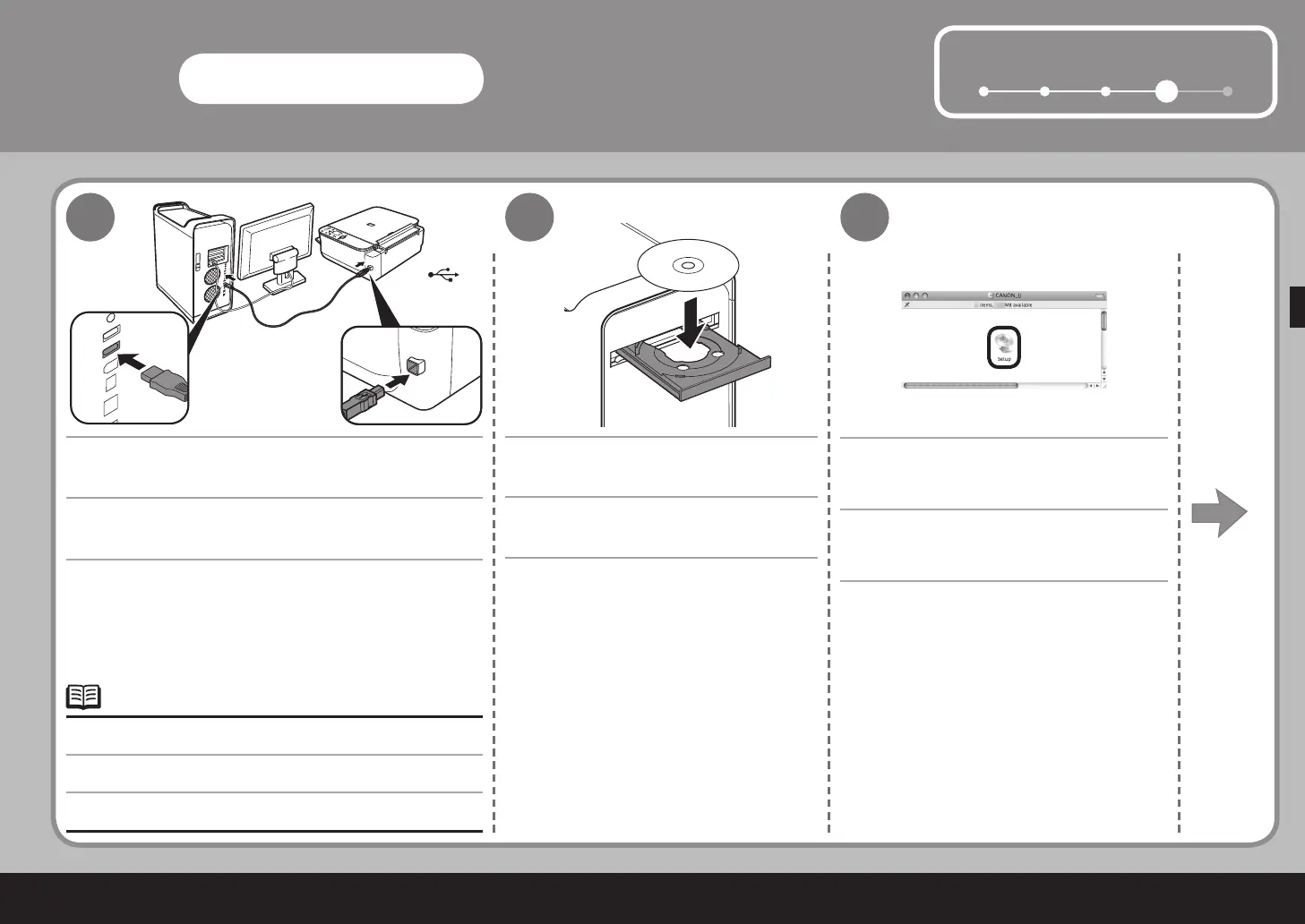
Connect one end of the USB cable to the computer and
the other to the machine.
Make sure the machine is turned on.
Turn on the computer, then insert the Setup
CD-ROM into the CD-ROM drive.
If the CD-ROM folder does not open automatically,
double-click the CANON_IJ icon on the desktop.
Double-click the Setup icon.
The USB port is located on the right side of the machine.•



 To Next Page