25
Solution Menu
■
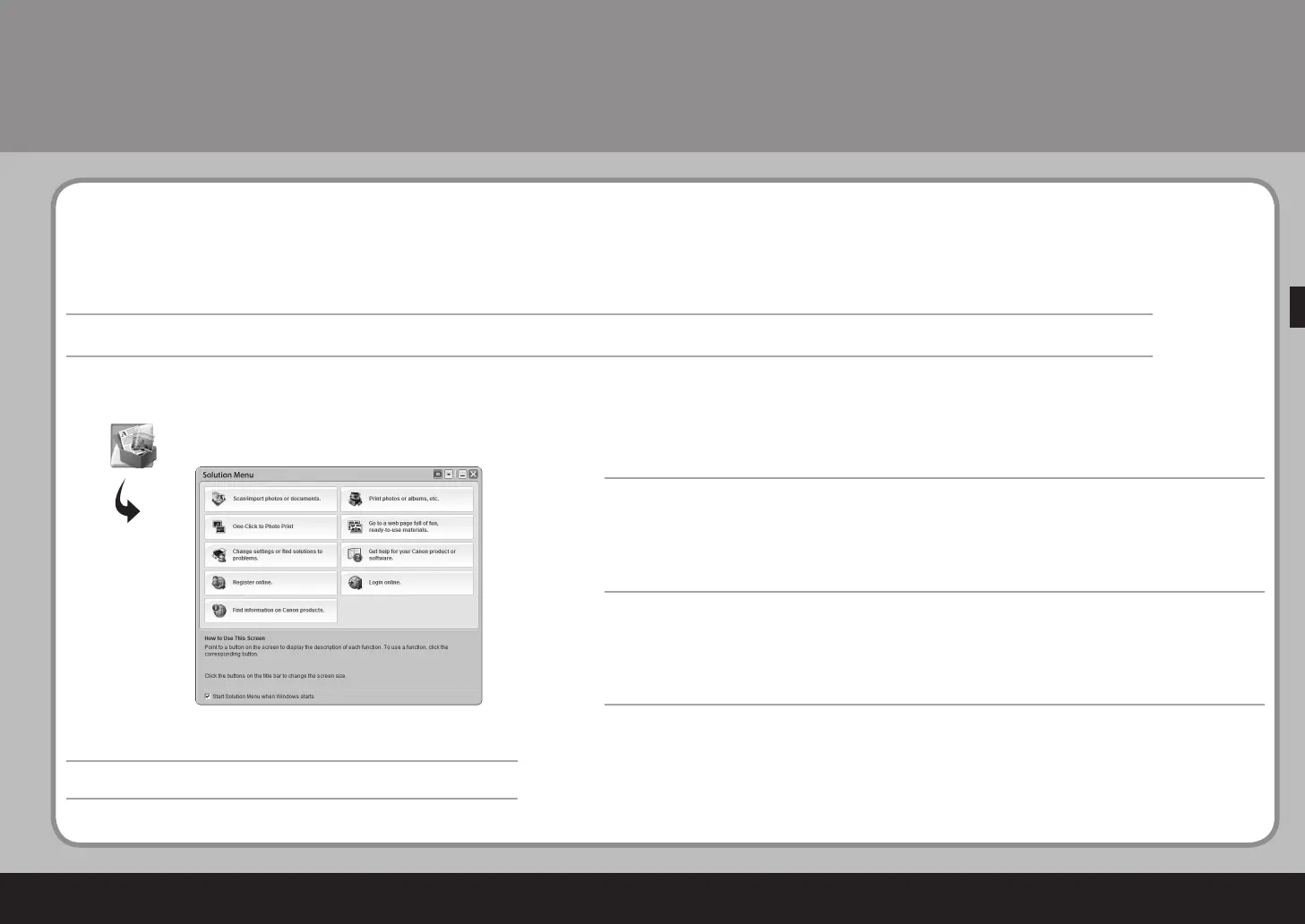
한 번의 클릭으로 다양한 어플리케이션과 전자 안내서를 엽니다.
바탕화면의 Canon Solution Menu 아이콘(Windows) 또는 Dock(Macintosh)에서 Solution Menu를 시작할 수 있습니다.
기기 설정에 대해 문제가 있으면 Solution Menu에서 설정을 변경하거나 문제 해결을 찾습니다. 아이콘을 클릭하여 My
Printer를 엽니다.
Solution Menu는 기기를 충분하게 사용할 수 있도록 다양한 기능과 정보를 모아 놓았습니다!
* 구입한 국가 또는 일부 지역에 따라 버튼이 다르게 표시됩니다.
예:
Solution Menu
■
只要按一下,就可以開啟各種應用程式和電子手冊。
可以從桌面 (Windows) 或 Dock(Macintosh) 上的 Canon Solution Menu 圖示啟動 Solution Menu。
如果有本機設定的問題,按一下 Solution Menu 中的變更設定或尋找問題的解決方案。圖示以開啟 My Printer。
Solution Menu是了解本機功能和資訊的途徑,以便充分地使用本機!
* 根據購買的國家或地區的不同,顯示的按鈕也會有所不同。
示例:
Solution Menu
■
Solution Menu is a gateway to functions and information that allow you to make full use of the machine!
Open various applications and on-screen manuals with a single click.
You can start Solution Menu from the Canon Solution Menu icon on the desktop (Windows) or on the Dock
(Macintosh).
If you have a problem with machine settings, click the Change settings or find solutions to problems. icon in
Solution Menu to open My Printer.
* The buttons displayed vary depending on the country or region of purchase.
Example:



 To Next Page