30
3
4
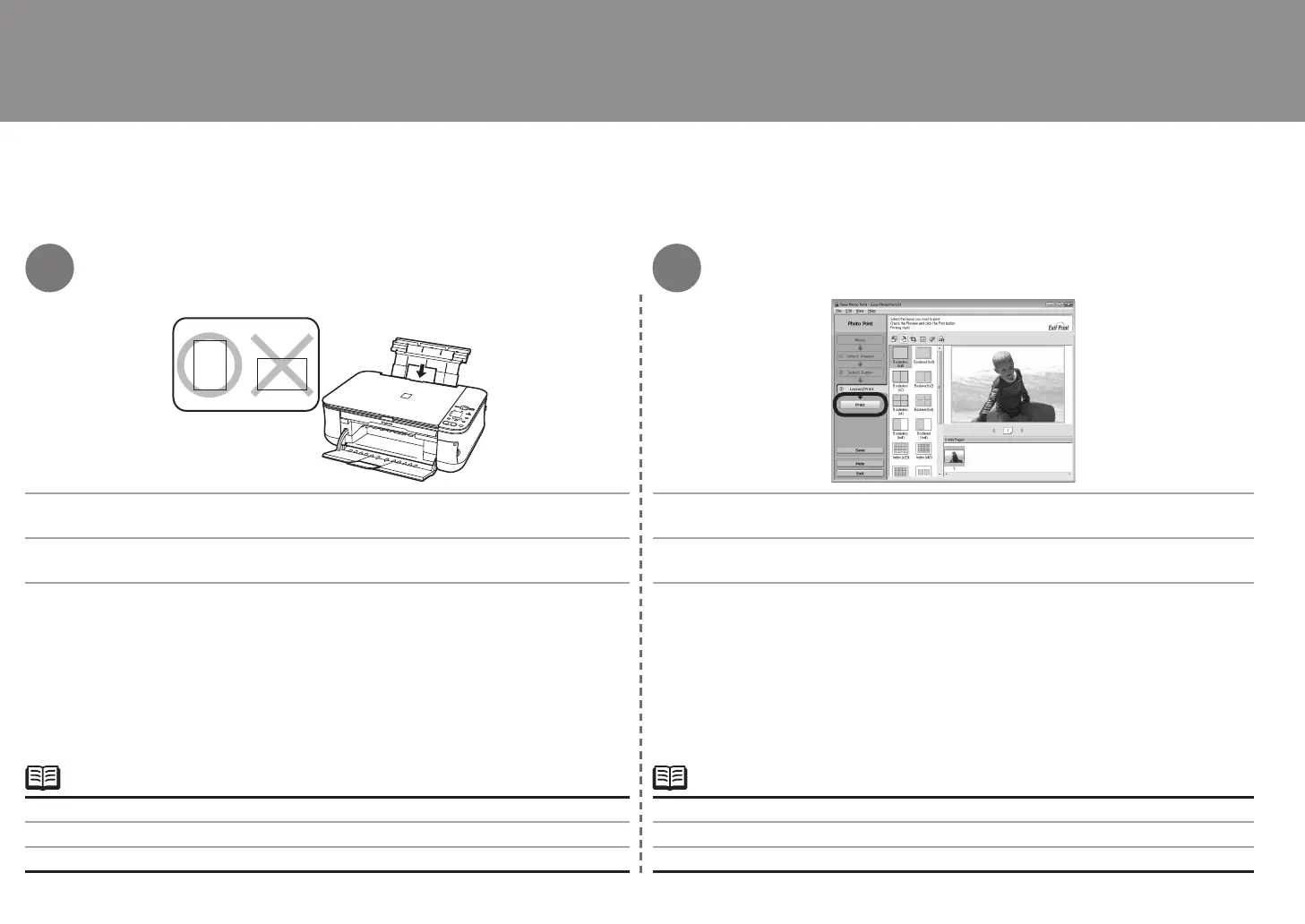
한 장의 포토 용지를 세로 방향으로 로드합니다. 인쇄를 클릭합니다.
자세한 내용은 23페이지의 "5 용지 로드하기"를 참조하십시오.•
인쇄면이 위로 향하게 하여 용지를 로드합니다. 인쇄가 시작됩니다.
컴퓨터에서 사진 인쇄하기
Macintosh에서는 Print 화면이 표시될 경우 Print를 클릭하여 인쇄를 시작합니다.•
縱向載入一張相片紙。 按一下列印。
有關詳細資訊,請參閱第 23 頁的「5 載入紙張」。
•
以紙張列印面向上載入。 列印開始。
從電腦列印相片
在 Macintosh 環境下,如果顯示列印螢幕,按一下列印開始列印。
•
Load a sheet of photo paper in portrait orientation. Click Print.
For details, refer to "5 Loading Paper" on page 23.•
Load paper with the printing side facing up. Printing will start.
Print Photos from a Computer
On Macintosh, if the Print screen is displayed, click Print to start printing.•



 To Next Page