4
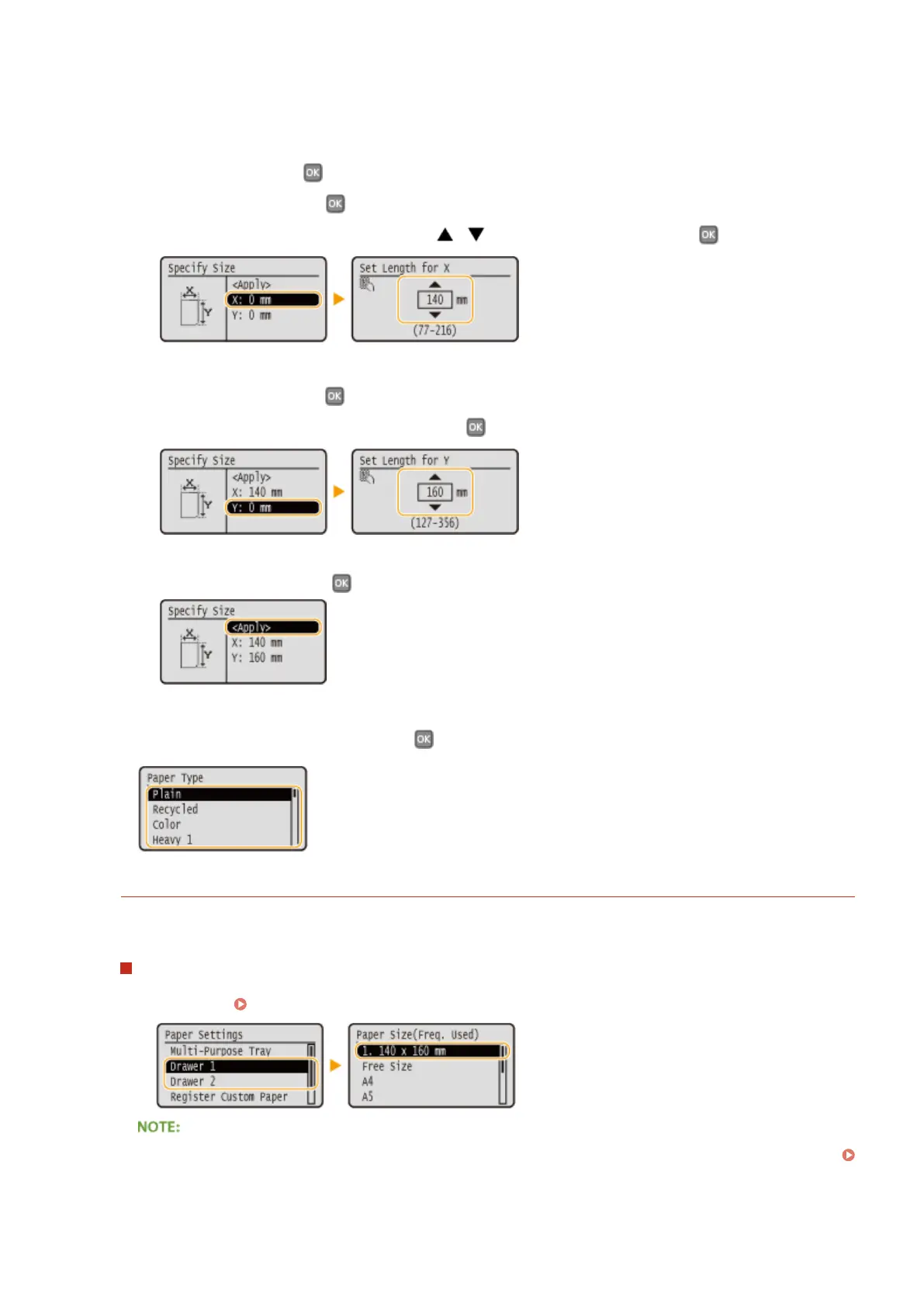
Specify the paper size.
1
Select <X>, and press .
● Select <X>, and press .
● Input the length of the <X> side using
/ or the numeric keys, and press .
2
Specify the length of the <Y> (longer) side.
● Select <Y>, and press .
● Input the length of the <Y> side, and press
.
3
Select <Apply>, and press .
5
Select the paper type, and press .
Selecting a Registered Custom Paper Setting
The paper sizes that are registered in the procedure above are displayed on the screen for selecting the paper
size.
When selecting the paper size for the paper drawer
On the screen to specify the size of the paper that is loaded in the paper drawers, the registered paper sizes
are displayed. Specifying Paper Size and Type in the Paper Drawer(P. 51)
● Of the registered paper sizes, only those that can be loaded in a paper drawer are displayed.
Paper(P. 440)
Basic Operations
58



 To Next Page