EasyManua.ls Logo

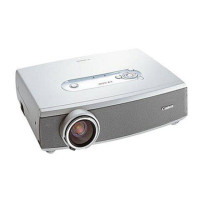
Canon LV-5210 - User Manual

Canon LV-5210
56 pages
Print Icon
To Next Page IconTo Next Page
Loading...
E
English
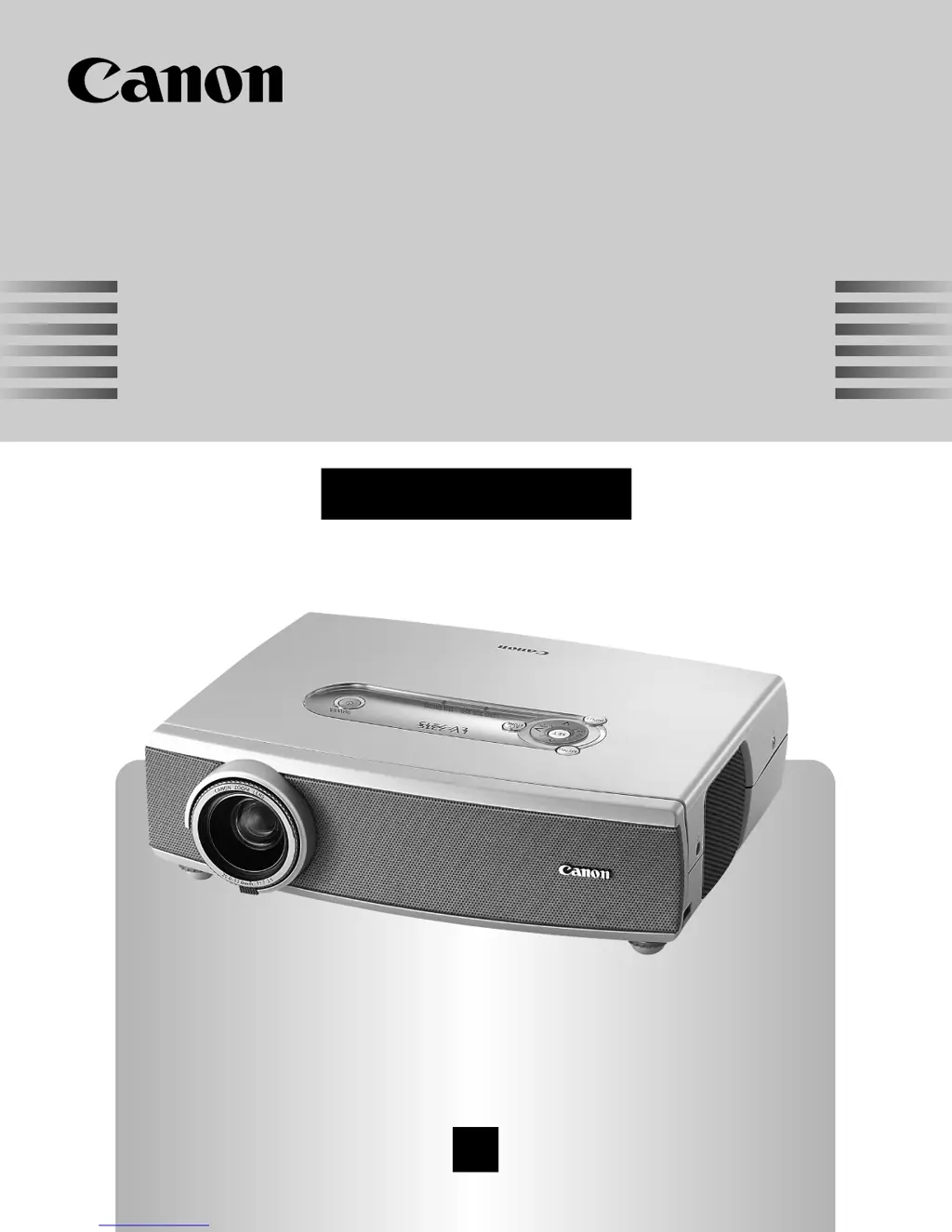
Multimedia Projector
Owner’s Manual
LV-7215 LV-7210 LV-5210

Table of Contents

Questions and Answers

Summary

To the Owner

Safety Precaution

Important safety warnings and precautions for operating the projector to prevent damage or injury.

Safety Instructions

Proper Projector Installation

Guidelines for correctly positioning the projector to ensure proper ventilation and prevent hazards.

Air Circulation Requirements

Explains the importance of air intake and exhaust vents for cooling and preventing overheating.

Safe Projector Handling

Precautions and guidelines for safely carrying and transporting the projector.

Compliance Information

Regulatory and Power Cord Details

Covers FCC, Canadian regulations, German use, and AC power cord requirements for safe operation.

Connecting the AC Power Cord

Step-by-step guide for connecting the projector's AC power cord to a power outlet.

Features and Design

Wide Zoom Lens

Describes the projector's zoom lens, its magnification ratio, and screen size capabilities.

Compact and Portable Design

Highlights the projector's portability and ease of use for various locations.

Input Signal Compatibility

Lists the various computer and video input signals supported by the projector.

Part Names and Functions

Projector External Views

Identifies and labels the main external parts of the projector on its front, back, and bottom.

Terminal Connections Overview

Details all input and output terminals on the projector and their functions.

Top Panel Controls and Indicators

Explains the buttons and indicators located on the top of the projector.

Remote Control Unit Functions

Describes the buttons and features of the projector's remote control unit.

Pointer Functionality

Details on operating the laser pointer and on-screen pointer features.

Remote Control Operations

Covers remote control codes and wireless mouse operation.

Remote Control Usage

Information on operating range and battery installation for the remote control.

Installation Guide

Positioning the Projector

Guidance on placing the projector for optimal screen size and projection distance.

Using Adjustable Feet

Instructions on how to use the adjustable feet to set the projector's tilt and position.

Connecting to Computer Systems

Steps and diagrams for connecting the projector to various computer systems.

Connecting to Video Equipment

Instructions for connecting the projector to different video sources like VCRs and DVD players.

Basic Operation

Powering the Projector On and Off

Step-by-step guide for powering the projector on and off, including cooling procedures.

Image Adjustment Functions

Explains how to adjust zoom, focus, and keystone distortion for optimal image display.

Picture Control Features

Details on using functions like No Show, P-Timer, and Sound Adjustment for presentations.

On-Screen Menu Navigation

Guide to accessing and navigating the projector's on-screen menu system for settings.

Menu Bar Overview

Explanation of the menu bar structure for selecting different adjustment categories.

Computer Input Settings

Input Source Selection for Computers

How to select the correct input source for computer signals.

Computer System Selection

Procedures for selecting the appropriate computer system for optimal display.

Computer Adjustment (Auto;Manual)

Instructions for automatic and manual adjustment of computer display parameters.

Image and Screen Size Adjustment

How to adjust image levels and screen size for computer inputs.

Video Input Settings

Input Source (Video;S-Video)

Steps to select video and S-Video input sources.

Input Source (Component;RGB Scart)

How to select component and RGB Scart input sources for video signals.

Video System Selection

Guide to selecting the correct video system (PAL, NTSC, etc.) for optimal playback.

Image and Screen Adjustment (Video)

How to adjust image levels and screen size for video inputs.

Setting Menu Options

Language and Keystone Settings

Configure the on-screen menu language and adjust the projected image's keystone effect.

Other Configuration Options

Settings for Blue back, Display, Logo, and Capture functions.

Projection Orientation and Standby Mode

Adjust projection orientation (Ceiling/Rear) and manage standby energy.

Power Management and Control

Configure power saving modes, remote control codes, and factory defaults.

Maintenance and Cleaning

Warning Indicator Status

Explains the projector's warning indicators and their meanings for troubleshooting.

Cleaning Procedures

Instructions for cleaning the projector's air filters, lens, and cabinet.

Lamp Replacement Guide

Detailed steps for replacing the projector lamp when indicated.

Lamp Replace Counter Reset

How to reset the lamp replacement counter after installing a new lamp.

Appendix

Troubleshooting Common Issues

Solutions for common problems like no power, no image, and no sound.

Indicators and Projector Condition

A guide to understanding projector status via power, warning, and lamp indicators.

Menu Tree Navigation

Visual guide to the projector's menu structure for accessing settings.

Compatible Computer Specifications

Lists supported computer resolutions, frequencies, and dot clocks.

Technical Specifications

Detailed technical data including dimensions, weight, power, and interfaces.

Terminal Configurations

Pinout details for the projector's various input/output terminals.

Optional Parts Information

Information on optional accessories available for purchase.

Attaching the Lens Cover

Instructions on how to attach the lens cover for protection.

Summary

To the Owner

Safety Precaution

Important safety warnings and precautions for operating the projector to prevent damage or injury.

Safety Instructions

Proper Projector Installation

Guidelines for correctly positioning the projector to ensure proper ventilation and prevent hazards.

Air Circulation Requirements

Explains the importance of air intake and exhaust vents for cooling and preventing overheating.

Safe Projector Handling

Precautions and guidelines for safely carrying and transporting the projector.

Compliance Information

Regulatory and Power Cord Details

Covers FCC, Canadian regulations, German use, and AC power cord requirements for safe operation.

Connecting the AC Power Cord

Step-by-step guide for connecting the projector's AC power cord to a power outlet.

Features and Design

Wide Zoom Lens

Describes the projector's zoom lens, its magnification ratio, and screen size capabilities.

Compact and Portable Design

Highlights the projector's portability and ease of use for various locations.

Input Signal Compatibility

Lists the various computer and video input signals supported by the projector.

Part Names and Functions

Projector External Views

Identifies and labels the main external parts of the projector on its front, back, and bottom.

Terminal Connections Overview

Details all input and output terminals on the projector and their functions.

Top Panel Controls and Indicators

Explains the buttons and indicators located on the top of the projector.

Remote Control Unit Functions

Describes the buttons and features of the projector's remote control unit.

Pointer Functionality

Details on operating the laser pointer and on-screen pointer features.

Remote Control Operations

Covers remote control codes and wireless mouse operation.

Remote Control Usage

Information on operating range and battery installation for the remote control.

Installation Guide

Positioning the Projector

Guidance on placing the projector for optimal screen size and projection distance.

Using Adjustable Feet

Instructions on how to use the adjustable feet to set the projector's tilt and position.

Connecting to Computer Systems

Steps and diagrams for connecting the projector to various computer systems.

Connecting to Video Equipment

Instructions for connecting the projector to different video sources like VCRs and DVD players.

Basic Operation

Powering the Projector On and Off

Step-by-step guide for powering the projector on and off, including cooling procedures.

Image Adjustment Functions

Explains how to adjust zoom, focus, and keystone distortion for optimal image display.

Picture Control Features

Details on using functions like No Show, P-Timer, and Sound Adjustment for presentations.

On-Screen Menu Navigation

Guide to accessing and navigating the projector's on-screen menu system for settings.

Menu Bar Overview

Explanation of the menu bar structure for selecting different adjustment categories.

Computer Input Settings

Input Source Selection for Computers

How to select the correct input source for computer signals.

Computer System Selection

Procedures for selecting the appropriate computer system for optimal display.

Computer Adjustment (Auto;Manual)

Instructions for automatic and manual adjustment of computer display parameters.

Image and Screen Size Adjustment

How to adjust image levels and screen size for computer inputs.

Video Input Settings

Input Source (Video;S-Video)

Steps to select video and S-Video input sources.

Input Source (Component;RGB Scart)

How to select component and RGB Scart input sources for video signals.

Video System Selection

Guide to selecting the correct video system (PAL, NTSC, etc.) for optimal playback.

Image and Screen Adjustment (Video)

How to adjust image levels and screen size for video inputs.

Setting Menu Options

Language and Keystone Settings

Configure the on-screen menu language and adjust the projected image's keystone effect.

Other Configuration Options

Settings for Blue back, Display, Logo, and Capture functions.

Projection Orientation and Standby Mode

Adjust projection orientation (Ceiling/Rear) and manage standby energy.

Power Management and Control

Configure power saving modes, remote control codes, and factory defaults.

Maintenance and Cleaning

Warning Indicator Status

Explains the projector's warning indicators and their meanings for troubleshooting.

Cleaning Procedures

Instructions for cleaning the projector's air filters, lens, and cabinet.

Lamp Replacement Guide

Detailed steps for replacing the projector lamp when indicated.

Lamp Replace Counter Reset

How to reset the lamp replacement counter after installing a new lamp.

Appendix

Troubleshooting Common Issues

Solutions for common problems like no power, no image, and no sound.

Indicators and Projector Condition

A guide to understanding projector status via power, warning, and lamp indicators.

Menu Tree Navigation

Visual guide to the projector's menu structure for accessing settings.

Compatible Computer Specifications

Lists supported computer resolutions, frequencies, and dot clocks.

Technical Specifications

Detailed technical data including dimensions, weight, power, and interfaces.

Terminal Configurations

Pinout details for the projector's various input/output terminals.

Optional Parts Information

Information on optional accessories available for purchase.

Attaching the Lens Cover

Instructions on how to attach the lens cover for protection.

Canon LV-5210 Specifications

General IconGeneral
Resolution800 x 600 pixels
Dimensions (WxDxH)300 x 238 x 94 mm
Horizontal resolution500 lines
Contrast ratio (typical)400:1
Projector native resolutionSVGA (800x600)
Dot clock scanning frequency100 MHz
Digital zoom1.6 x
Lamp typeUHP
Lamp power200 W
Light source typeLamp
Number of built-in speakers1
Power consumption (typical)260 W
Weight and Dimensions IconWeight and Dimensions
Weight2900 g

Related product manuals