Need help?
Do you have a question about the Canon LV-7297M and is the answer not in the manual?
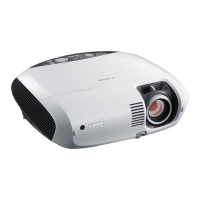
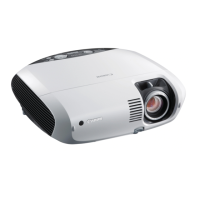
Projector is designed compact and lightweight for easy portability and installation.
Ensures security with Key lock and PIN code lock functions to prevent unauthorized use.
Read all safety and operating instructions before use; unplug before cleaning; avoid liquids.
Ensure proper ventilation, avoid blocking vents, keep away from heat sources, and secure mounting.
Handle the high-pressure lamp carefully to prevent injury, fire hazards, or explosion risks.
Identifies and explains the various parts of the projector, including controls and terminals.
Provides instructions on positioning the projector and connecting it to external devices.
Covers turning the projector on/off, menu navigation, and sound adjustments for initial use.
Detailed guide on selecting and adjusting computer input signals for optimal display.
Instructions for selecting and adjusting video, S-VIDEO, Component, and HDMI input sources.
Explains how to configure language, auto setup, display options, and power management.
Steps for cleaning, replacing filters, and replacing the lamp for projector upkeep.
Solutions for common projector problems like no image, no sound, or indicator warnings.
Comprehensive technical details of the projector model, including dimensions and compatibility.
 General
| Resolution | 1024 x 768 (XGA) |
|---|---|
| Contrast Ratio | 2000:1 |
| Display Type | LCD |
| Display Technology | 3LCD |
| Projection Size | 40 - 300 inches |
| Lamp Life | 6000 hours |
| Weight | 3.3 kg |
| Input Ports | VGA, HDMI, Composite, S-Video, USB |


 To Next Page