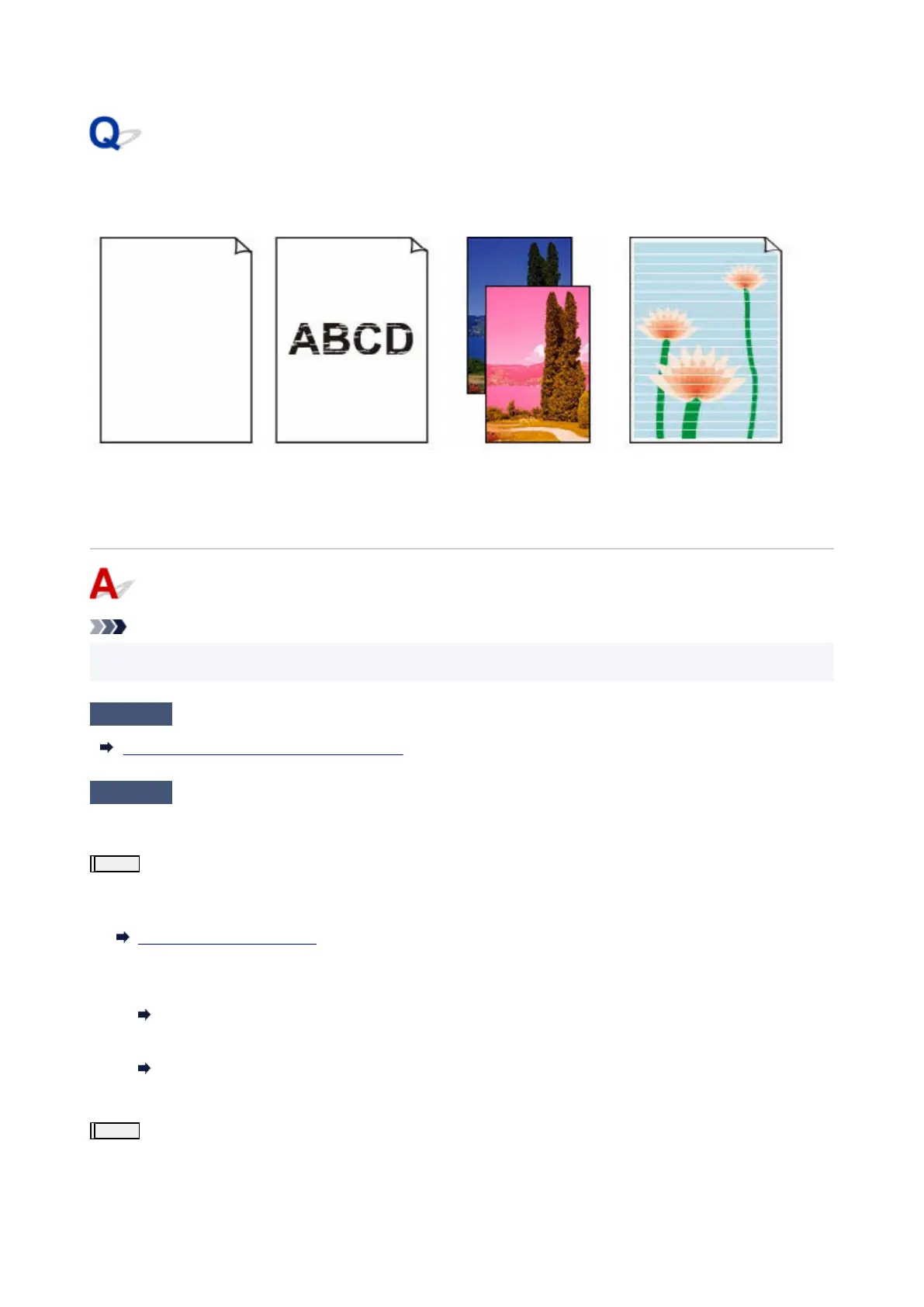
Ink Does Not Come Out/Blurry or Fuzzy/Inaccurate or Bleeding
Colors/Streaks
Ink Does Not Come Out
Blurry or Fuzzy
Inaccurate or Bleeding
Colors
Streaks
Note
• If printouts are blank, black does not print, is faint, or has a blue or red tint, refer to this web page.•
Check1
Check paper and print quality settings.
Printout (Copy) Results Are Unsatisfactory
Check2
Are the print head nozzles clogged?
Print the nozzle check pattern to determine whether the ink ejects properly from the print head nozzles.
Step1
Print the nozzle check pattern.
After printing the nozzle check pattern, examine the pattern.
•
From the printer
•
Printing the Nozzle Check Pattern
•
From the computer
•
◦
For Windows:
◦
Printing a Nozzle Check Pattern
◦
For macOS:
◦
Printing a Nozzle Check Pattern
If the pattern is not printed correctly, go to the next step.
Step2
Clean the print head.
After cleaning the print head, print the nozzle check pattern and check the result.
•
From the printer
•
261












 To Next Page