Forwarding Scanned Data to Shared Folder on the Computer Using
the Operation Panel of the Machine
Before forwarding scanned data on the shared folder on the computer, confirm the following:
• MP Drivers and Canon Quick Toolbox are installed.
If MP Drivers and Canon Quick Toolbox are not yet installed, install them with the Setup CD-ROM or
install them from our website.
• The machine is connected to a computer via a LAN correctly.
• The destination folder is specified in Canon Quick Toolbox.
You can specify the destination folder in Canon Quick Toolbox. For details on settings of Canon Quick
Toolbox:
Destination Folder Settings
Follow the procedure below to forward scanned data to the shared folder on the computer.
1.
Make sure that the machine is turned on.
2.
Flick the HOME screen, then tap Scan.
Using the Operation Panel
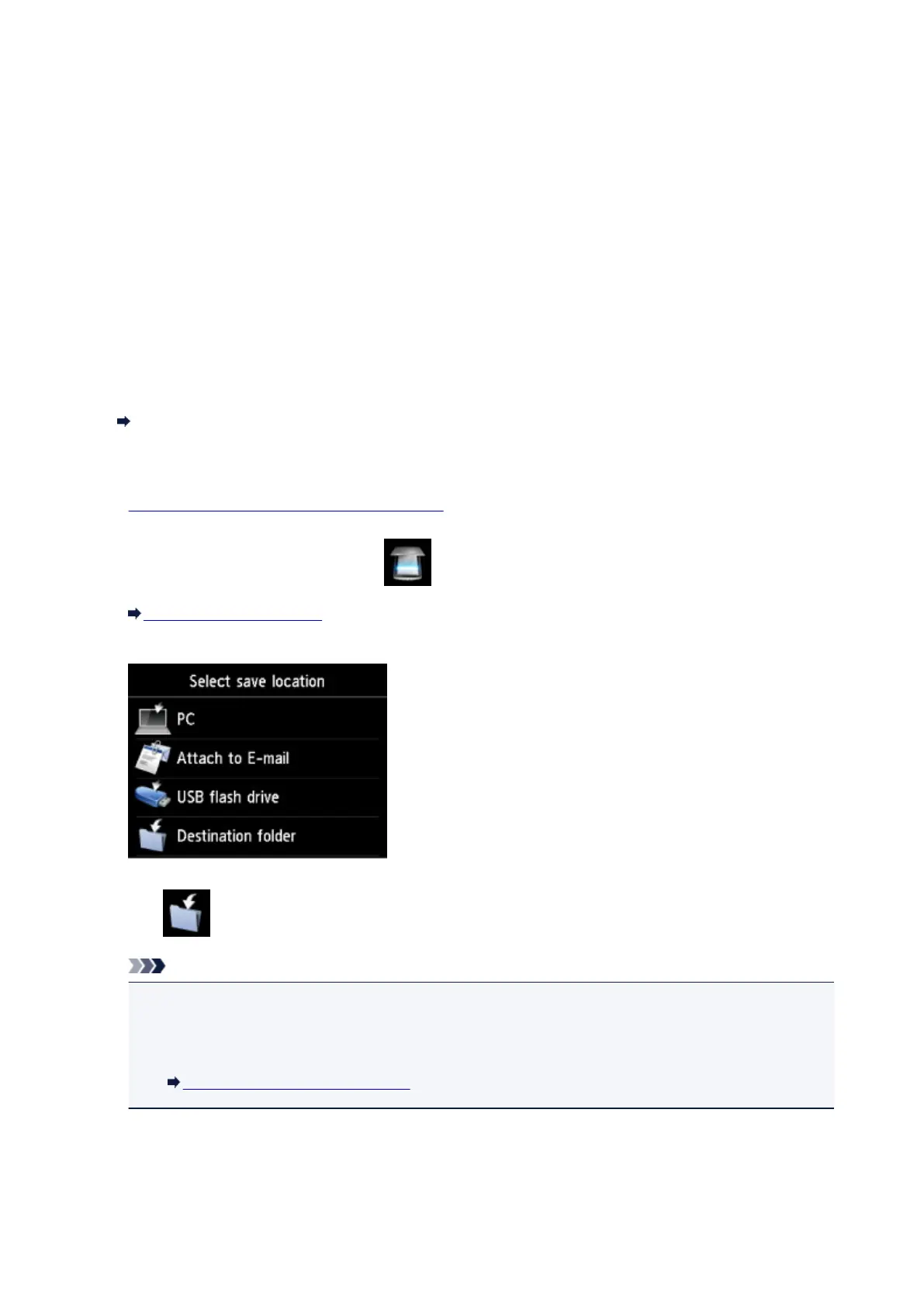
The screen for selecting to which you save the data is displayed.
3. Tap Destination folder.
Note
•
When the message informing you that the operation restriction is enabled, ask the administrator of
the machine you are using.
For details on the operation restriction of the machine:
About the Machine Administration
4. Tap the folder to save scanned data on the Select folder screen.
764













 To Next Page