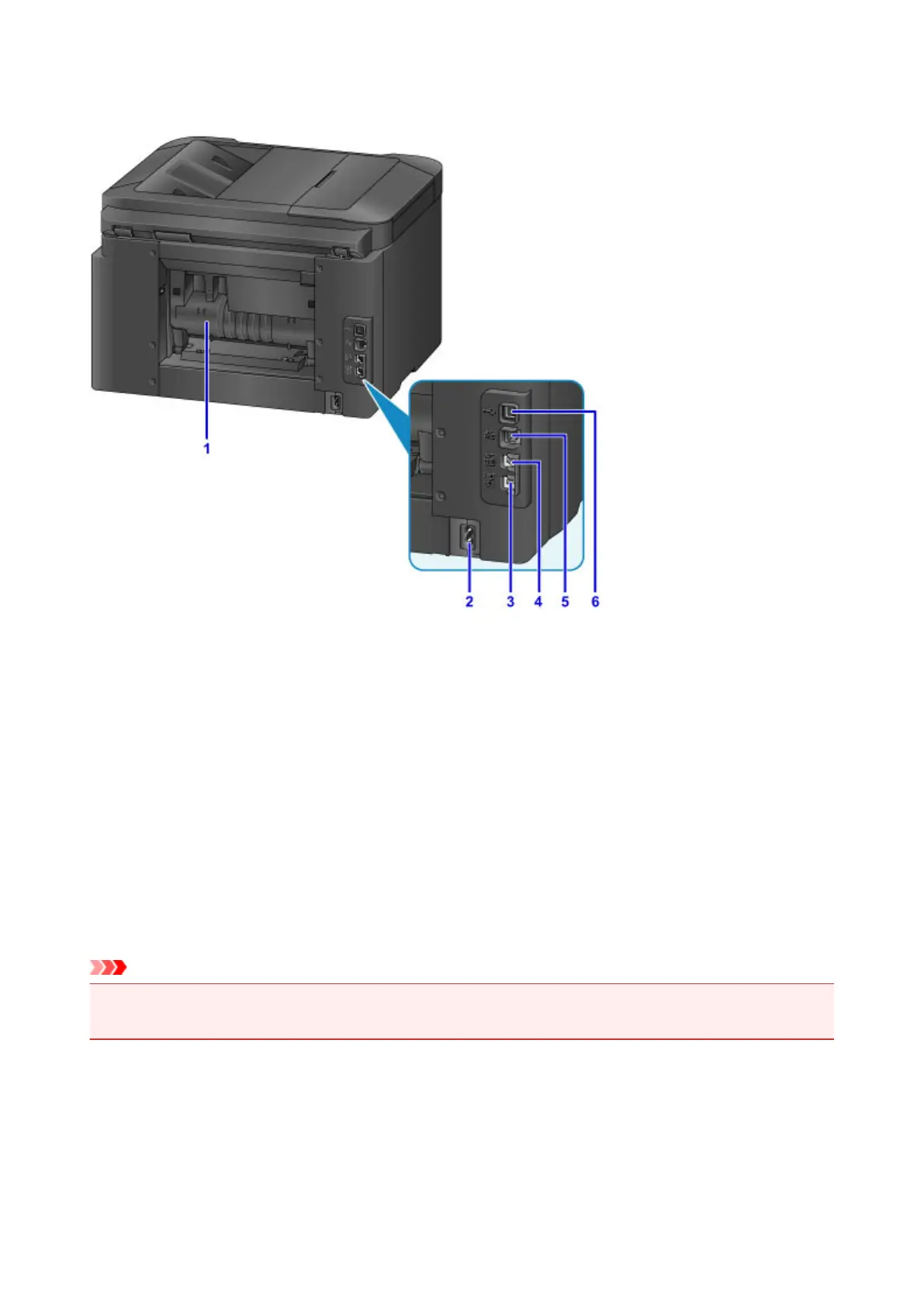
Rear View
(1) rear cover
Open to clear paper jams.
(2) power cord connector
Connect the supplied power cord.
(3) telephone line jack
Connect the phone cord.
(4) external device jack
Connect a telephone or answering machine.
(5) wired LAN connector
Connect an Ethernet cable to use the machine in a local network.
(6) USB port
Connect the USB cable for a direct connection with a computer.
Important
• Do not touch any exposed metal parts.
• Do not connect or disconnect the USB or Ethernet cable while printing or scanning from a computer.
263



 To Next Page