Making Copies
This section describes the procedure to copy with Copy.
1. Make sure printer is turned on.
2. Load paper.
3.
Flick HOME screen and tap Copy.
Using the Operation Panel
The Copy standby screen is displayed.
4.
Load original document on platen glass or in ADF.
5.
Specify settings as necessary.
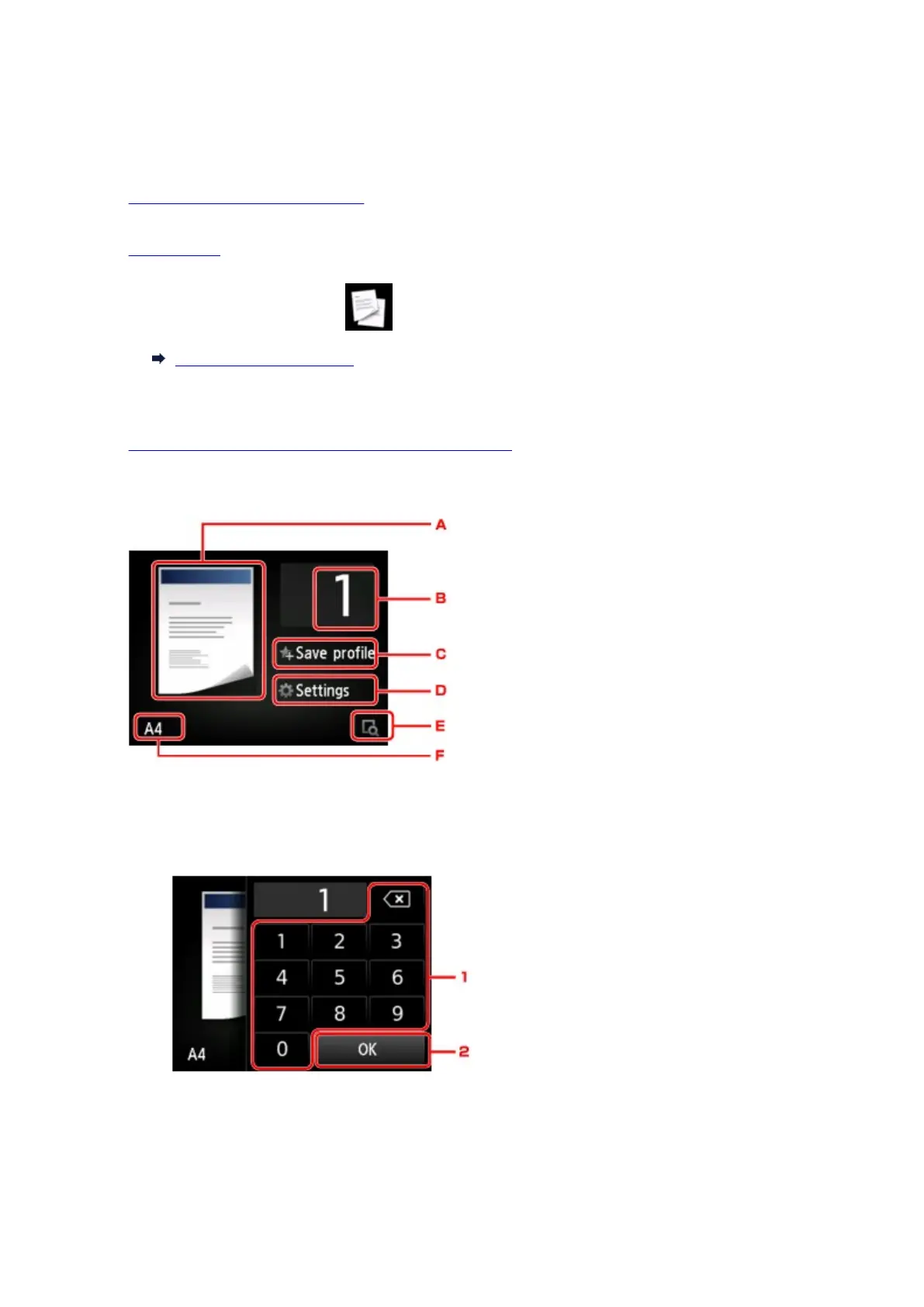
A. The copy layout is displayed.
Switch the layout (single-sided/two-sided).
B. Tap to specify the number of copies.
1.
Tap the numbers to specify the number of copies.
2.
Tap to confirm the number of copies.
C.
Tap to register the current print settings as a custom setting.
643









 To Next Page