5
1
MB5000 series
MB2000 series
MB5300 series
MB2300 series
6
MB5000 series
MB2000 series
MB5300 series
MB2300 series
2
3
4
5
1
1
2
2
1
2
7
8
1
2
MB2000 series
MB2000 series MB5300 series
MB5000 series
MB2300 series
1
2
Tip theo, lm theo thông bo hin th trên mn hnh.
Selanjutnya, ikuti pesan yang ditampilkan pada layar.
이후부터 화면에 표시된 메시지를 따르십시오.
隨後,按照螢幕上顯示的訊息操作。
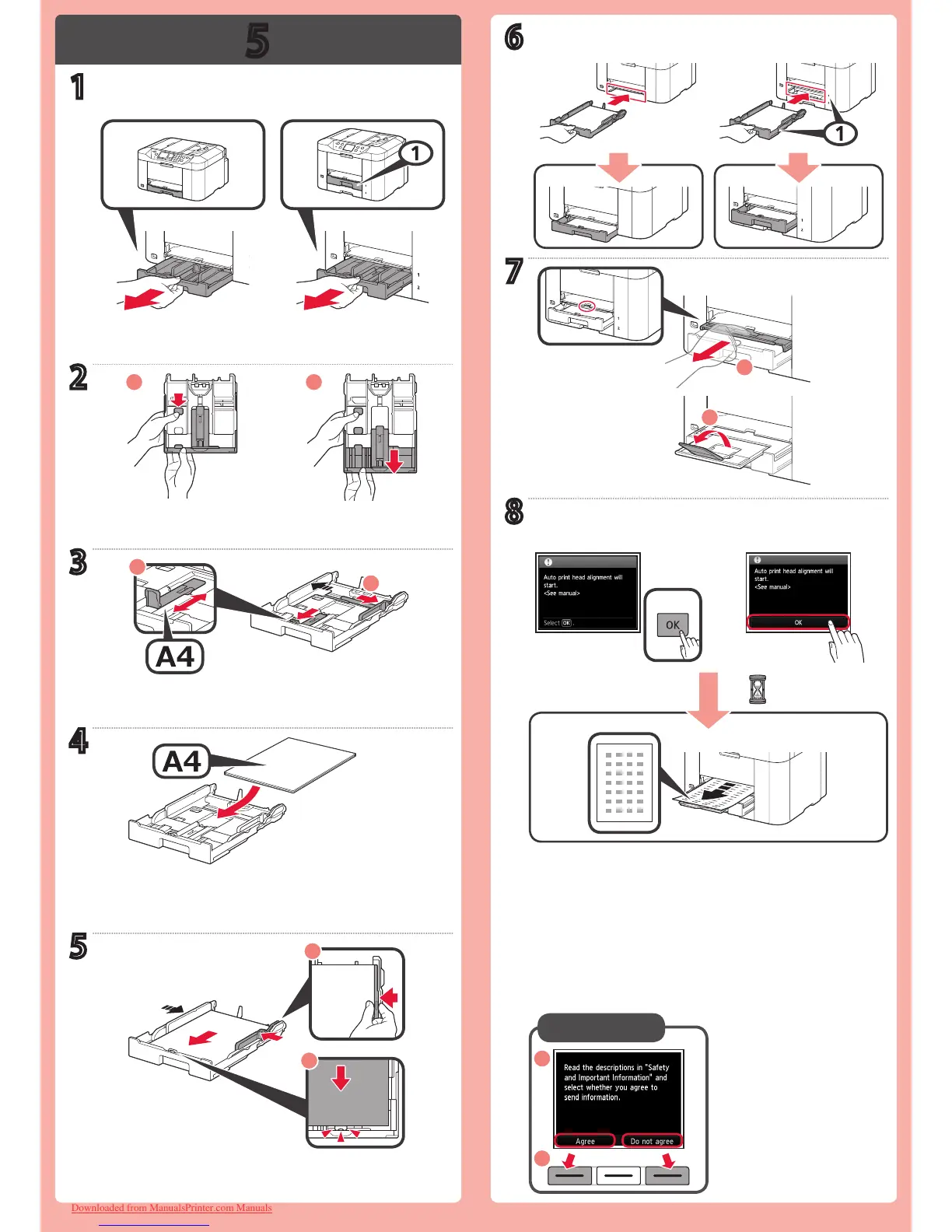
Hereafter, follow the message displayed on the screen.
Downloaded from ManualsPrinter.com Manuals









 To Next Page