6
USB
1
2
MB5300 series
MB5000 series
MB2300 series
Mng LAN không dây
Tham kho nhng ch dn sau v kiu kt ni v chn phương php kt ni
cho thit b ca bn.
Tip theo, lm theo thông bo hin th trên mn hnh.
Setup CD-ROM cng c th dng vi my tnh Windows.
Mng LAN c dây
Cch thit lp my FAX
On-screen Manual đ ci đt
LAN Nirkabel
Rujuk ke penjelasan tentang tipe koneksi di bawah ini dan pilih metode
koneksi yang akan digunakan untuk perangkat Anda.
Selanjutnya, ikuti pesan yang ditampilkan pada layar.
Setup CD-ROM juga tersedia untuk PC Windows.
LAN Berkabel
Cara untuk mengeset FAKS
Petunjuk Elektronik yang telah diinstal
LAN
Setup CD-ROMWindows
LAN
무선 LAN
연결 유형에 대한 다음 설명을 참조하여 사용할 장치 연결 방법을
선택하십시오.
이후부터 화면에 표시된 메시지를 따르십시오.
Windows PC에서는 Setup CD-ROM도 사용할 수 있습니다.
유선 LAN
팩스 설정 방법
설치된 전자 설명서
無線LAN
有線LAN
請參閱以下連接類型說明並選擇裝置要使用的連接方法。
隨後,按照螢幕上顯示的訊息操作。
Windows電腦還可使用安裝光碟。
如何設定傳真
已安裝的電子手冊
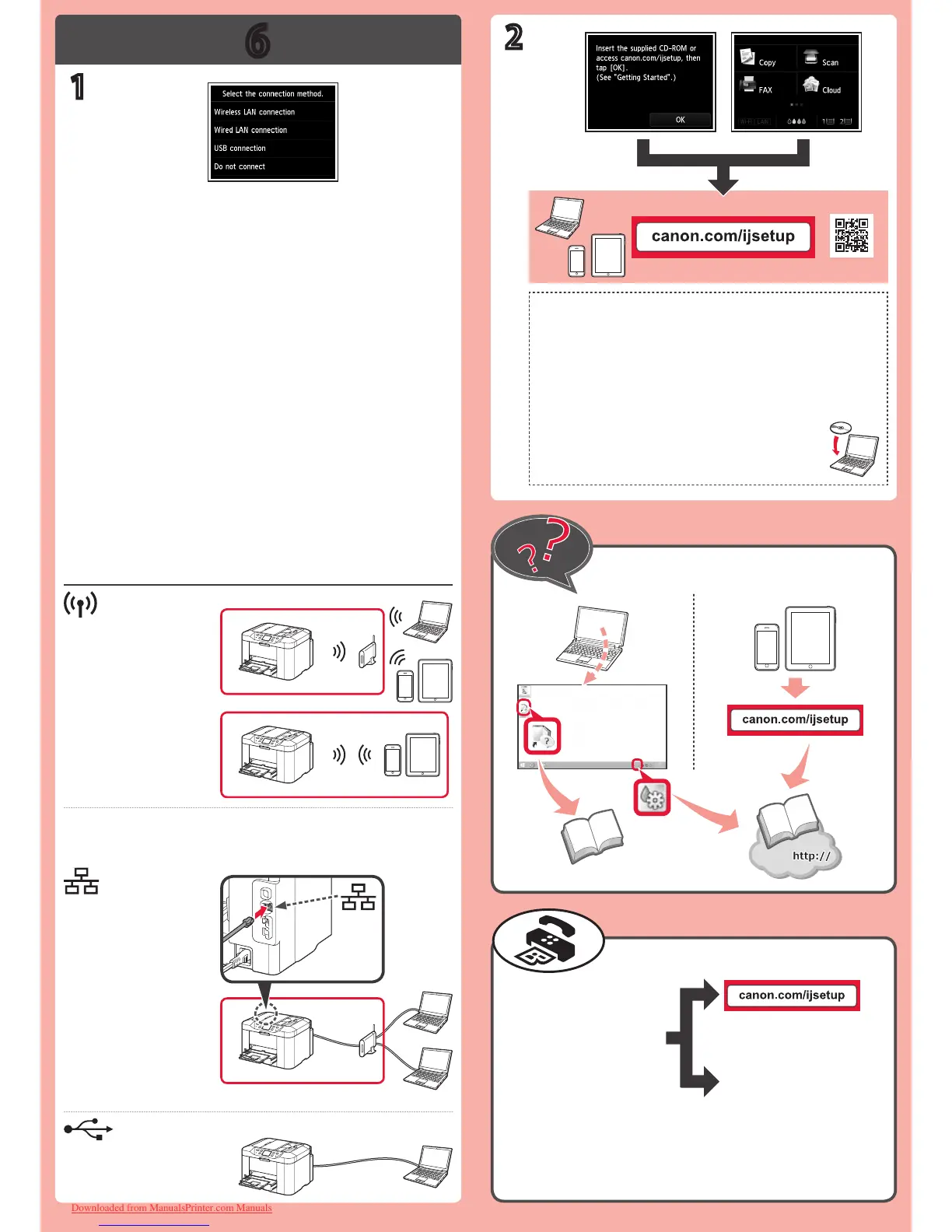
Refer to the following explanations of connection types and select the
connection method for your devices to use.
Hereafter, follow the message displayed on the screen.
Wireless LAN
Wired LAN
Setup CD-ROM is also available for Windows PC.
How to set up the FAX
Installed On-screen Manual
Downloaded from ManualsPrinter.com Manuals









 To Previous Page