EasyManua.ls Logo

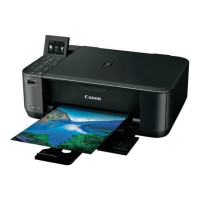
Canon MG4260 - User Manual

Canon MG4260
34 pages
Print Icon
To Next Page IconTo Next Page
Loading...
(1/34)
MG2100 series, MG3100 series, MG4100 series
MG2200 series, MG3200 series, MG4200 series
SIMPLIFIED SERVICE MANUAL
( MG2110 / MG2120 / MG2130 / MG2140 / MG2150 / MG2160 / MG2170 / MG2180,
MG3110 / MG3120 / MG3130 / MG3140 / MG3150 / MG3160 / MG3170 / MG3180,
MG4110 / MG4120 / MG4130 / MG4140 / MG4150 / MG4160 / MG4170 / MG4180,
MG2210 / MG2220 / MG2240 / MG2250 / MG2260 / MG2270,
MG3210 / MG3220 / MG3230 / MG3240 / MG3250 / MG3260 / MG3270,
MG4210 / MG4220 / MG4230 / MG4240 / MG4250 / MG4260 / MG4270 / MG4280)
QY8-13DL-020
Rev.00: August 2011
Rev.02: April 2013
Canon Inc.

Questions and Answers

  • J
    Jacob MillerAug 18, 2025
    What to do if my Canon MG4260 says 'Ink cartridge not installed'?
    • S
      Shawn WoodwardAug 18, 2025
      If your Canon Printer displays an 'Ink cartridge not installed' message, first, re-set the ink cartridge properly. Then, check the carriage contact pins for any foreign material, damage, or bending. If the issue persists, replace the ink cartridge.
  • T
    Thomas RobinsonAug 20, 2025
    How to fix Canon Printer when it says 'No paper in the front tray'?
    • S
      scott62Aug 20, 2025
      If your Canon Printer indicates that there is no paper in the front tray, set the paper in the front tray and then press the OK button. Also, check for any foreign material in the paper path, including the front tray and inside the rear cover. Ensure that the paper guides are set properly.
  • J
    johnsonronaldAug 23, 2025
    What to do if my Canon MG4260 Printer says non-genuine ink cartridge are installed?
    • M
      mwalkerAug 23, 2025
      If your Canon Printer displays a 'Premium Contents print error' message, the cause is non-genuine ink cartridge are installed. To resolve this, install the supported (Canon-genuine) ink cartridges.
  • S
    Steven BrownAug 26, 2025
    What to do if my Canon Printer has packing material not removed?
    • A
      Abigail StephensAug 26, 2025
      If your Canon Printer indicates that packing material has not been removed, open the paper output cover, remove the tapes and packing material from the carriage, and then close the paper output cover.
  • H
    Heather FrancoAug 28, 2025
    What to do if my Canon Printer has a carriage error?
    • A
      andersonluisAug 28, 2025
      If your Canon Printer displays a carriage error, it means there's foreign material obstructing the carriage movement. Remove any foreign material to resolve the issue.
  • D
    dbarrettAug 31, 2025
    What to do if my Canon MG4260 has a line feed error?
    • J
      Jessica PerryAug 31, 2025
      If your Canon Printer displays a line feed error, it indicates foreign material in the LF drive (gear). Remove any foreign material to fix the problem.
  • S
    sanchezmarkSep 2, 2025
    What to do if my Canon MG4260 Printer has a print head temperature rise error?
    • J
      Joshua BeasleySep 2, 2025
      If your Canon Printer shows a print head temperature rise error, check the remaining ink amount and replace the ink cartridge if it's low.
  • A
    Audrey SchroederSep 4, 2025
    How to fix Canon Printer when paper output cover is open?
    • J
      James BennettSep 4, 2025
      If your Canon Printer indicates that the paper output cover is open, close the paper output cover.
  • J
    Jennifer RobinsonSep 7, 2025
    How to fix Canon MG4260 when paper output tray is closed?
    • L
      lmillerSep 7, 2025
      If your Canon Printer indicates that the paper output tray is closed, open the paper output tray.
  • C
    Crystal StrongSep 9, 2025
    Why my Canon Printer cannot perform automatic double-sided printing?
    • M
      mark33Sep 10, 2025
      Automatic double-sided printing cannot be performed because the paper length is not supported for double-sided printing. Press the OK button to eject the paper. Note that the data intended for the back side of the paper will be skipped.

Summary

Troubleshooting Errors

Operator Call Error Handling

Troubleshooting operator call errors indicated by the Alarm LED and LCD messages.

Service Call Error Diagnosis

Troubleshooting service call errors indicated by blinking LEDs and their solutions.

Adjustment and Settings

Service Mode Operations

Procedures for entering service mode, using Service Tool, and service mode functions.

Printer Adjustments and User Modes

Details printer adjustments, user mode functions like print head cleaning, and alignment.

Assembly and Lubrication

Guidance on assembly notes, alignment, and grease application during maintenance.

Servicing Procedures

Ink Absorber Maintenance

Covers ink absorber configuration, replacement, preventive replacement, and counter reset.

Print Quality Maintenance

Guides on print head alignment, ink level detection, new test patterns, and encoder film cleaning.

Hardware Information

External Component View

Diagrams showing external components and their identification numbers.

Parts Identification

Detailed list of parts with part numbers, descriptions, and remarks for specific models.

Canon MG4260 Specifications

General IconGeneral
FunctionsPrint, Copy, Scan
Print Resolution4800 x 1200 dpi
Print Speed (Black)9.9 ipm
Print Speed (Color)5.7 ipm
ConnectivityUSB, Wi-Fi
Scanner TypeFlatbed
Scanner Resolution1200 x 2400 dpi
Copy Speed (Color)4.0 ipm
TypeInkjet
Supported Paper SizesA4, Letter, Legal
DisplayLCD

Related product manuals