EasyManua.ls Logo

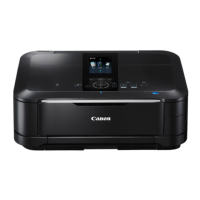
Canon PIXMA mg6150 - User Manual

Canon PIXMA mg6150
83 pages
Print Icon
To Next Page IconTo Next Page
Loading...
FRANÇAIS
DEUTSCH
ENGLISH
ITALIANO
Guida Rapida
Leggere questo manuale prima di utilizzare la stampante. Tenerlo a portato di mano per consultarlo all’occorrenza.
Inbetriebnahme
Bitte lesen Sie dieses Handbuch vor der Verwendung des Geräts. Bewahren Sie es so auf, dass Sie es bei Bedarf zur Hand haben.
Démarrage
Veillez à lire ce manuel avant d’utiliser la machine. Conservez-le à portée de main an de pouvoir vous y reporter ultérieurement.
Getting Started
Make sure to read this manual before using the machine. Please keep it in hand for future reference.
Question and Answer IconNeed help?

Do you have a question about the Canon PIXMA mg6150 and is the answer not in the manual?

Summary

Preparation

Install the Print Head

Remove Print Head from Package

Steps to safely unpack and handle the print head from its packaging.

Install Print Head into Holder

Instructions on how to physically insert the print head into its designated slot.

Install the Ink Tanks

Remove Ink Tank Protective Components

Instructions for removing protective tape and film from ink tanks.

Insert Ink Tanks into Printer

Steps for correctly inserting ink tanks into the print head holder.

Align the Print Head

Prepare Paper for Alignment

Loading specific paper required for the print head alignment process.

Select Connection Method

USB Connection Setup

Steps for connecting the printer using a USB cable.

Wireless Connection Setup

Guidance for setting up a wireless network connection for the printer.

Install the Software (USB Connection)

Wireless Setup

Wired Setup

Install the Software (Network Connection)

Summary

Preparation

Install the Print Head

Remove Print Head from Package

Steps to safely unpack and handle the print head from its packaging.

Install Print Head into Holder

Instructions on how to physically insert the print head into its designated slot.

Install the Ink Tanks

Remove Ink Tank Protective Components

Instructions for removing protective tape and film from ink tanks.

Insert Ink Tanks into Printer

Steps for correctly inserting ink tanks into the print head holder.

Align the Print Head

Prepare Paper for Alignment

Loading specific paper required for the print head alignment process.

Select Connection Method

USB Connection Setup

Steps for connecting the printer using a USB cable.

Wireless Connection Setup

Guidance for setting up a wireless network connection for the printer.

Install the Software (USB Connection)

Wireless Setup

Wired Setup

Install the Software (Network Connection)

Canon PIXMA mg6150 Specifications

General IconGeneral
Print TechnologyInkjet
Max Print Resolution9600 x 2400 dpi
Scanner TypeFlatbed
Max Scan Resolution2400 x 4800 dpi
Duplex PrintingYes
Dimensions470 x 368 x 173 mm
ConnectivityUSB 2.0, Wi-Fi
Display3.0-inch LCD
FunctionsPrint, Scan, Copy
Print Speed (Black)12.5 ipm
Print Speed (Color)9.3 ipm
Paper SizesA4, A5, B5, Envelopes, Letter, Legal
Borderless PrintingYes
Operating System CompatibilityWindows, macOS
Ink TypeDye-based (color), Pigment-based (black)
Max. Color Print Speed9.3 ipm

Related product manuals