(16/58)
2-3. Special Notes on Assembling
(1) External housing, scanner unit, and document cover removal
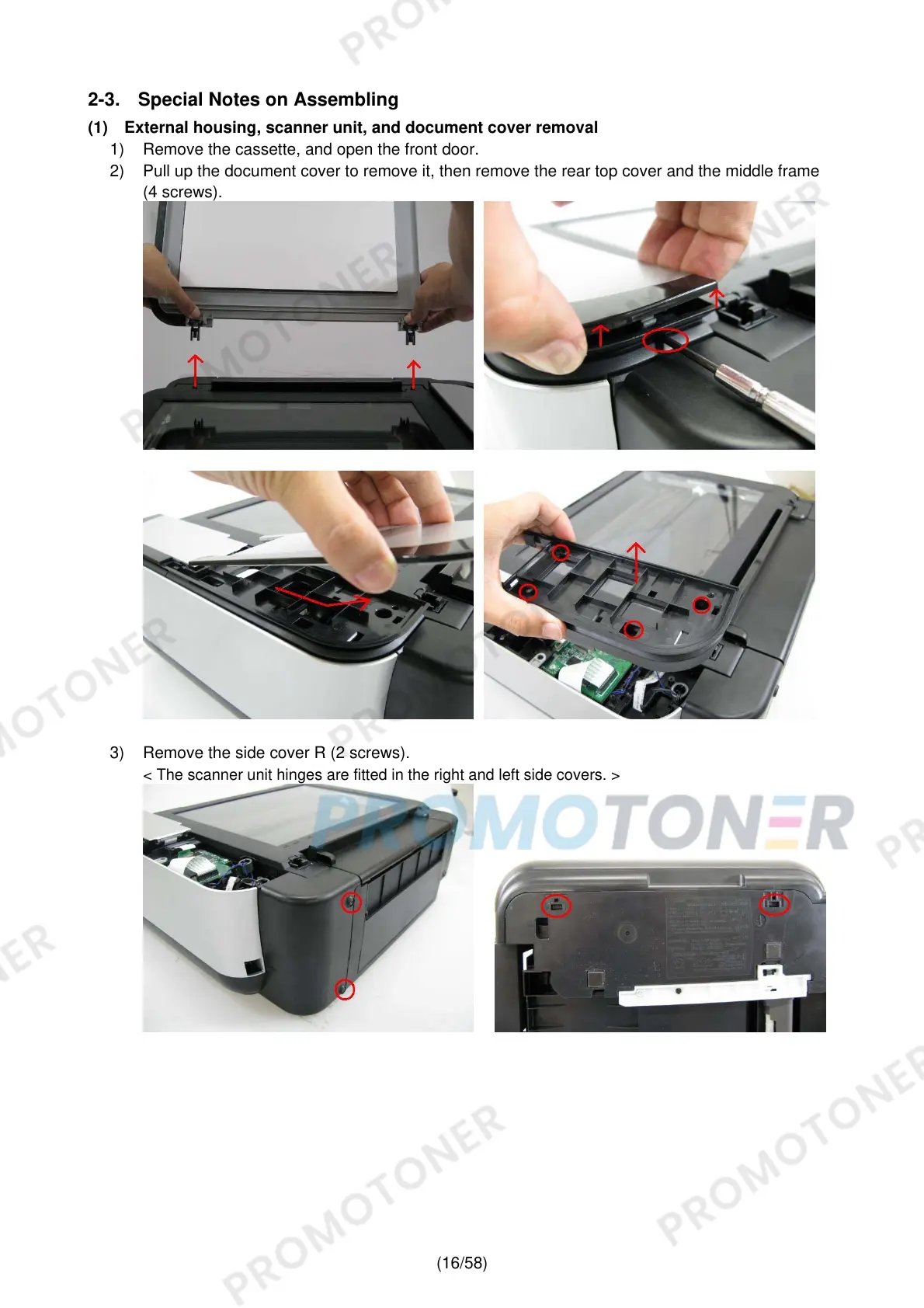
1) Remove the cassette, and open the front door.
2) Pull up the document cover to remove it, then remove the rear top cover and the middle frame
(4 screws).
3) Remove the side cover R (2 screws).
< The scanner unit hinges are fitted in the right and left side covers. >











 To Next Page