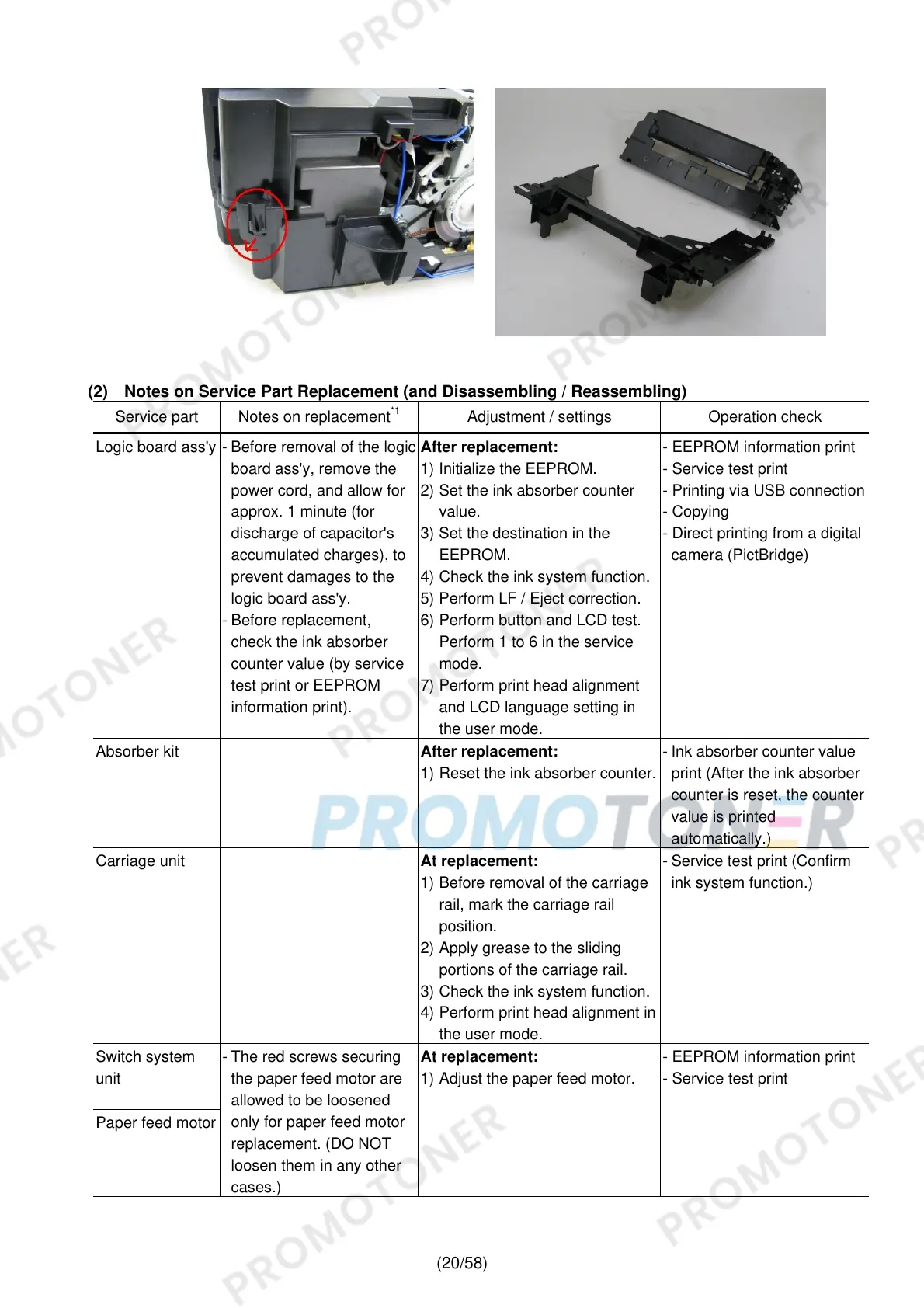
(20/58)
(2) Notes on Service Part Replacement (and Disassembling / Reassembling)
Service part Notes on replacement
*1
Adjustment / settings Operation check
Logic board ass'y - Before removal of the logic
board ass'y, remove the
power cord, and allow for
approx. 1 minute (for
discharge of capacitor's
accumulated charges), to
prevent damages to the
logic board ass'y.
- Before replacement,
check the ink absorber
counter value (by service
test print or EEPROM
information print).
After replacement:
1) Initialize the EEPROM.
2) Set the ink absorber counter
value.
3) Set the destination in the
EEPROM.
4) Check the ink system function.
5) Perform LF / Eject correction.
6) Perform button and LCD test.
Perform 1 to 6 in the service
mode.
7) Perform print head alignment
and LCD language setting in
the user mode.
- EEPROM information print
- Service test print
- Printing via USB connection
- Copying
- Direct printing from a digital
camera (PictBridge)
Absorber kit
After replacement:
1) Reset the ink absorber counter.
- Ink absorber counter value
print (After the ink absorber
counter is reset, the counter
value is printed
automatically.)
Carriage unit
At replacement:
1) Before removal of the carriage
rail, mark the carriage rail
position.
2) Apply grease to the sliding
portions of the carriage rail.
3) Check the ink system function.
4) Perform print head alignment in
the user mode.
- Service test print (Confirm
ink system function.)
Switch system
unit
Paper feed motor
- The red screws securing
the paper feed motor are
allowed to be loosened
only for paper feed motor
replacement. (DO NOT
loosen them in any other
cases.)
At replacement:
1) Adjust the paper feed motor.
- EEPROM information print
- Service test print











 To Next Page