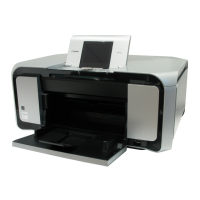
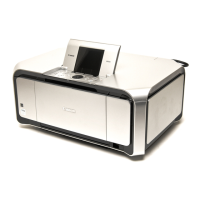
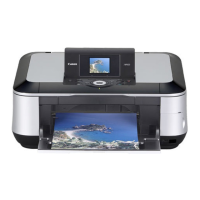
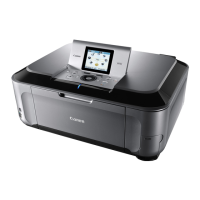
*1: General notes:
- Make sure that the flexible cables and wires in the harness are in the proper position and connected correctly.
See 3-2. Special Notes on Repair Servicing or the Parts Catalog for details.
- Do not drop the ferrite core, which may cause damage.
- Protect electrical parts from damage due to static electricity.
- Before removing a unit, after removing the power cord, allow the machine to sit for approx. 1 minute (for capacitor discharging
to protect the logic board ass'y from damages).
- Do not touch the timing slit strip film, timing slit disk film, and timing slit disk eject film. No grease or abrasion is allowed.
- Protect the units from soiled with ink.
- Protect the housing from scratches.
- For the MP610 automatic print head alignment, use Matte Photo Paper (MP-101) to ensure alignment accuracy.
- Exercise caution with the screws, as follows:
i. The screws of the paper feed motor may be loosened only at replacement of the paper feed motor unit (DO NOT
loosen them in other cases).
ii. DO NOT loosen the red screws on both sides of the main chassis, securing the carriage shaft positioning (they are
not adjustable in servicing)
Input carriage lift gear portions.
[See 3-3. Adjustment /
Settings, (3) Grease
application, for details.]
Easy-Scroll Wheel base
Document pressure plate
unit
After replacement:
1. Confirm the document
pressure plate sheet position.
[See 3-3. Adjustment /
Settings, (2) Document
pressure plate sheet
replacement, for details.]
2. Check the LCD and operation
panel.
[See 3-3. Adjustment /
Settings, (6) Service mode,
for details.]
Document pressure plate
sheet
Document pressure plate
sheet frame
Scanner unit
Operation panel board
ass'y
- Be cautious not to scratch or
damage the LCD hinge FFC.
At replacement:
1. Check the LCD and operation
panel.
[See 3-3. Adjustment /
Settings, (6) Service mode,
for details.]
LCD viewer unit
Timing slit strip film - Upon contact with the film,
wipe the film with ethanol.
- Confirm no grease is on the
film. (Wipe off any grease
thoroughly with ethanol.)
- Do not bend the film
After replacement:
1. Perform print head alignment
in the user mode.
2. Perform LF / Eject correction
in the service mode.
[See 3-3. Adjustment /
Settings, (6) Service mode,
for details.]
- Service test print
Timing slit disk film
Timing slit disk eject film
Print head
After replacement:
1. Perform print head alignment
in the user mode.
- Service test print
<3-1. Notes on Service Part Replacement>


 To Next Page
 Loading...