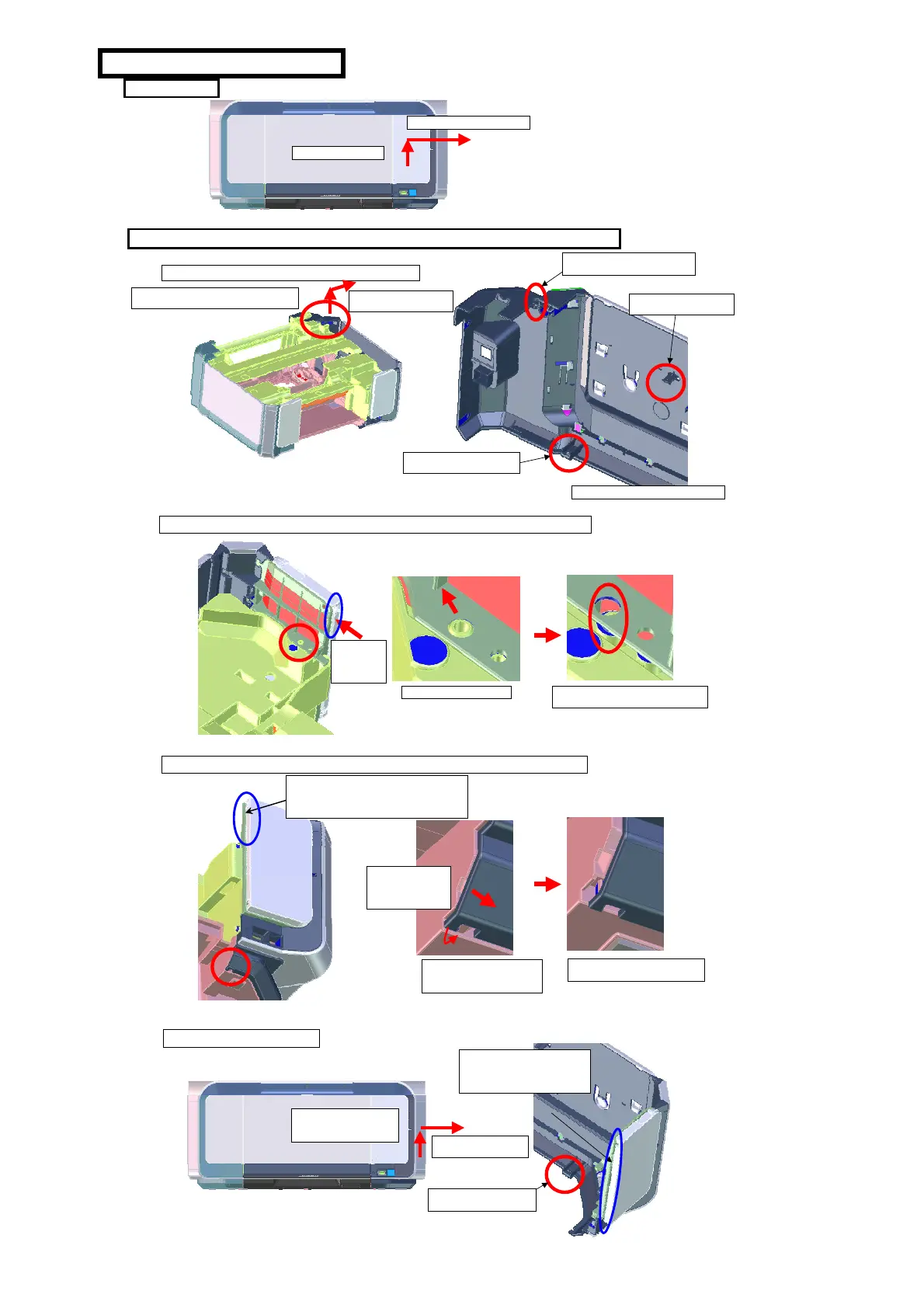
How to remove the side cover R
1. Basic idea
1) Move 2.5mm upward
2) Slide the cover horizontally.
2. Details (The scanner, front door, and cassette are not described to provide a better
2-1. Disengage the back side part of the side cover R
B: Release this part from the
bottom case.
C: Release this part from
the main frame.
A: Release this part from the boss
on the main case.
2-2. Disengage the upper front part of the side cover R (circled in red in the pictures below)
2-3. Disengage the lower front part of the side cover R (circled in red in the picture below)
1) Pull out the lower
front of the side cover
in the arrow-indicated
direction.
2) Unlatch the claw of the side
cover, then put the claw on the
boss on the bottom case.
2-4.Remove the side cover R
3) Released this part from
the bottom case.
1) Slightly lift the back side part (circled in red
in the picture below) of the side cover R.
2) Slide the back side part
to the outside direction.
After finishing all three, proceed to 2-2.
Push this part
to the arrow-
indicated
direction.
When releasing the claw of the side cover from
the bottom case, gently push this area outward to
prevent the side cover from going back to sit on
the boss on the main case.
1) Hold the side cover R and
slightly lift the front part of
the cover.
2) Remove the cover by
sliding it horizontally.
When removing the side cover R,
gently push this area outward to
prevent the cover from going back
to sit on the bosses.
Confirm that the side cover is removed
from the boss on the main case.
3) Confirm that the claw is
completely unlatched.
Enlarged view of the boss.


 To Next Page