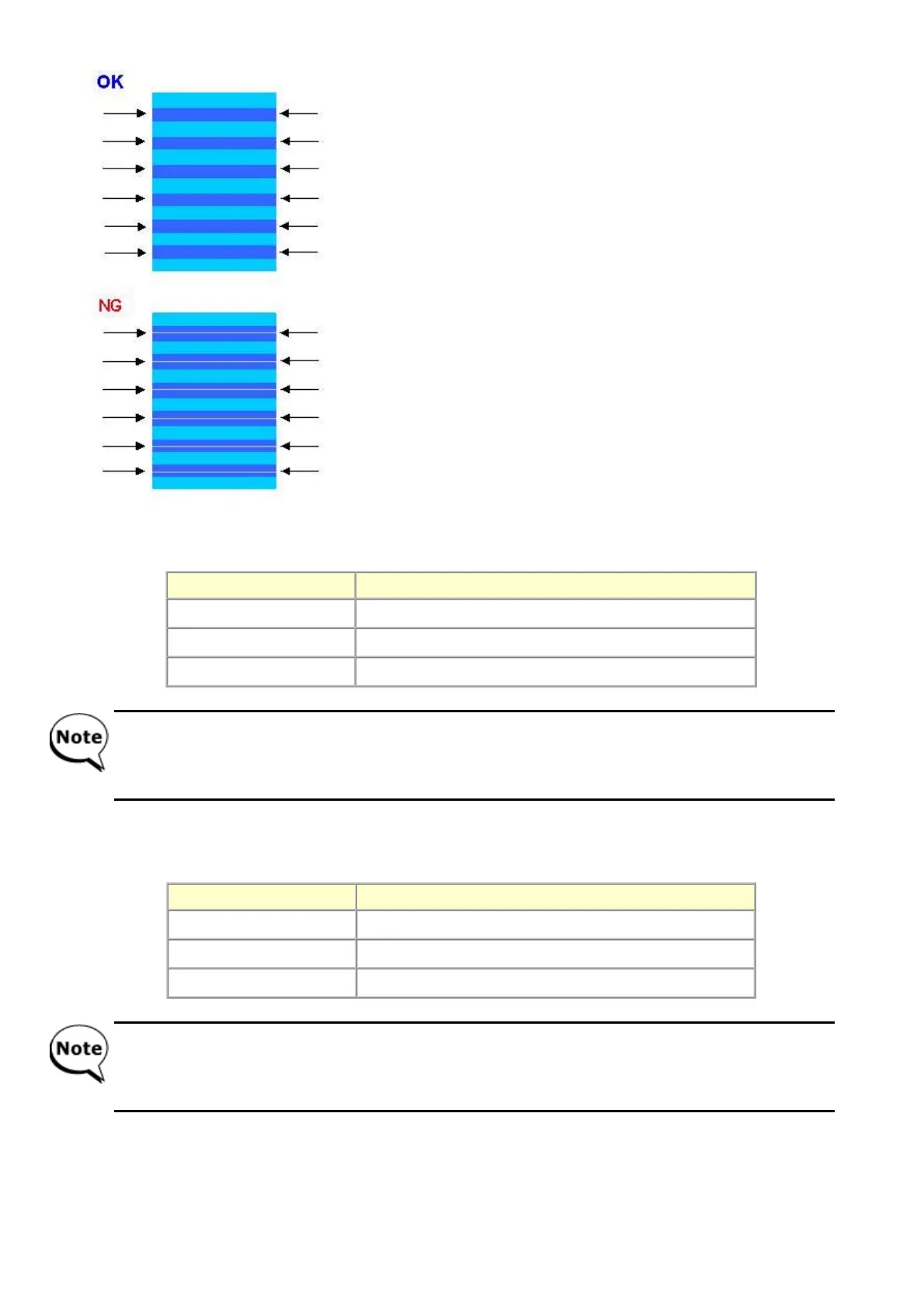
3) In the printout, select the Pattern No. in which streaks or lines are the least noticeable.
3-1) LF correction value
Press the Stop/Reset button the same number of time(s) as the selected Pattern No., then press the ON/OFF button.
3-2) Eject correction value
Press the Stop/Reset button the same number of time(s) as the selected Pattern No., then press the ON/OFF button.
4) When any of the numbers (0,1, or 2) is selected in 3)-1 or 3)-2, the new correction value is written to the EEPROM and the LF /
Eject correction values set in the service mode are enabled. After setting the correction values, the machine returns to the service
mode menu selection.
Selected pattern number Number of times the Stop/Reset button is pressed (M)
1 1 time
0 0 times
2 2 times
- Each time the Stop/Reset button is pressed, the Alarm and Power LEDs light alternately, Alarm in orange and
Power in blue.
- If the Stop/Reset button is pressed 3 times or more, then the ON/OFF button is pressed, the machine returns to
the service mode menu selection.
Selected pattern number Number of times the Stop/Reset button is pressed (N)
1 1 time
0 0 times
2 2 times
- Each time the Stop/Reset button is pressed, the Alarm and Power LEDs light alternately, Alarm in orange and
Power in blue.
- If the Stop/Reset button is pressed 3 times or more, then the ON/OFF button is pressed, the machine returns to
the service mode menu selection.


 To Next Page