<Left margin correction>
Adjust the left margin for duplex printing or printing from the cassette.
1) Duplex printing from the rear tray and cassette
In the left margin correction mode, press the Stop/Reset button 1 time, then press the ON/OFF button 1 time. Duplex printing is
performed from the rear tray and cassette.
From each paper source (rear tray and cassette), 2 sheets of paper are ejected. The first sheet is blank, and the left margin
correction pattern is printed on the second sheet.
<Printing sequence>
For detail, see the flowcharts below.
i. A sheet of paper feeds from the rear tray, and ejected blank (single-sided printing).
ii. A sheet of paper feeds from the rear tray. Nothing is printed on the front side, and the pattern is printed on the back side (duplex
printing).
iii. A sheet of paper feeds from the cassette, and ejected blank (single-sided printing).
iv. A sheet of paper feeds from the cassette. The pattern is printed on both sides of paper (duplex printing).
A total of 4 sheets are ejected.
After this, set the correction value to the EEPROM in the steps below.
2) Selection of the parameter mode for left margin correction
Press the Stop/Reset button the specified number of time(s) according to the parameter mode listed in the table below, then press
the ON/OFF button.
Each time the Stop/Reset button is pressed, the Alarm and Power LEDs light alternately, Alarm in orange and Power in blue.
3) Setting of the left margin correction value ("+" means to increase the left margin)
Press the Stop/Reset button the specified number of time(s) according to the correction value listed in the table below, then press
the ON/OFF button.
After the value is set, the machine returns to the parameter mode selection. Repeat steps 2) and 3) to adjust the left margin in each
parameter mode: "back side of paper fed from the rear tray," "front side of paper fed from the cassette," and "back side of paper fed
from the cassette."
4) After the left margin correction in all the parameter modes is completed, press the Stop/Reset button 4 times or more in the
parameter mode selection, then press the ON/OFF button to return to the service mode menu selection.
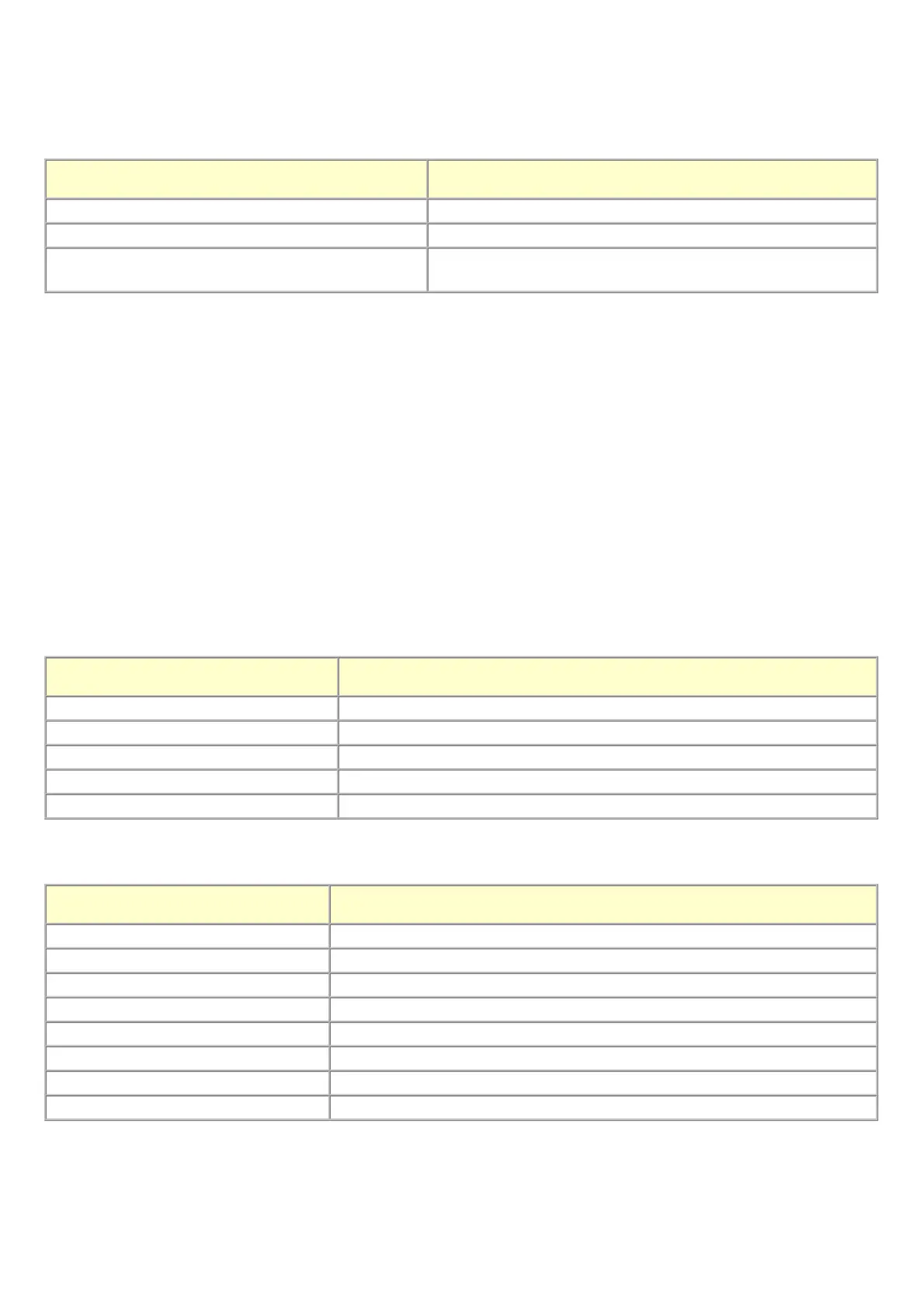
Number of times the Stop/Reset button is pressed
(L)
Operation
0 times No operation
1 time Duplex printing from the rear tray and cassette
2 times
Return to the service mode menu selection (no writing to the
EEPROM)
Number of times the Stop/Reset button
is pressed (M)
Parameter mode
0 times Duplex printing from the rear tray and cassette
1 time Back side of paper fed from the rear tray
2 times Front side of paper fed from the cassette
3 times Back side of paper fed from the cassette
4 times or more Return to the service mode menu selection (after writing to the EEPROM)
Number of times the Stop/Reset
button is pressed (N)
Left margin correction value
0 times Return to the parameter mode selection for left margin correction
1 time +1 pitch
2 times +2 pitches
3 times +3 pitches
4 times -1 pitch
5 times -2 pitches
6 times -3 pitches
7 times or more Return to the service mode menu selection (no writing to the EEPROM)


 To Next Page
 Loading...