EasyManua.ls Logo

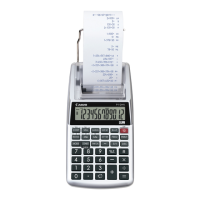
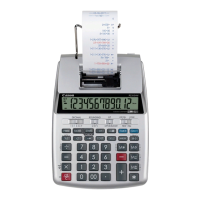
Canon P1-DH - User Manual

Canon P1-DH
4 pages
Print Icon
To Next Page IconTo Next Page
Loading...
Question and Answer IconNeed help?

Do you have a question about the Canon P1-DH and is the answer not in the manual?

Summary

Time Calculation

Calculating Wages for Part-Time Jobs

Demonstrates calculating wages for a part-time job by entering hours and hourly rate.

Tax Calculation

Setting the Tax Rate

Instructions for setting and storing a tax rate for calculations.

Adding Tax Amount

Example showing how to add a calculated tax amount to a price.

Deducting Tax Amount

Example showing how to deduct a calculated tax amount from a price.

Cost-Sell-Margin Calculation

Calculating Cost

Demonstrates calculating the cost when selling price and profit margin are known.

Calculating Selling Price

Demonstrates calculating the selling price when cost and profit margin are known.

Calculating Profit Margin

Demonstrates calculating the profit margin percentage.

Memory Calculation

Overflow Function

Data Printout

Calculating with Decimals

Decimal Point Selector Key

Key used for designating the decimal point position for calculated results.

Rounding Key

Key used for rounding final multiplication or division results to a pre-selected number of decimals.

Specifications

Loading and Replacing Batteries

Battery Loading

Instructions for properly inserting batteries into the calculator.

Battery Replacement

Guidance on when and how to replace batteries for optimal performance.

Summary

Time Calculation

Calculating Wages for Part-Time Jobs

Demonstrates calculating wages for a part-time job by entering hours and hourly rate.

Tax Calculation

Setting the Tax Rate

Instructions for setting and storing a tax rate for calculations.

Adding Tax Amount

Example showing how to add a calculated tax amount to a price.

Deducting Tax Amount

Example showing how to deduct a calculated tax amount from a price.

Cost-Sell-Margin Calculation

Calculating Cost

Demonstrates calculating the cost when selling price and profit margin are known.

Calculating Selling Price

Demonstrates calculating the selling price when cost and profit margin are known.

Calculating Profit Margin

Demonstrates calculating the profit margin percentage.

Memory Calculation

Overflow Function

Data Printout

Calculating with Decimals

Decimal Point Selector Key

Key used for designating the decimal point position for calculated results.

Rounding Key

Key used for rounding final multiplication or division results to a pre-selected number of decimals.

Specifications

Loading and Replacing Batteries

Battery Loading

Instructions for properly inserting batteries into the calculator.

Battery Replacement

Guidance on when and how to replace batteries for optimal performance.

Canon P1-DH Specifications

General IconGeneral
BrandCanon
ModelP1-DH
CategoryCalculator
LanguageEnglish

Related product manuals