EasyManua.ls Logo

Canon P23-DHV G - User Manual

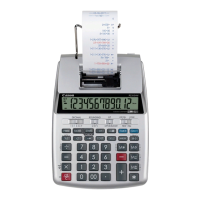
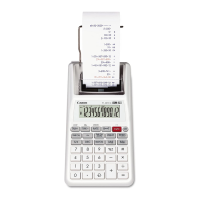
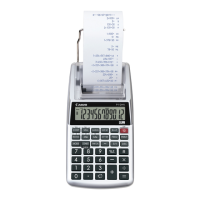
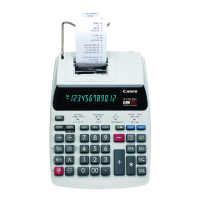
Canon P23-DHV G
2 pages
Print Icon
To Next Page IconTo Next Page
Loading...
P23-DHV G
E-IM-2495
For more information to purchase optional AC Adapter
please visit http: //www.estore.usa.canon.com
217mm (L) x 162mm (W) x 56mm (H) / 8-55/64” (L) x 6-3/8” (W) x 2-13/64” (H)
464g (15.7oz) without batteries / 558g (18.9 oz) with batteries
217mm (logitud) x 162mm (ancho) x 56mm (alto) /
8-55/64” (logitud) x 6-3/8” (ancho) x 2-13/64” (alto)
464g (15.7oz) Sin baterías / 558g (18.9 oz) con baterías
Question and Answer IconNeed help?

Do you have a question about the Canon P23-DHV G and is the answer not in the manual?

Summary

Backup and Main Battery Operations

Replacing Backup Battery

Retains settings when power is off or AC cord is disconnected.

Loading and Replacing Batteries

Instructions for loading 4 AA batteries and replacing them when low.

Power and Printer Supplies

AC Operation

Using the included Canon AC Adapter AC-380 for power.

Replacing the Ink Roller

Procedure for replacing the ink roller (CP-13) for clear printing.

Inserting Printing Paper

Steps to load new paper rolls into the printer correctly.

Calculator Functions and Settings

General Maintenance

Guidelines for cleaning and avoiding environmental factors.

Decimal Point Selector Switch

Designating the decimal point position for calculated results.

Rounding Switch

Setting results to round up, off, or down.

Power;Print;Item Count;Rate Set Switch

Explains switch positions for power, printing, item count, and rate setting.

Overflow

Conditions causing overflow and how to clear it.

Specifications and Troubleshooting

Specifications

Technical details including operation temperature, capacity, and dimensions.

Summary

Backup and Main Battery Operations

Replacing Backup Battery

Retains settings when power is off or AC cord is disconnected.

Loading and Replacing Batteries

Instructions for loading 4 AA batteries and replacing them when low.

Power and Printer Supplies

AC Operation

Using the included Canon AC Adapter AC-380 for power.

Replacing the Ink Roller

Procedure for replacing the ink roller (CP-13) for clear printing.

Inserting Printing Paper

Steps to load new paper rolls into the printer correctly.

Calculator Functions and Settings

General Maintenance

Guidelines for cleaning and avoiding environmental factors.

Decimal Point Selector Switch

Designating the decimal point position for calculated results.

Rounding Switch

Setting results to round up, off, or down.

Power;Print;Item Count;Rate Set Switch

Explains switch positions for power, printing, item count, and rate setting.

Overflow

Conditions causing overflow and how to clear it.

Specifications and Troubleshooting

Specifications

Technical details including operation temperature, capacity, and dimensions.

Canon P23-DHV G Specifications

General IconGeneral
TypePrinting Calculator
Display12-digit LCD
Print Speed2.3 lines/sec
Power SourceAC adapter (included) or optional battery
FunctionsTax calculation, currency conversion
ColorBlack

Related product manuals