Canon PC880/860 Operator’s Manual ENGLISH
32
Copying Features
Setting the Copy Quantity
Up to 100 copies can be entered for copying at one time.
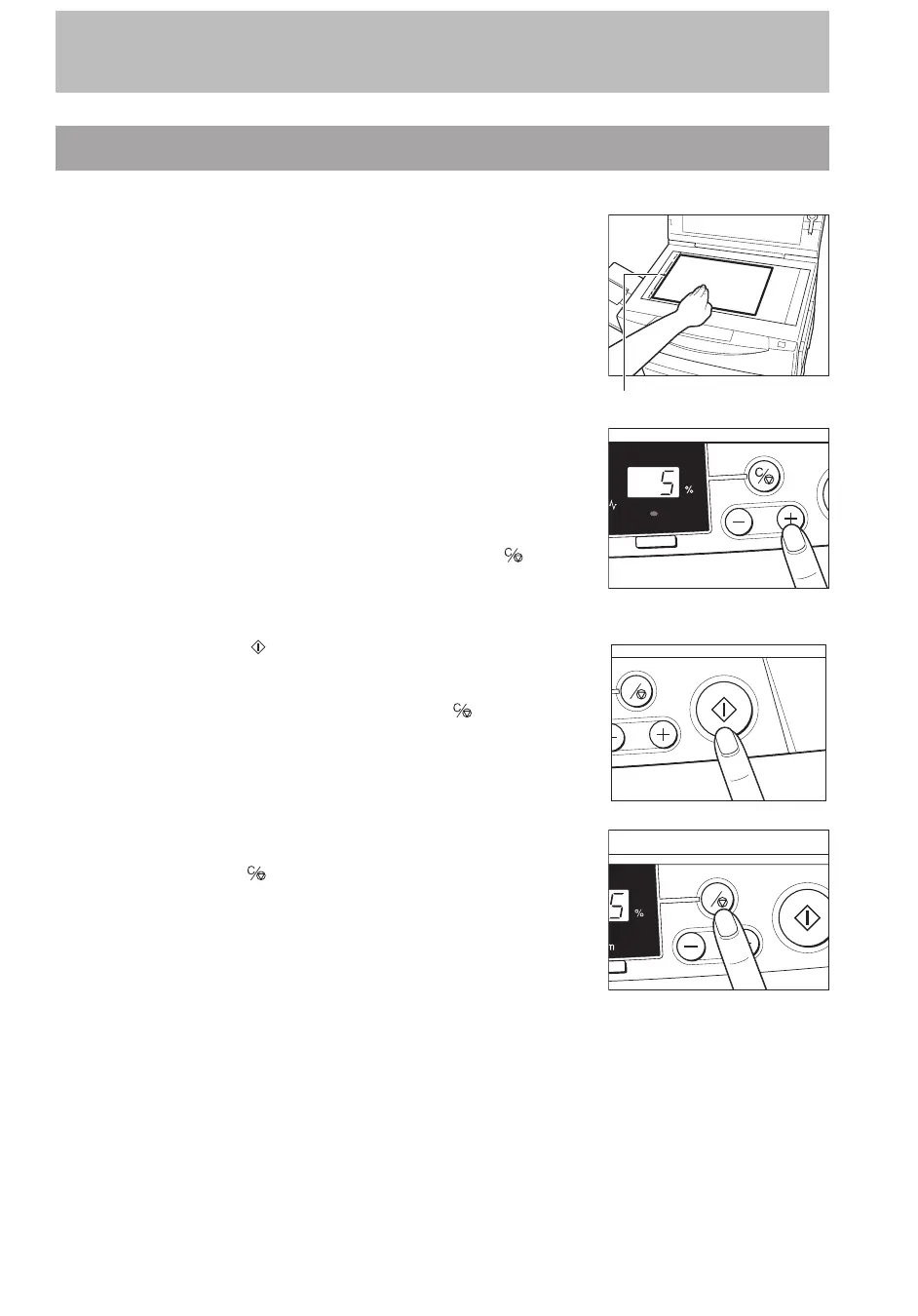
1
Place your original on the platen glass.
Paper size marks
...............................
2
Press the Copy Quantity/Zoom Input (–/+) keys to enter the
desired copy quantity (1-100).
The copy quantity appears in the Copy quantity/Copy ratio
display.
To increase the copy quantity, press the (+) key.
To decrease the copy quantity, press the (–) key.
To clear the copy quantity to 1, press the Clear/Stop (
) key.
Zoom
...............................
3
Press the Start ( ) key.
MEMO:
I After a copy job begins, you cannot change the copy quantity. To
change the copy quantity, press the Clear/Stop (
) key and reenter
the copy quantity.
C
<Stopping before copying is completed>
If you want to stop the copier before copying is completed, press
the Clear/Stop (
) key.
C
...............................



 To Next Page