Canon PC880/860 Operator’s Manual ENGLISH
35
COPYING FEATURES
Enlarging/Reducing Using Preset Copy
Ratios
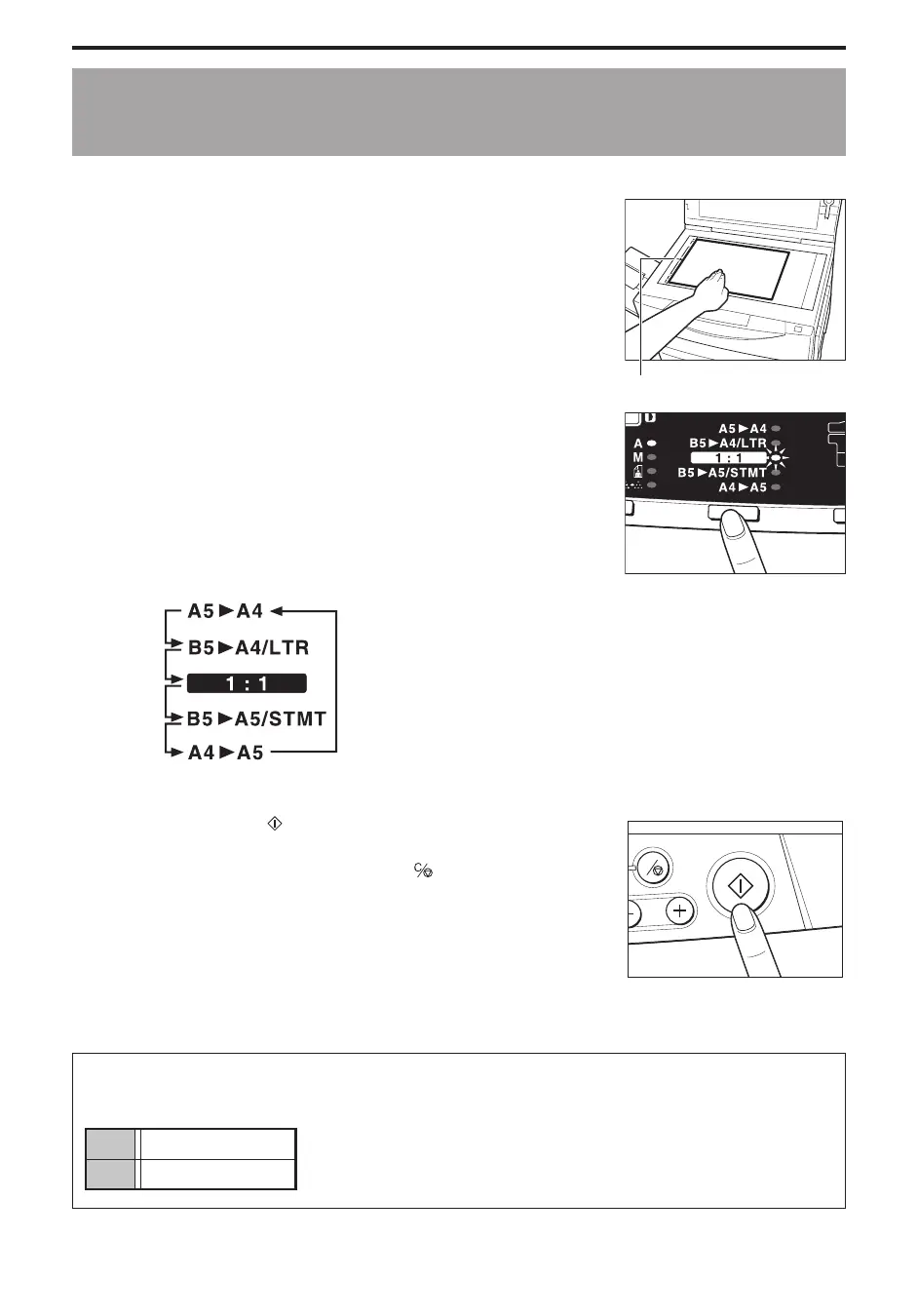
Standard-size originals can be easily converted from one standard size to another.
1
Place your original on the platen glass.
Paper size marks
...............................
2
Press the Preset Copy Ratio key.
Press it the number of times necessary to light up the desired
copy ratio.
MEMO:
I When you press the Preset Copy Ratio key, the preset copy ratios will
appear in the following order:
(Enlarge copies from A5 to A4-size)
(Reduce copies from A4 to A5-size)
...............................
3
Press the Start ( ) key.
MEMO:
I To stop copying, press the Clear/Stop ( ) key.
C
...............................
Standard Paper Sizes
The paper sizes are as follows:
A4 210 mm × 297 mm
A5 148 mm × 210 mm



 To Next Page