Canon PC880/860 Operator’s Manual ENGLISH
45
REPLACING AND STORING THE CARTRIDGE
5
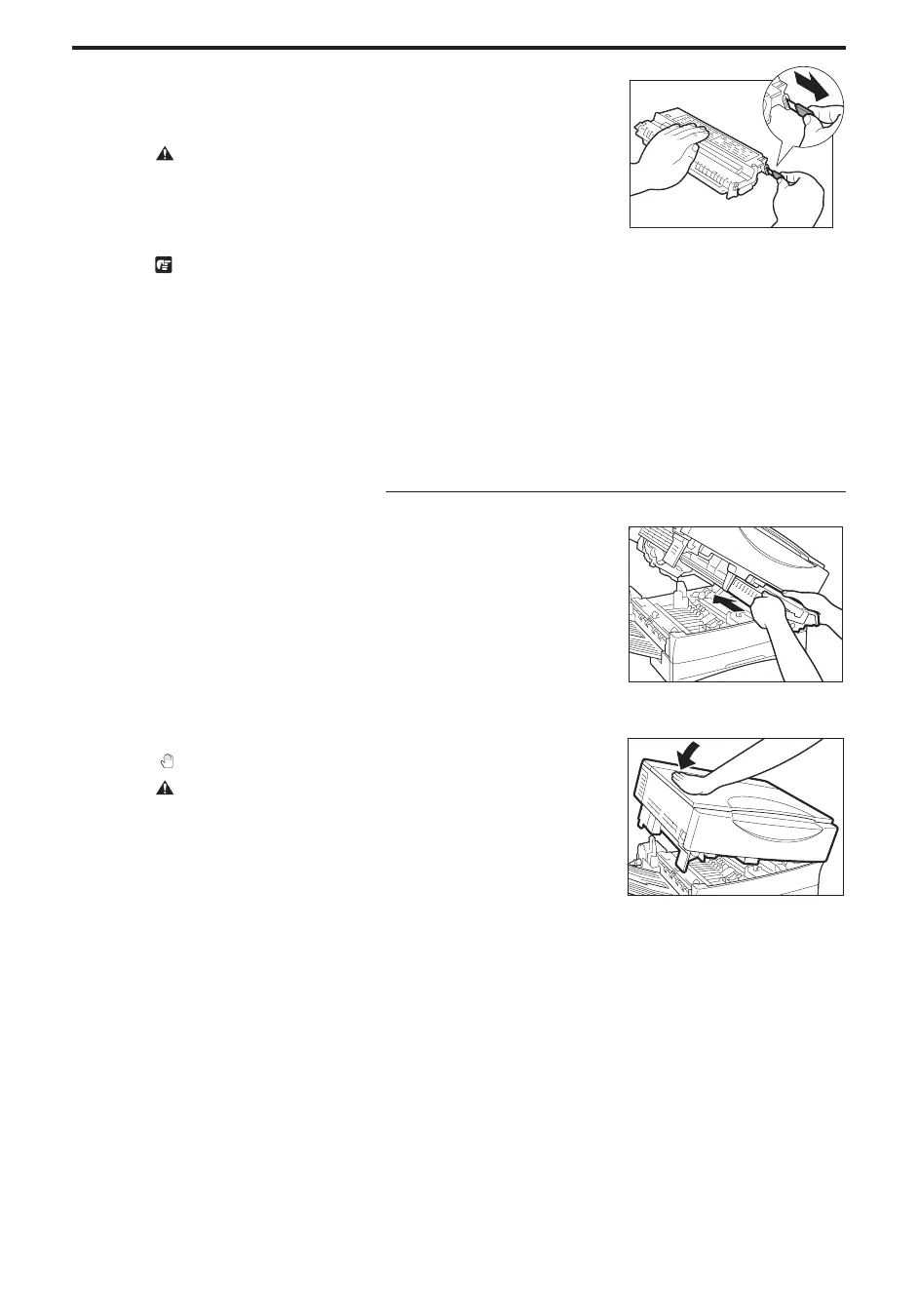
Place the cartridge on a flat, level surface (e.g., a desk or table).
Peel the sealing tape grip from the end of the cartridge. Grasp the
grip and pull the sealing tape out in the direction of the arrow
mark away from the cartridge.
CAUTION:
I When removing the sealing tape, take care not to allow the toner on
the sealing tape to come into contact with your hands or clothing. If you
get toner on either your hands or clothing, wash immediately with cold
water. Washing with warm water will set the toner and make it
impossible to remove.
REQUEST:
I Do not pull the sealing tape out at an angle. If the sealing tape breaks
before being pulled out fully, you will not be able to use the cartridge.
I Do not press down forcefully on the cartridge.
MEMO:
I The sealing tape grip is affixed to the end of the cartridge. Before
pulling out the tape, be sure to peel it from the end of the cartridge.
Then, pull the tape out slowly from the cartridge.
I The sealing tape is approximately 50 cm long. Be sure to pull the
sealing tape completely out of the cartridge.
Installing the New Cartridge
6
Hold the new cartridge so that the side with the written
instructions is facing upward. Then, carefully insert the cartridge
into the copier as far as it will go.
NOTICE:
I Insert the cartridge so that the arrow on the side with the written
instructions is pointing away from you.
...............................
7
Close the main unit by pressing down firmly on the part marked
“
”.
CAUTION:
I When you close the main unit, be careful not to get your hand in the
way.
NOTICE:
I When you replace the cartridge, all current copy settings will be
cancelled. Press the power switch ON, and programme the copy
settings again before copying.
...............................



 To Next Page