
 Need help?
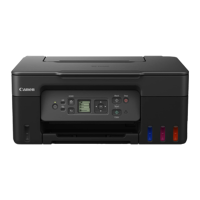
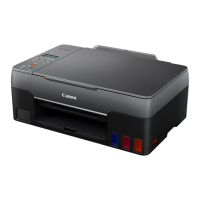
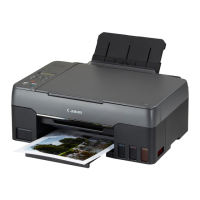
Do you have a question about the Canon PIXMA G3910 and is the answer not in the manual?
Read the Safety and Important Information addendum before proceeding with setup.
Verify all included items like cartridges, ink bottles, and manuals are present.
Remove protective tapes and materials from the printer exterior and interior.
Install the ink cartridges into the printer, ensuring correct placement and securing.
Connect the power cord and press the ON button to power up the printer.
Open ink tanks, fill with ink bottles, and confirm ink levels are adequate.
Complete ink system preparation by confirming indicators and waiting for completion.
Resolve common error codes related to cartridge installation and ink preparation.
Set up the printer connection to a computer via internet download or CD-ROM.
Complete initial setup without connecting to external devices.
Install printer software on Windows PCs using the provided setup CD-ROM.
Start and complete the printer setup process on your computer.
Connect the printer to your smartphone using the Canon PRINT Inkjet/SELPHY app.
Follow guided steps for iOS and Android to register the printer with your smartphone.
Troubleshoot issues where the smartphone cannot detect the printer.
Properly load paper into the printer's paper support and output tray.
Follow guidelines to safely pack and transport the printer to prevent damage or leaks.
Access the online manual via the provided web address on your browser.
Access the online manual using a desktop shortcut if available.
 General
| Functions | Print, Copy, Scan |
|---|---|
| Print Technology | Inkjet |
| Print Resolution | 4800 x 1200 dpi |
| Print Speed (Black) | 10.8 ipm |
| Print Speed (Color) | 6.0 ipm |
| Borderless Printing | Yes |
| Two Sided Printing | Manual |
| Ink Tank System | Yes |
| Ink Colors | Black, Cyan, Magenta, Yellow |
| Scanner Type | Flatbed |
| Scanner Resolution (Optical) | 1200 x 2400 dpi |
| Scanner Resolution | 1200 x 2400 dpi |
| Dimensions (W x D x H) | 445 x 330 x 163 mm |
| Type | Multifunction |
| Photo Print Speed | Approx. 60 seconds (4 x 6 inch) |
| Paper Sizes | A4, A5, B5, Letter, Legal, Envelopes |
| Paper Types | Plain Paper, Photo Paper, Matte Paper |
| Input Paper Capacity | 100 sheets |
| Scanning Depth (Input / Output) | 48-bit / 24-bit |
| Copy Speed (Black) | Approx. 2.5 ipm |
| Copy Speed (Color) | Approx. 1.5 ipm |
| Copy Functions | ID Card Copy |
| Connectivity | USB, Wi-Fi |
| Mobile Printing | Canon PRINT app |
| Supported Operating Systems | Windows, macOS |



 To Next Page