
 Need help?
Do you have a question about the Canon PIXMA iX6820 and is the answer not in the manual?
General guidelines and restrictions for using the online manual, including reproduction policies.
Instructions on how to print the online manual, including settings for background colors and images.
Explains the meaning of various symbols like Warning, Caution, Important, Note, and Basic.
Guidance for users operating touch-enabled devices, explaining action replacements for 'right-click'.
Describes printer functions that can be accessed conveniently via network integration with devices and web services.
Details useful functions that can be accessed from applications and the printer's main unit.
Information related to the safe operation and handling of the printer.
Details the printer's main parts and fundamental operational procedures.
Instructions for loading various types of paper into the printer.
Steps for replacing the printer's ink tanks.
Procedures for maintaining the printer's performance and resolving issues.
Guide to adjusting various printer settings and configurations.
Information and guidance on connecting the printer to a network.
Explains concepts and details related to the printer's network communication capabilities.
Advice and tips to achieve the best possible print quality.
Outlines legal restrictions regarding product use and image printing.
Technical specifications and details of the printer.
Important safety measures to follow during printer operation and handling.
Compliance and regulatory information for the printer.
Guidelines for selecting a suitable and safe installation location for the printer.
Precautions related to the printer's power supply and cord usage.
Safety instructions for operating and handling the printer.
Safety warnings concerning ink tanks, print heads, and cartridges.
Compliance information for users in Canada regarding radio standards.
Information on WEEE directive and product disposal for EU regions.
Details on the printer's power usage, including Ready Mode and Power Save Mode.
Information about the printer's Energy Star certification and energy efficiency.
Information on compatible paper types and their environmental considerations.
Identifies and describes the primary physical parts of the printer.
Information regarding the printer's power source and supply.
Illustrates and labels the front-facing parts of the printer.
Illustrates and labels the rear-facing parts of the printer.
Illustrates and labels the internal components of the printer.
How to verify if the printer is powered on correctly.
Step-by-step instructions for powering the printer on and off.
Important notices regarding the handling and unplugging of the power cord.
Instructions for loading plain and photo paper.
Instructions for loading envelopes into the printer.
Information on compatible and incompatible paper types.
Details the printable margins and area on different paper sizes.
Step-by-step guide for replacing ink tanks.
Methods for checking the current ink levels.
How to check ink levels using the printer's ink lamps.
How to check ink levels using the computer interface.
Troubleshooting steps for print quality issues like faint colors or streaks.
Maintenance tasks that can be performed using the computer.
Procedures for cleaning various parts of the printer.
A general procedure to follow when print quality is poor.
How to print a pattern to check print head nozzle status.
How to interpret the nozzle check pattern to diagnose issues.
Steps for cleaning the printer's print head.
How to adjust the print head position for optimal print alignment.
How to clean the outer surfaces of the printer.
Instructions for cleaning the printer's interior components.
Method for cleaning the paper feed rollers.
How to modify printer settings via the computer.
Steps to reset all printer settings to their factory defaults.
How to adjust detailed print settings via the printer driver.
How to save and reuse custom print settings profiles.
Options for controlling the printer's power state, including auto power features.
How to enable and use quiet mode to reduce printing noise.
How to configure custom operating modes for the printer.
Default network settings configured on the printer at the factory.
Steps for establishing a printer connection using a USB cable.
How to resolve issues when multiple printers share the same name during setup.
Guide to switching the printer's connection from USB to LAN.
How to print the printer's current network configuration details.
 General
| Brand | Canon |
|---|---|
| Model | PIXMA iX6820 |
| Category | Network Router |
| Language | English |
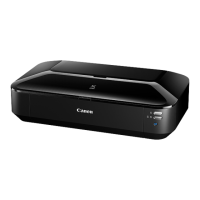

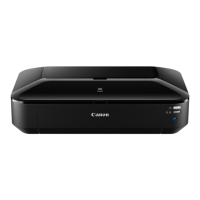
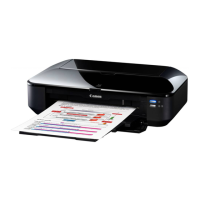
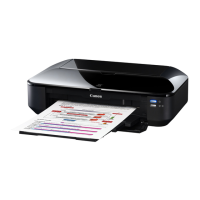





 To Next Page
